• Login
    • Search
    • Categories
    • Recent
    • Tags
    • Users
    • Groups
    • Rules
    • Help

    Do more on the web, with a fast and secure browser!

    Download Opera browser with:

    • built-in ad blocker
    • battery saver
    • free VPN
    Download Opera

    Opera 126.0.5750.59 Stable update

    Blogs
    desktop blog comments
    8
    15
    378
    Loading More Posts
    • Oldest to Newest
    • Newest to Oldest
    • Most Votes
    Reply
    • Reply as topic
    Log in to reply
    This topic has been deleted. Only users with topic management privileges can see it.
    • Opera Comments Bot
      Opera Comments Bot last edited by

      Hello! Weโ€™re excited to announce a new stable update โ€“ version 126.0.5750.59 Crash fixes: Tab Island customization fixes: Other fixes: Split Screen enhancements (available in Early Bird): You can find the full list in the changelog. Happy browsing! Installation links:

      Read full blog post: Opera 126.0.5750.59 Stable update

      Reply Quote 0
        1 Reply Last reply
      • Opera-QA-Team
        Opera-QA-Team Opera last edited by

        Starting the discussion

        Reply Quote 0
          1 Reply Last reply
        • sicu220
          sicu220 last edited by
          1. When will Opera Ai synchronization be resolved? Between computer and mobile phone? I mean synchronization of chats.

          2. I don't like the white color of Opera AI's highlight menu and the color up there is not uniform. A black or dark theme would be better for it. 08b43985-d5af-4095-9e7d-d7bcf67e0cdf-image.png
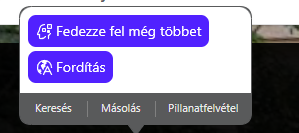
          Reply Quote 0
            leocg 1 Reply Last reply
          • sicu220
            sicu220 last edited by

            In the History menu: Search in history, the word "Search" is no longer available.

            31d876d0-8483-47e2-bfa2-ea37c1ef7607-image.png
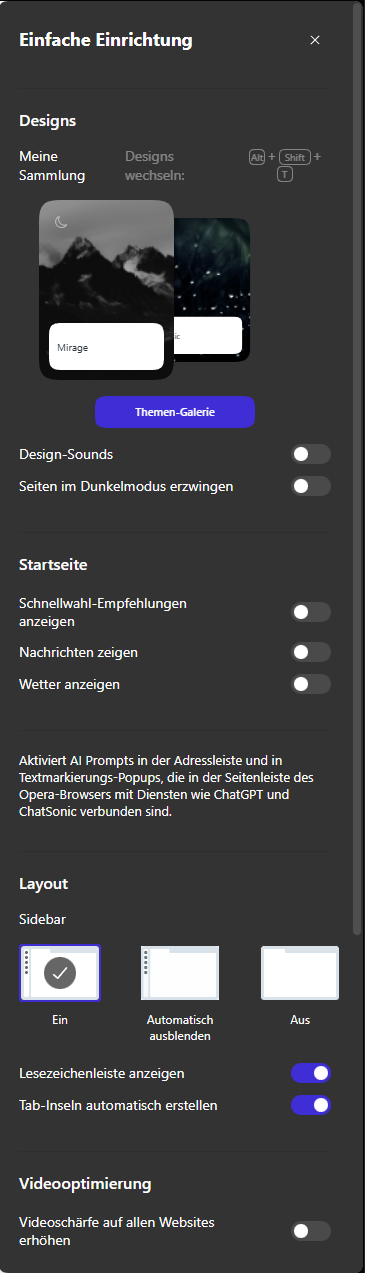
            In dark system settings, the simple settings menu on the right does not switch to a dark theme. Now I see that the theme sounds, when forcing dark mode, the buttons are not visible.
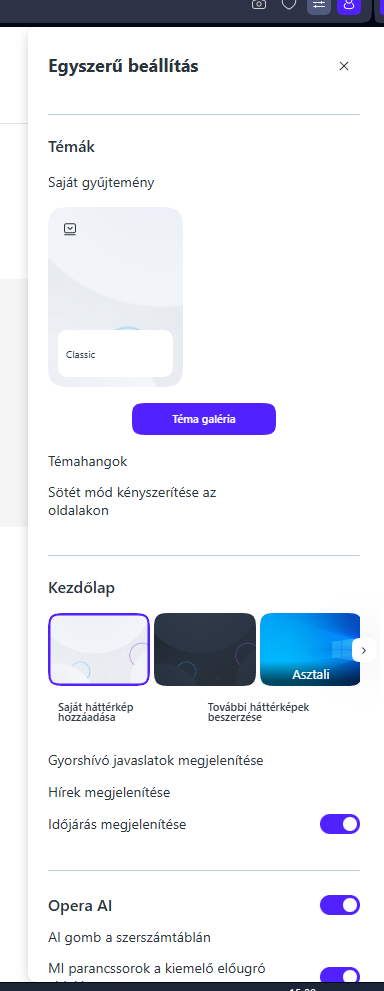
            3b050f9f-837f-4090-a209-ef2c9ede8eb6-image.png

            Reply Quote 0
              andrew84 mathias87 Opera-QA-Team 3 Replies Last reply
            • andrew84
              andrew84 @sicu220 last edited by andrew84

              @sicu220 said in Opera 126.0.5750.59 Stable update:

              In dark system settings, the simple settings menu on the right does not switch to a dark theme

              Here it switches to dark.

              • The issue I have is that theme tile's menus don't reset and after opening EasySetup the menus are open (if the EasySetup was closed without closing the menus first).
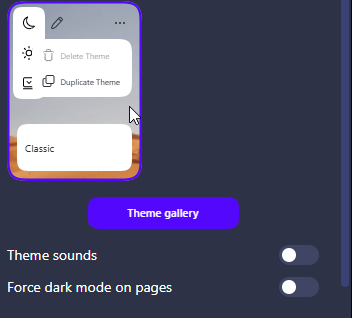
              2026-01-22_164441.png

              • Another one issue is the 'force dark pages' toggle resets each time and doesn't remember its state after switching the dark theme off/on.

              Edit:

              And yes the old bug in general Settings is still there.
              After switching to dark mode the 'force dark pages' toggle not visible.
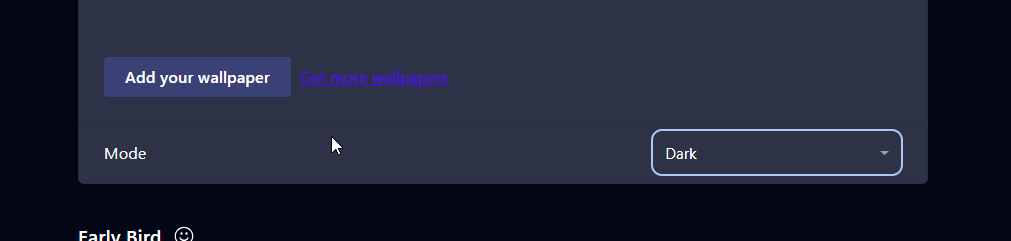
              2026-01-22_165135.png

              To see it is need to refresh the page.
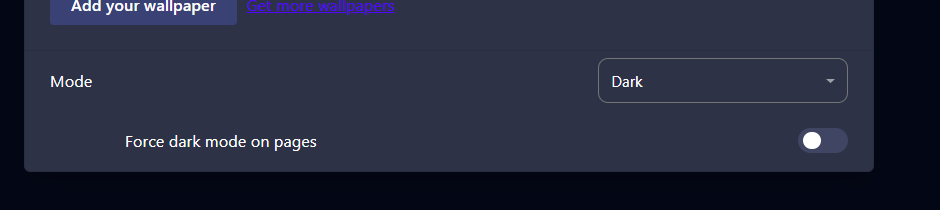
              2026-01-22_165157.png

              Reply Quote 1
                sicu220 1 Reply Last reply
              • sicu220
                sicu220 @andrew84 last edited by

                @andrew84 Then it's not just me who has errors.

                Reply Quote 0
                  1 Reply Last reply
                • leocg
                  leocg Moderator Volunteer @sicu220 last edited by

                  @sicu220 1 ) Probably when they implement synchronisation in AI chats.

                  Reply Quote 1
                    sicu220 1 Reply Last reply
                  • sicu220
                    sicu220 @leocg last edited by leocg

                    @leocg When? This year?

                    Reply Quote 0
                      leocg 1 Reply Last reply
                    • mathias87
                      mathias87 @sicu220 last edited by

                      @sicu220 @sicu220: My easy setup menu with this current Opera version: Bild_2026-01-22_210924750.png

                      Reply Quote 0
                        1 Reply Last reply
                      • leocg
                        leocg Moderator Volunteer @sicu220 last edited by

                        @sicu220 First we need to know if they will do it.

                        Reply Quote 1
                          sicu220 1 Reply Last reply
                        • sicu220
                          sicu220 @leocg last edited by

                          @leocg It has to be done. See Gemini or ChatGPT, chats are synchronized there too.

                          Reply Quote 0
                            1 Reply Last reply
                          • Opera-QA-Team
                            Opera-QA-Team Opera @sicu220 last edited by

                            @sicu220: Hello, thanks for the feedback. What OS is it? I checked and it's working fine in Win11. (system mode dark, default mode in Opera -> Easy Setup panel also changes to dark)

                            Reply Quote 0
                              sicu220 1 Reply Last reply
                            • sicu220
                              sicu220 @Opera-QA-Team last edited by

                              @Opera-QA-Team Windows 10 Pro

                              Reply Quote 0
                                1 Reply Last reply
                              • bbildman
                                bbildman last edited by bbildman

                                New Opera One 126.0.5750.59 (Windows 11) won't log me in to my banking site, Chase. However Chrome will. I had this issue also with another bank site. Not happy, any advise, I have deleted cookies and cleared cache all to no avail. Previous Opera One 126.0.5750.43 worked fine.

                                Reply Quote 0
                                  1 Reply Last reply
                                • jedi-am
                                  jedi-am last edited by jedi-am

                                  HI, after few version waiting for fixes for linux, here my feedback:

                                  so my OS: ubuntu 24.04.3 (gnome version with wayland)
                                  opera installer: snap version
                                  opera version: Opera One(version: 126.0.5750.59)

                                  only issue i had for last two version was on, so call, easy setup > layout > sidebar, when selected autohide, the browser just crashed and close.
                                  In this last version, so far seems fixed, no crashes anymore. Thanks

                                  About video, which in 2 version in the past,, failed, so far is working fine at least in last 3 or 4 versions.

                                  For those using ubuntu or ubuntu flavor with snap, with wayland, if your opera is not starting,
                                  like i mention in a post one version i wrote, just backup you bookmarks, if you are using wayland just enter in x11 opera mode,
                                  then uninstall opera snap and install it again.

                                  @Opera-QA-Team lets keep going opera browser this way, stable and working well in linux based OS, at least in snap version.

                                  Thanks you. ๐Ÿ˜‰

                                  Reply Quote 0
                                    1 Reply Last reply
                                  • First post
                                    Last post

                                  Computer browsers

                                  • Opera for Windows
                                  • Opera for Mac
                                  • Opera for Linux
                                  • Opera beta version
                                  • Opera USB

                                  Mobile browsers

                                  • Opera for Android
                                  • Opera Mini
                                  • Opera Touch
                                  • Opera for basic phones

                                  • Add-ons
                                  • Opera account
                                  • Wallpapers
                                  • Opera Ads

                                  • Help & support
                                  • Opera blogs
                                  • Opera forums
                                  • Dev.Opera

                                  • Security
                                  • Privacy
                                  • Cookies Policy
                                  • EULA
                                  • Terms of Service

                                  • About Opera
                                  • Press info
                                  • Jobs
                                  • Investors
                                  • Become a partner
                                  • Contact us

                                  Follow Opera

                                  • Opera - Facebook
                                  • Opera - Twitter
                                  • Opera - YouTube
                                  • Opera - LinkedIn
                                  • Opera - Instagram

                                  © Opera Software 1995-