Opera 126.0.5750.59 Stable update
-

-
-
-
 Opera-QA-Team Opera last edited by
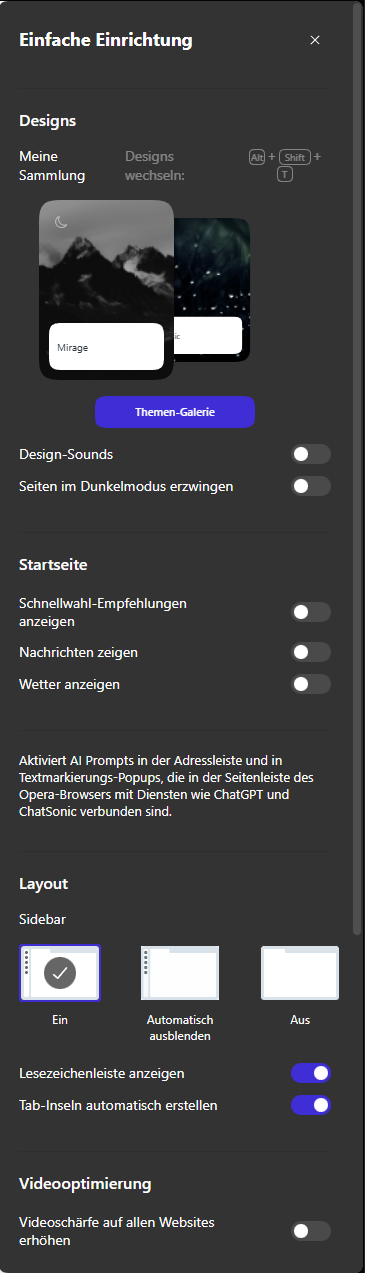
@sicu220: Hello, thanks for the feedback. What OS is it? I checked and it's working fine in Win11. (system mode dark, default mode in Opera -> Easy Setup panel also changes to dark)
-
bbildman last edited by bbildman
New Opera One 126.0.5750.59 (Windows 11) won't log me in to my banking site, Chase. However Chrome will. I had this issue also with another bank site. Not happy, any advise, I have deleted cookies and cleared cache all to no avail. Previous Opera One 126.0.5750.43 worked fine.
-
jedi-am last edited by jedi-am
HI, after few version waiting for fixes for linux, here my feedback:
so my OS: ubuntu 24.04.3 (gnome version with wayland)
opera installer: snap version
opera version: Opera One(version: 126.0.5750.59)only issue i had for last two version was on, so call, easy setup > layout > sidebar, when selected autohide, the browser just crashed and close.
In this last version, so far seems fixed, no crashes anymore. ThanksAbout video, which in 2 version in the past,, failed, so far is working fine at least in last 3 or 4 versions.
For those using ubuntu or ubuntu flavor with snap, with wayland, if your opera is not starting,
like i mention in a post one version i wrote, just backup you bookmarks, if you are using wayland just enter in x11 opera mode,
then uninstall opera snap and install it again.@Opera-QA-Team lets keep going opera browser this way, stable and working well in linux based OS, at least in snap version.
Thanks you.

-
MjuGen last edited by
Hi, so Opera still crashes sometimes after you close tabs with ALT+MOUSE button. The worst thing is, that after crash or even after update (last update) Opera forgets islands in other contexts. The context 1 (default) is OK. That isa frustrating, after every update or almost crash I have to recreate all island in my contexts...
-
Opera-QA-Team Opera last edited by
@mjugen: Hi, could you check the crashID in opera://crashes and write it here?
-
MjuGen last edited by
@opera-qa-team:
not sure which one was the update and which one ALT+Mouse to close tabs. There is one thing interesting. Closing tabs with middle mouse button works without any crashes and does almost the same.
Selhání z: neděle 25. ledna 2026 v 14:44:12
Stav: Nahráno
ID nahrané zprávy o selhání: CrashID=bp-8ed60d07-66b9-428e-aae8-265240260125
Čas nahrání: neděle 25. ledna 2026 v 14:54:32
Selhání z: pátek 23. ledna 2026 v 17:02:46
Stav: Nahráno
ID nahrané zprávy o selhání: CrashID=bp-45ac48ff-8427-4802-9177-5c97e0260123
Čas nahrání: pátek 23. ledna 2026 v 17:13:07
Selhání z: sobota 17. ledna 2026 v 14:12:01
Stav: Nahráno
ID nahrané zprávy o selhání: CrashID=bp-a968b0d1-6e1b-4a2c-9bf1-361640260117
Čas nahrání: sobota 17. ledna 2026 v 14:27:03 -
Opera-QA-Team Opera last edited by
@mjugen: Thanks for checking. This crash is already reported and it's awaiting fix.
-
Opera-QA-Team Opera last edited by
@cgk1511: Regarding MS Teams we are working on the solution. For now, you can go directly to: https://teams.live.com/v2/
-
MjuGen last edited by
@opera-qa-team: another crash with ALT+Mouse
Selhání z: čtvrtek 29. ledna 2026 v 22:59:20
Stav: Nahráno
ID nahrané zprávy o selhání: CrashID=bp-db87e2aa-a723-4f57-a3a6-7c3b70260129
Čas nahrání: čtvrtek 29. ledna 2026 v 22:59:24 -
andreas2010 last edited by andreas2010
Version 126.0.5750.59 (snap) does not work for me
Operating System: Kubuntu 25.10
KDE Plasma Version: 6.4.5
KDE Frameworks Version: 6.17.0
Qt Version: 6.9.2
Kernel Version: 6.17.0-12-generic (64-bit)
Graphics Platform: Wayland