Opera 136 Stable
-
sicu220 last edited by
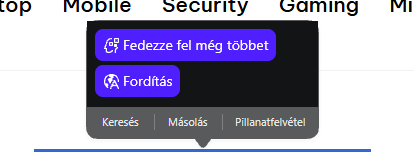
Hello everyone! Problems: Opera AI highlighter is still ugly at the top.
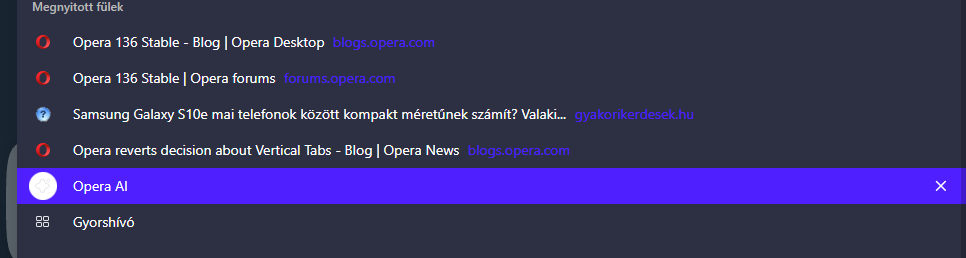
Opera AI's icon is very bright in dark theme. It's not like the icons above or below it.
When I click on the VPN icon in the Settings menu, the browser starts to jump. This error does not occur in other menu items.
https://drive.google.com/file/d/19YDvdZkvsDN55I7JrnmgmJuKdLtDBM5P/view?usp=sharing
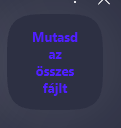
The text in the pop-up window is very difficult to see. The text is very dark.
-
jojo0587 last edited by
@sicu220: Settings >> VPN - page settings jump only one time on Windows 11.
My proposals for changes in Opera (Google Document).
- There are not enough signs to put all the links here. -
slim54 last edited by
I disabled the ad‑blocking extension, and everything started working... without it, nothing works, some functions don’t function...))
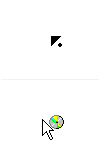
- if you press the middle mouse button and drag it down, you’ll see a strange cursor in the shape of a mouse with a disk around it
-
 Opera-QA-Team Opera last edited by
@andrew84: Thanks for spotting, indeed something is wrong here. Reported as RNA-4784, we will check it.
-
 ddvddv last edited by ddvddv
How to focus new tab after command "open link in new tab" . Till now it worked now the new tab is in the background and need to be click . Help!
-
burnout426 Volunteer last edited by
@ddvddv I went back and tested a bunch of versions (133, 118, 99 and 95 for example) with the "learn more" link at https://example.com/. "right-click -> open link in new tab" opens the tab in the background in all of them.
Holding down shift or ctrl or ctrl + shift when you click "open link in new tab" doesn't have any effect to make it go in the foreground.
You can drag the link and release it on the tab bar to the left of the + button though.
Or, you can install https://addons.opera.com/en/extensions/details/classic-tabs/. It has an option to focus tabs when opening a link in a new tab. Unfortunately, the options page in the extension is broken in Opera 136 due to some JS error.
-
burnout426 Volunteer last edited by
@burnout426 said in Opera 136 Stable:
Or, you can install https://addons.opera.com/en/extensions/details/classic-tabs/. It has an option to focus tabs when opening a link in a new tab. Unfortunately, the options page in the extension is broken in Opera 136 due to some JS error.
Made a fixed version of the extension to work with Opera 136. See https://forums.opera.com/post/409871 for the link.
-
andrew84 last edited by
Return the categorized suggestion settings in address bar.
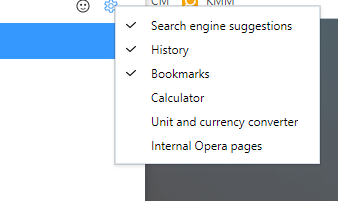

From time to time there are complaints regarding the unnecessary turned on by default things like calculator for example. -
andrew84 last edited by
- Restore the 2nd click for the 'scroll to top' feature.
- Restore the search engines creation by using right click.
- Disable the automated search engines adding.
-
ddvddv last edited by
@burnout426: Meanwhile I installed this Chrome extension https://chromewebstore.google.com/detail/tabs-to-front-v2/iiojfifkpjkhcdjfgekmfobhfdohlecg and it work for now. Thanks for help.
-
Opera-QA-Team Opera last edited by
@ddvddv: You can also do CTRL + SHIFT + click (or SHIFT + mouse scroll) -> this will open the link and focus on the new tab.
-

-
sxzdfadsfsaf last edited by leocg
Could you make it so the "Extensions need additional permissions" actually tells you which extensions so that we can fix them.
-
Locked by leocg