• Login
    • Search
    • Categories
    • Recent
    • Tags
    • Users
    • Groups
    • Rules
    • Help

    Do more on the web, with a fast and secure browser!

    Download Opera browser with:

    • built-in ad blocker
    • battery saver
    • free VPN
    Download Opera

    Opera 133.0.5932.60 Stable update

    Blogs
    desktop blog comments
    12
    17
    386
    Loading More Posts
    • Oldest to Newest
    • Newest to Oldest
    • Most Votes
    Reply
    • Reply as topic
    Log in to reply
    This topic has been deleted. Only users with topic management privileges can see it.
    • R
      raphaelbm @raphaelbm last edited by leocg

      @raphaelbm: After careful checking I note that:
      the Browser Assistant remains on the taskbar After An Update.
      Kindly fix this resource bloat as soon as possible. The Assistant should close when the Browser closes.

      viz. ... Menu>Help>About Opera ...to manually enlist an update.

      Reply Quote 0
        1 Reply Last reply
      • U
        Urby938 last edited by

        Bring back browser youtube notifications instead of native windows ones!!!

        Reply Quote 0
          1 Reply Last reply
        • A
          andrew84 last edited by andrew84
          • restore the 2nd click for 'scroll to top' feature and restore the 'create search engines' functional. There are anough reports already reagrding this on forum.
            The search engines auto creation and then activating is total rubbish. Stop the chaos among the habitual and proven features.

          https://forums.opera.com/post/404101
          https://forums.opera.com/topic/88922/search-engines-are-added-automatically-and-shown-in-search-with
          https://forums.opera.com/topic/89066/duplicated-clicking-on-the-active-tab-2-times-no-longer-scrolls-down-to-a-previous-position

          • There's still gap between sidebar and panel and items in panel is misaligned https://forums.opera.com/post/404906
          Reply Quote 0
            1 Reply Last reply
          • cookie-drummer
            cookie-drummer last edited by

            Please, please, please restore 2nd click for "scroll to top" feature. 😞

            Reply Quote 1
              tastodd 1 Reply Last reply
            • tastodd
              tastodd @cookie-drummer last edited by

              @cookie-drummer I agree. It was a very convenient feature. I used it often. This was an exclusive feature of the Opera. But now it's broken and doesn't function properly ((
              Please bring back this feature.

              Reply Quote 1
                A 1 Reply Last reply
              • A
                andrew84 @tastodd last edited by

                @tastodd As was mentioned they also have broken the search engine creation using context menu.
                In addition, now the search engines are collected automatically while you visit sites and the inactive search engines list increases without your knowledge.
                Also, currently there's an additional bug that even inactive search engines are visible in right click > 'search with' list.

                Reply Quote 0
                  leocg 1 Reply Last reply
                • leocg
                  leocg Moderator Volunteer @andrew84 last edited by

                  @andrew84 said:

                  In addition, now the search engines are collected automatically while you visit sites and the inactive search engines list increases without your knowledge.

                  Same on Chrome, so probably a Chromium change.

                  Reply Quote 0
                    A 1 Reply Last reply
                  • M
                    Mashine last edited by

                    Several updates were released, but that's still not fixed. Great.
                    Some favicons that were white before are still black and almost invisible image_2026-07-17_122743895.png

                    Reply Quote 0
                      1 Reply Last reply
                    • A
                      andrew84 @leocg last edited by andrew84

                      @leocg Maybe. It seems the same on Edge.
                      But right now I installed Vivaldi (which is also on 150 version) and there is all like previously. Search engines still can be created manually (right click) and no engines are added automatically.

                      So it doesn't matter if this is some chromium change or not if the habitual behavior can be kept.

                      Reply Quote 0
                        1 Reply Last reply
                      • A
                        albano23 last edited by

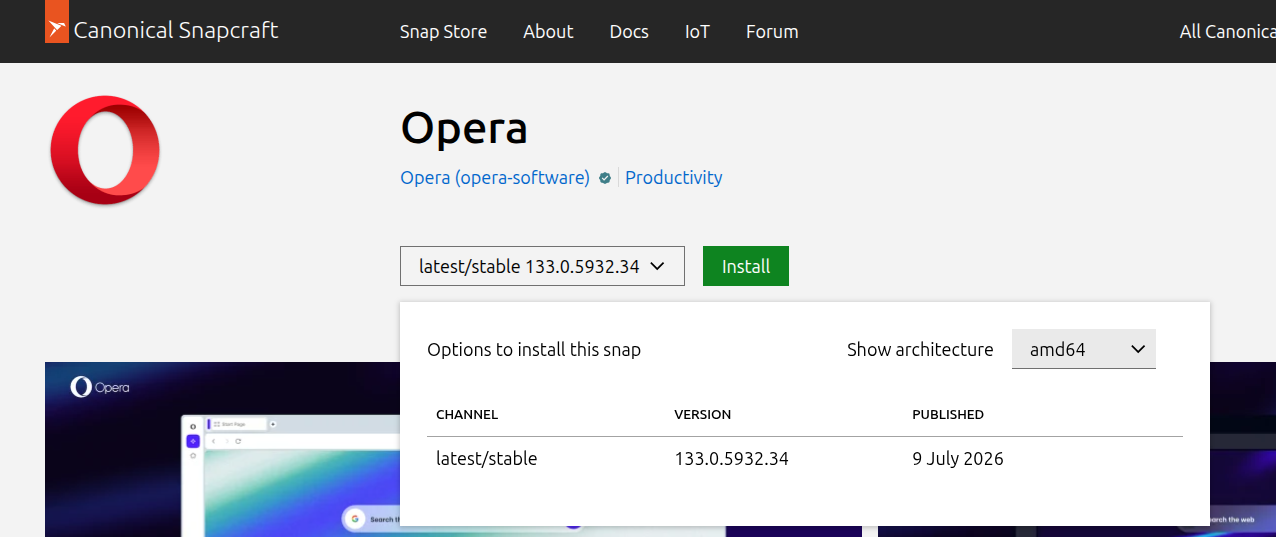
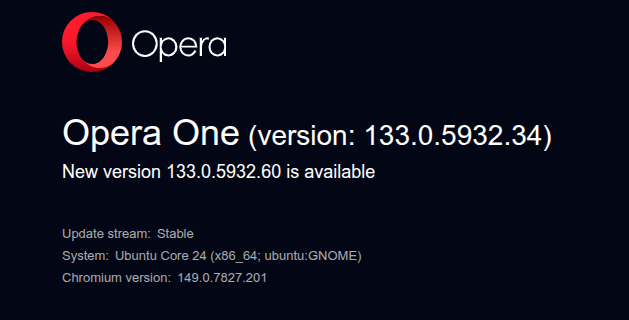
                        In Ubuntu Snap, update 133.0.5932.60 hasn't arrived, although it did arrive in the .deb format. Could you please fix this? I'm using the Snap version on Ubuntu 22.04.05 LTS. I've attached screenshots for reference.
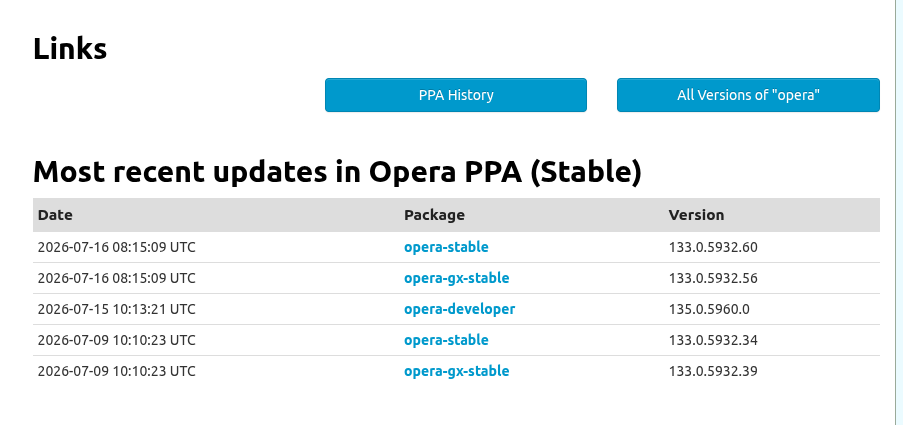
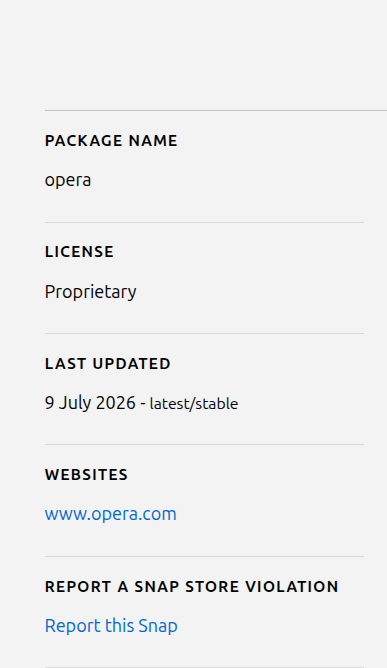
                        opera ppa deb.png opera snapcraft web 1.png opera snapcraft web.png opera snap.png

                        Reply Quote 0
                          1 Reply Last reply
                        • First post
                          Last post

                        Computer browsers

                        • Opera for Windows
                        • Opera for Mac
                        • Opera for Linux
                        • Opera beta version
                        • Opera USB

                        Mobile browsers

                        • Opera for Android
                        • Opera Mini
                        • Opera Touch
                        • Opera for basic phones

                        • Add-ons
                        • Opera account
                        • Wallpapers
                        • Opera Ads

                        • Help & support
                        • Opera blogs
                        • Opera forums
                        • Dev.Opera

                        • Security
                        • Privacy
                        • Cookies Policy
                        • EULA
                        • Terms of Service

                        • About Opera
                        • Press info
                        • Jobs
                        • Investors
                        • Become a partner
                        • Contact us

                        Follow Opera

                        • Opera - Facebook
                        • Opera - Twitter
                        • Opera - YouTube
                        • Opera - LinkedIn
                        • Opera - Instagram

                        © Opera Software 1995-