Opera 131.0.5877.55 Stable update
-
 Opera Comments Bot last edited by
Hello! New update to Opera stable is now available, version: 131.0.5877.55 What’s new and fixed: Read more about new features here -> link Known issue: When using the “Clear data on exit” feature, synced data may currently also be removed. We’re aware of the issue and actively working on a fix. You can find the […]
Read full blog post: Opera 131.0.5877.55 Stable update
-

-
 thelittlebrowserthatcould last edited by
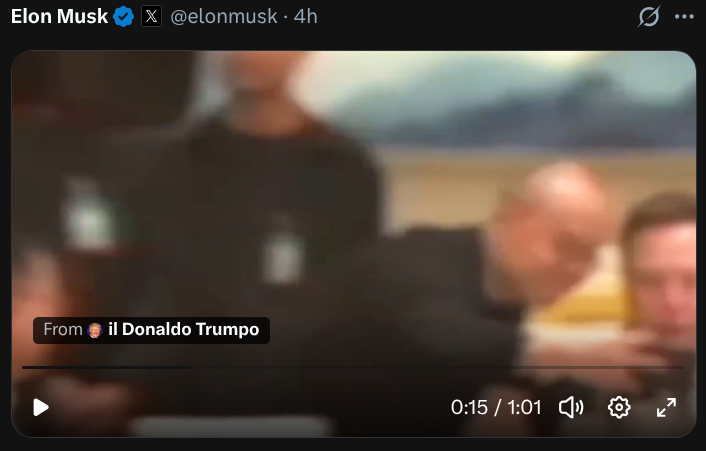
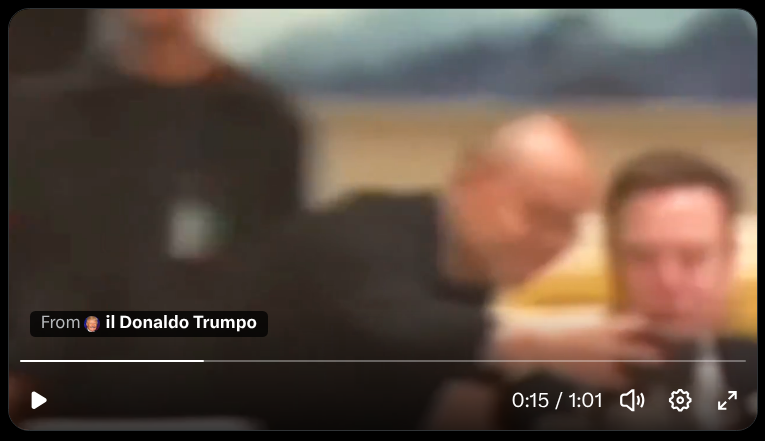
Can you fix video progress bar visibility in dark mode, please?
-
andrew84 last edited by
It seems that the crash in split screen when selecting tab in the address bar is fixed in Developer. It's unclear why the fix was not applied to Stable.
The tab cycler's crash (Ctrl+tab > https://forums.opera.com/post/402539) is still not fixed Developer.
So currently the both crashes are still in Stable.
-
 korol78 last edited by korol78
Volume booster on the sidebar. How do I enable this display? It's not in the settings .


-
 kmielczarczyk Opera last edited by
@andrew84: Hi Andrew, can you describe the steps to reproduce the crash you're facing while using split screen? I'm not able to reproduce it on Stable right now.
-
-
kmielczarczyk Opera last edited by
@korol78: Hi, the additional icon you're referring to was not an intentional feature — it was actually a bug that caused an extra icon to show up unexpectedly in the toolbar when the Volume Booster was active in the Sidebar Player. This has been fixed. The Volume Booster itself is available in the Sidebar Player.
-
korol78 last edited by
@kmielczarczyk said:
@korol78: Hi, the additional icon you're referring to was not an intentional feature — it was actually a bug that caused an extra icon to show up unexpectedly in the toolbar when the Volume Booster was active in the Sidebar Player. This has been fixed. The Volume Booster itself is available in the Sidebar Player.
ok, I understand, thanks
-
andrew84 last edited by
@kmielczarczyk the steps are the same > https://forums.opera.com/post/401861
-
Opera-QA-Team Opera last edited by
@thelittlebrowserthatcould: Hi, please share picture of the issue, is it about detached video feature?
-
thelittlebrowserthatcould last edited by
@Opera-QA-Team with x.com for example, I prefer to use Opera's dark theme, rather than the site's Lights Out option with its annoying shooting stars background.
Opera's dark theme:
x.com's Lights Out theme:
-
steeveboy last edited by
Subject: Private window loses address bar focus on launch (Regressed in v131.0.5877.55)
Hi everyone,
I've noticed a frustrating UI regression after updating to the latest Opera stable build (Version: 131.0.5877.55 on Windows).
When opening a new private window (via shortcut or menu), the address bar (Omnibox) does not automatically get focus. If I start typing immediately, nothing happens unless I manually click into the address bar or hit Ctrl + L.
Interestingly, this issue only occurs with new private windows. Regular new windows work perfectly fine and focus the address bar instantly upon launch, just like private windows used to do before the recent update.
It seems like the focus is getting lost or stolen during the initialization of the private browsing landing page. Could the devs please look into this and restore the automatic address bar focus for private windows? It really disrupts the quick-browsing workflow.
Thank you!
-
burnout426 Volunteer last edited by
@steeveboy I personally couldn't reproduce this in the same build on Windows 11. Try "New private window" from menu and via right-clicking on taskbar button with Opera close and with Opera opened. Address field is focused as expected.
-
Opera-QA-Team Opera last edited by
Hi we tried to reproduce it using the menu as well as the short cut with "no luck"
 For us the adress bar focuses right away:)
 -
steeveboy last edited by
@opera-qa-team: Subject: Re: Private window loses address bar focus on launch (Update: Clean profile tested)
Hi everyone,
Quick update: I just did a thorough test using a completely fresh, isolated profile via the --user-data-dir command line switch, and I also completely disabled PowerToys and all other third-party UI/window management tools.
Unfortunately, the issue still persists even in a 100% clean Opera environment. When launching a private window in this virgin state, the address bar still refuses to take focus automatically. This rules out any corrupted local profile settings, extensions, or background customization tools.
Since it happens on a clean profile but only started with the v131 update, there must be a specific interaction between the new build's window initialization code and certain Windows 11 system/hardware configurations (e.g., display scaling, GPU acceleration, or multi-monitor environments) that causes the DWM (Desktop Window Manager) or Opera itself to drop the focus hook right after rendering the private landing page.
Is there any specific debug log I can provide to help you track down what happens to the focus in that split second during launch?
For context regarding my system setup: I am using a high-fidelity display configuration and have forced the sRGB color profile via opera://flags to manage color accuracy. Since private windows initialize with a completely different theme/color scheme compared to regular windows, I highly suspect that the v131 update introduced a slight timing or rendering conflict between Opera's private UI initialization, forced color profiles, and the Windows Desktop Window Manager (DWM), which ultimately causes the address bar to lose focus in that split second.
-
steeveboy last edited by
@opera-qa-team: Another quick update: I just did a downgrade test and installed an older build (v130.0.5847.92), which used to work perfectly fine for me in the past. Surprisingly, the issue persists even on the older Opera version with a clean profile.
This completely rules out a regression in the Opera v131 code itself. Instead, it points to a recent change in my Windows 11 environment (likely a recent Windows Update, a GPU driver update, or a persistent system hook from customization tools) that altered how the Windows Desktop Window Manager (DWM) handles window initialization and focus allocation for private Chromium windows.
Since it's not an Opera bug, you can close this investigation! I will have to dig deeper into my OS settings and background services to find out what is blocking the focus hook on system level.
Thanks again for your time and help!
-
kayaqi last edited by
Hello, I am deeply disappointed by the recent UI/theme update, or at least I believe the latest because I have noticed the change just right now about 10 minutes ago. Opera has always been my number 1 choice thanks to its vibrant and highly customizable overall browser but especially color options on the themes and the animated ones, specifically - Sonic.
When I logged on today, my beautiful deep vibrant saturated pink/blue Sonic theme has changed into a washed-out, clinical palette of white, silver, and muted blues. I'm just so... Man.
Instead of completely removing working customization options - or narrowing it to few soulless hues, please make them a secondary choice or introduce a legacy theme mode. Please give us our colors back.
-
Locked by Opera-QA-Team
