Opera 125 Stable
-
 whisperer last edited by
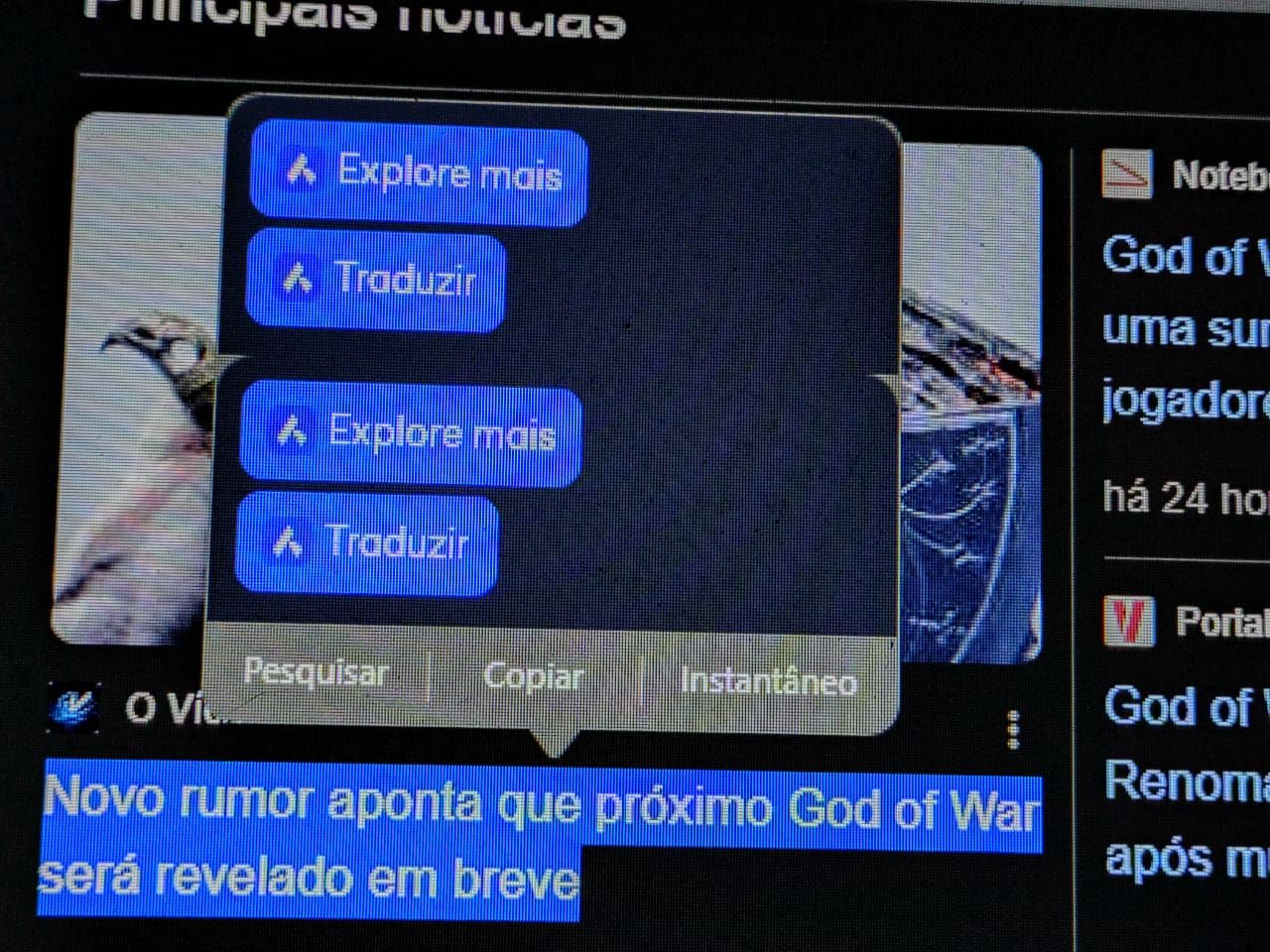
I work with Opera for Windows and have the sidebar disabled. I use a user defined hotkey to enable/disable the sidebar whenever I want. When marking a test on a webpage, several option appear (Search , Copy, Snapshot) and the option to use Opera AI to translate and other options. When selecting to use Opera AI in the popup options, the sidebar gets enabled, which should not happen.
-
whisperer last edited by
@whisperer said in Opera 125 Stable:
Using the Windows version of Opera in dark mode, go to password manager (opera://password-manager/passwords) and click the Add button. There is no visible cursor..
There is no cursor in dark mode when editing any options in preferences.
-
bbildman last edited by bbildman
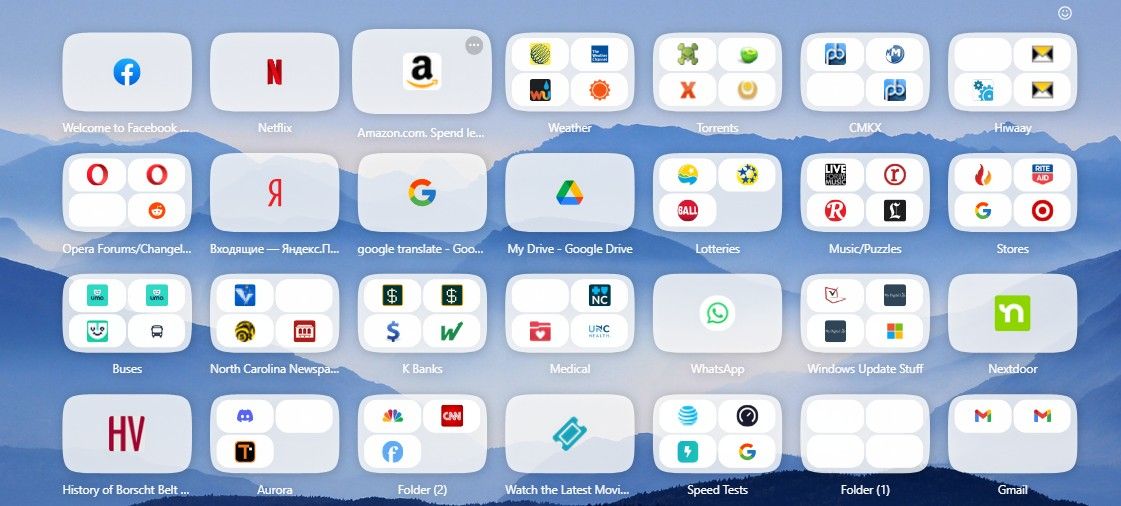
The issue of Speed Dial icons being empty, including icon within an icon continues to plague me, see image, this has existed since O123.
-
 Opera-QA-Team Opera last edited by
@ironbone: Hi, thanks for reporting. We already know the issue and it's awaiting to fix : )
-
metana last edited by
im having issue with devTools in 125.
metana@metana:~$ snap info opera
name:      opera
summary:   Fast, secure, easy-to-use browser
publisher: Opera (opera-software✓)
store-url: https://snapcraft.io/opera
license:   unset
description: |
  Try the Opera browser - now with a built-in ad blocker, battery saver and
  free VPN.
commands:
  - opera
snap-id:      AljMvoQbHtnnrka00lIoxHJ6Qhfn0X8m
tracking:     latest/stable
refresh-date: 3 days ago, at 18:38 +0330
channels:
  latest/stable:    125.0.5729.15 2025-12-05 (415) 187MB -
  latest/candidate: ↑
  latest/beta:      ↑
  latest/edge:      125.0.5729.15 2025-12-05 (415) 187MB -
installed:          125.0.5729.15            (415) 187MB -
metana@metana:~$
the issue:
https://forums.opera.com/topic/87321/opera-linux-ubuntu-snap-124-0-5705-70-413-dev-tools -
Opera-QA-Team Opera last edited by
@whisperer: Hi, thanks for sharing - the problem was reported and it's awaiting fix. : )
-
Opera-QA-Team Opera last edited by
@urby938: Hello, thanks for checking - we have no update regarding this issue so far.
-
max1c last edited by
This version is so absurdly unstable I get crashes every hour while moving tabs between the windows. This is ridiculous. This bug keeps coming back every few versions.
-
sgrandin last edited by
Opera 125.0.5729.15 In a private FB group, I got a PM, where the choices are Block / Delete / Accept. At least the Accept button doesn't respond. I had to switch to visting the site in Edge.
-
LogicRipple last edited by
@max1c: I have submitted a bug report. For me, crashes happen almost whenever I close multiple tabs at once. CRASH-10650
-
teeda last edited by
HI Since the latest update on december 05/12 I cannot play videos in full screen using hardware acceleration. ( X, youtube) I get a black screen.
In order to watch fullscreen videos i have to turn off hardware acceleration but all videos become laggy.
Tried the same on Chrome but same problem. -

-

-
rancor6 last edited by
Google translate from polish:
I have problem: a red flash when opening Opera and when maximizing the browser window.
-
Opera-QA-Team Opera last edited by
@rancor6: Hi, we know the issue, it refers to Win10 only. The bug is awaiting fix.
-
-
Locked by Opera-QA-Team