Opera 125 Stable
-
ironbone last edited by
The pop windows with videos (for example YouTube) still do not work well. The position is on the left top of the display. Additionally, they do not stay in foreground
-
rick2 last edited by
@Opera-QA-Team
Hello,
The new update 125.0.5729.15 is still broken on Linux under Wayland, it crahses and won't open.$ kinfo Operating System: Fedora Linux 43 KDE Plasma Version: 6.5.3 KDE Frameworks Version: 6.20.0 Qt Version: 6.10.1 Kernel Version: 6.17.10-300.fc43.x86_64 (64-bit) Graphics Platform: Wayland Processors: 12 × AMD Ryzen 5 5600H with Radeon Graphics Memory: 16 GiB of RAM (15.0 GiB usable) Graphics Processor: AMD Radeon Graphics -
zibi1981 last edited by
Opera still crashes on my CachyOS with KDE. Here is a portion of the error code (forum rules won't let me post whole)
opera [1206/095137.272067:ERROR:third_party/crashpad/crashpad/util/file/directory_reader_posix.cc:43] opendir /home/cardiozibi/.config/opera/Crash Reports/attachments/ae163632-27b2-43cf-8fe7-053fe6f2814f: No such file or directory (2) [7503:7503:1206/095137.702299:ERROR:extensions/common/url_pattern_set.cc:298] Invalid url pattern: chrome://startpage/* [7503:7503:1206/095137.702402:ERROR:extensions/common/url_pattern_set.cc:298] Invalid url pattern: chrome://startpage/* [7503:7503:1206/095137.702417:ERROR:extensions/common/url_pattern_set.cc:298] Invalid url pattern: chrome://startpage/* [7503:7503:1206/095137.702438:ERROR:extensions/common/url_pattern_set.cc:298] Invalid url pattern: chrome://startpage/* [7503:7503:1206/095137.755955:ERROR:cc/paint/skottie_wrapper_impl.cc:46] [Skottie] "Failed to parse JSON input. " (...) [7686:7686:1206/095138.461044:ERROR:chrome/browser/process_singleton_posix.cc:231] read() failed: Połączenie zerwane przez drugą stronę (104) fish: Job 1, 'opera' terminated by signal SIGSEGV (Address boundary error) ~ ❯ [7686:7686:1206/095138.727061:ERROR:extensions/common/url_pattern_set.cc:298] Invalid url pattern: chrome://startpage/* [7686:7686:1206/095138.727125:ERROR:extensions/common/url_pattern_set.cc:298] Invalid url pattern: chrome://startpage/* [7686:7686:1206/095138.727134:ERROR:extensions/common/url_pattern_set.cc:298] Invalid url pattern: chrome://startpage/* [7686:7686:1206/095138.727146:ERROR:extensions/common/url_pattern_set.cc:298] Invalid url pattern: chrome://startpage/* [7686:7686:1206/095138.780731:ERROR:cc/paint/skottie_wrapper_impl.cc:46] [Skottie] "Failed to parse JSON input. " -
filbo last edited by
@opera-qa-team: I understand what you're saying, but it is self-inconsistent (there was a release in between those two, which mentioned only two bugs). And it is negative to the viewer of the changelogs. I checked the similarity because as I was scanning the newer list, it seemed hauntingly familiar.
If you didn't expect anyone to look at the changelogs, there is no point in posting them. On the other hand, if you do expect people to look at them, please curate them so that they present only new, useful information. It is ok (i.e.: highly encouraged) to say something like 'this release includes all of the fixes mentioned in the changelog for prior release (123.456.whatev)'.
-
Urby938 last edited by
youtube notifications still not working on windows 11 25 H2... an progress on that?..
-
 whisperer last edited by
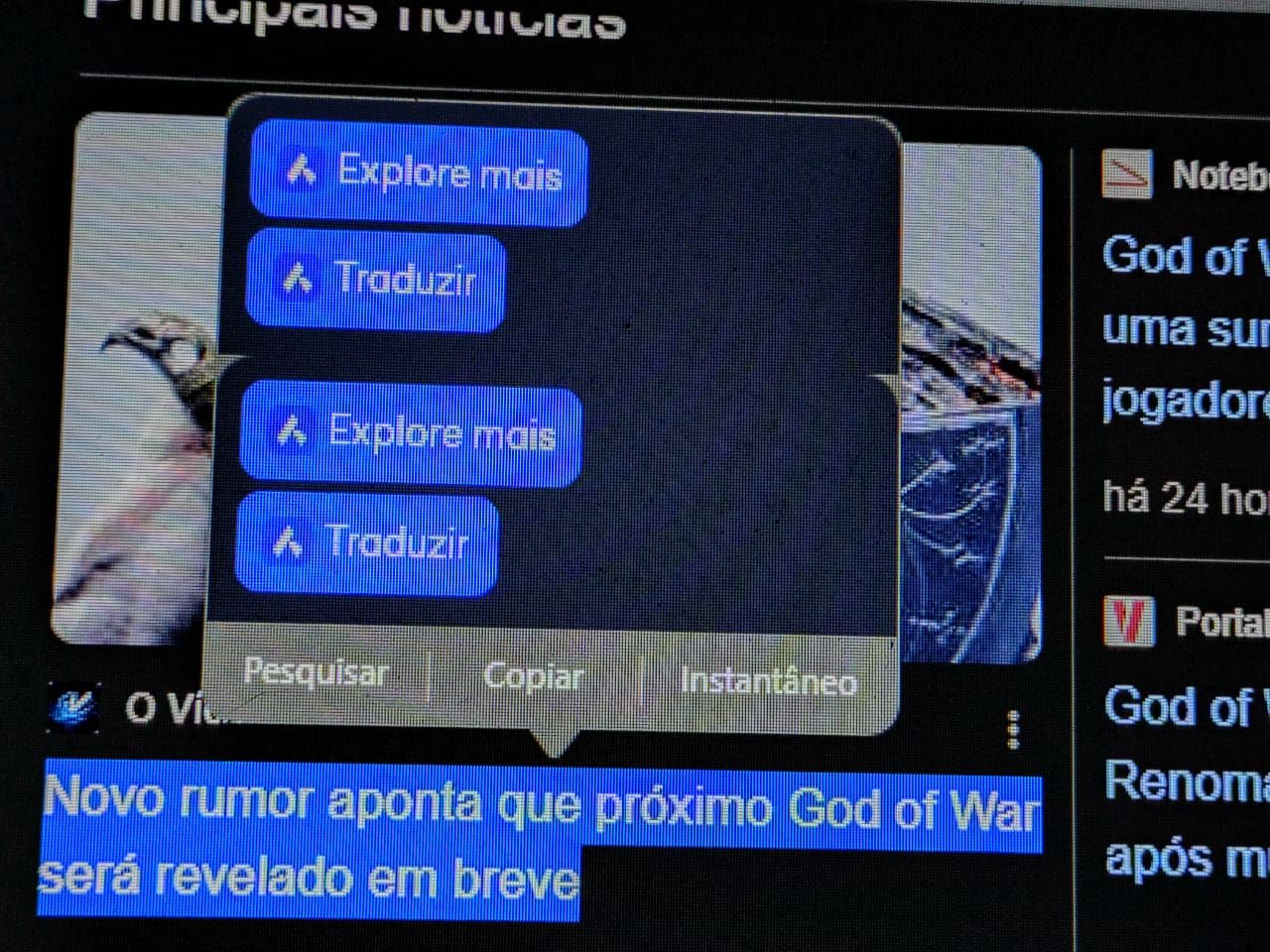
I work with Opera for Windows and have the sidebar disabled. I use a user defined hotkey to enable/disable the sidebar whenever I want. When marking a test on a webpage, several option appear (Search , Copy, Snapshot) and the option to use Opera AI to translate and other options. When selecting to use Opera AI in the popup options, the sidebar gets enabled, which should not happen.
-
whisperer last edited by
@whisperer said in Opera 125 Stable:
Using the Windows version of Opera in dark mode, go to password manager (opera://password-manager/passwords) and click the Add button. There is no visible cursor..
There is no cursor in dark mode when editing any options in preferences.
-
bbildman last edited by bbildman
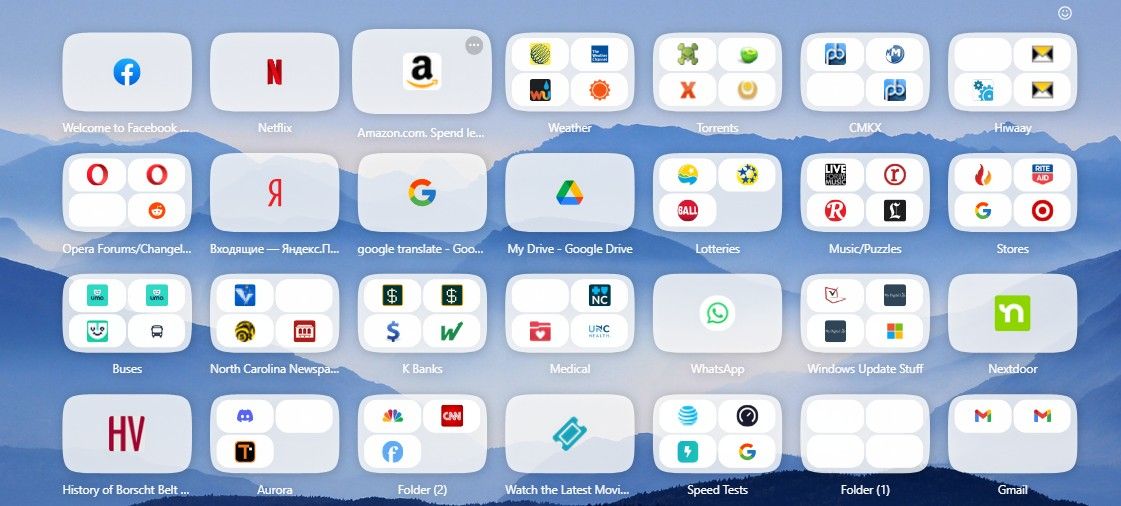
The issue of Speed Dial icons being empty, including icon within an icon continues to plague me, see image, this has existed since O123.
-
 Opera-QA-Team Opera last edited by
@ironbone: Hi, thanks for reporting. We already know the issue and it's awaiting to fix : )
-
metana last edited by
im having issue with devTools in 125.
metana@metana:~$ snap info opera
name:      opera
summary:   Fast, secure, easy-to-use browser
publisher: Opera (opera-software✓)
store-url: https://snapcraft.io/opera
license:   unset
description: |
  Try the Opera browser - now with a built-in ad blocker, battery saver and
  free VPN.
commands:
  - opera
snap-id:      AljMvoQbHtnnrka00lIoxHJ6Qhfn0X8m
tracking:     latest/stable
refresh-date: 3 days ago, at 18:38 +0330
channels:
  latest/stable:    125.0.5729.15 2025-12-05 (415) 187MB -
  latest/candidate: ↑
  latest/beta:      ↑
  latest/edge:      125.0.5729.15 2025-12-05 (415) 187MB -
installed:          125.0.5729.15            (415) 187MB -
metana@metana:~$
the issue:
https://forums.opera.com/topic/87321/opera-linux-ubuntu-snap-124-0-5705-70-413-dev-tools -
Opera-QA-Team Opera last edited by
@whisperer: Hi, thanks for sharing - the problem was reported and it's awaiting fix. : )
-
Opera-QA-Team Opera last edited by
@urby938: Hello, thanks for checking - we have no update regarding this issue so far.
-
max1c last edited by
This version is so absurdly unstable I get crashes every hour while moving tabs between the windows. This is ridiculous. This bug keeps coming back every few versions.
-
sgrandin last edited by
Opera 125.0.5729.15 In a private FB group, I got a PM, where the choices are Block / Delete / Accept. At least the Accept button doesn't respond. I had to switch to visting the site in Edge.
-
LogicRipple last edited by
@max1c: I have submitted a bug report. For me, crashes happen almost whenever I close multiple tabs at once. CRASH-10650
-
teeda last edited by
HI Since the latest update on december 05/12 I cannot play videos in full screen using hardware acceleration. ( X, youtube) I get a black screen.
In order to watch fullscreen videos i have to turn off hardware acceleration but all videos become laggy.
Tried the same on Chrome but same problem. -