• Login
    • Search
    • Categories
    • Recent
    • Tags
    • Users
    • Groups
    • Rules
    • Help

    Do more on the web, with a fast and secure browser!

    Download Opera browser with:

    • built-in ad blocker
    • battery saver
    • free VPN
    Download Opera

    Opera 132.0.5905.37 Stable update

    Blogs
    desktop blog comments
    8
    21
    521
    Loading More Posts
    • Oldest to Newest
    • Newest to Oldest
    • Most Votes
    Reply
    • Reply as topic
    Log in to reply
    This topic has been deleted. Only users with topic management privileges can see it.
    • A
      andrew84 @karen-arzumanyan last edited by

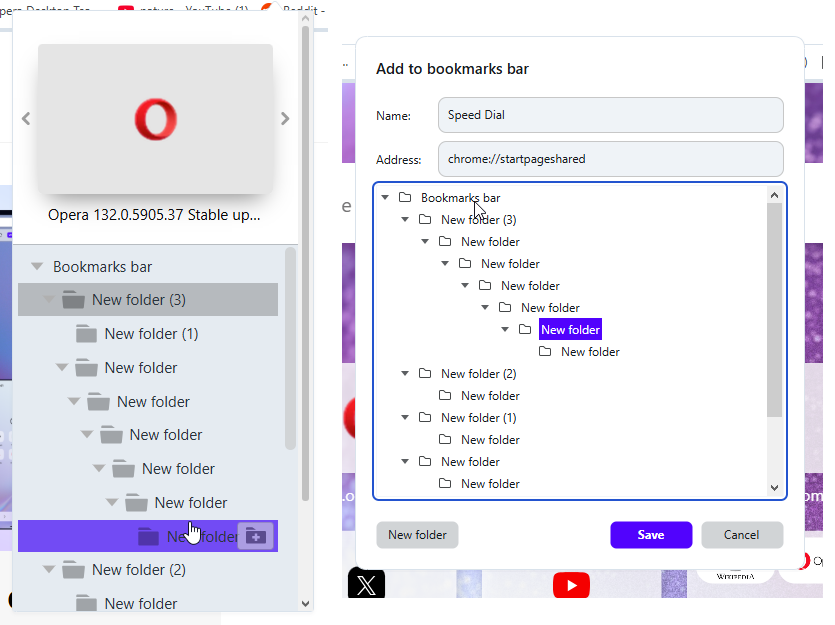
      @karen-arzumanyan Sorry, I wasn't able to reproduce it here on Win 10. Maybe I'm missing smth. in reproducing steps or it depends on screen size/scaling.
      I checked2026-06-11_112143.png the heart and add site dialogs.
      Reply Quote 0
        K 1 Reply Last reply
      • Opera-QA-Team
        Opera-QA-Team Opera @ironbone last edited by

        @ironbone: Thanks for the report.

        Reply Quote 0
          1 Reply Last reply
        • Opera-QA-Team
          Opera-QA-Team Opera @andrew84 last edited by

          @andrew84: Hi! Yes, this is a known issue on our side. We have it logged in our backlog as RNA-214.

          Reply Quote 0
            1 Reply Last reply
          • M
            mtopek @Opera-QA-Team last edited by

            @Opera-QA-Team split mode on linux (flatpak) still doesn't work

            Reply Quote 0
              1 Reply Last reply
            • K
              karen-arzumanyan @andrew84 last edited by

              @andrew84: It looks like you have only folders and no bookmarks in them.

              Reply Quote 0
                A 1 Reply Last reply
              • A
                andrew84 @karen-arzumanyan last edited by

                @karen-arzumanyan said in Opera 132.0.5905.37 Stable update:

                only folders and no bookmarks in them.

                No. I first created the tree of folders (6 levels, using copy paste bookmarks) for test.
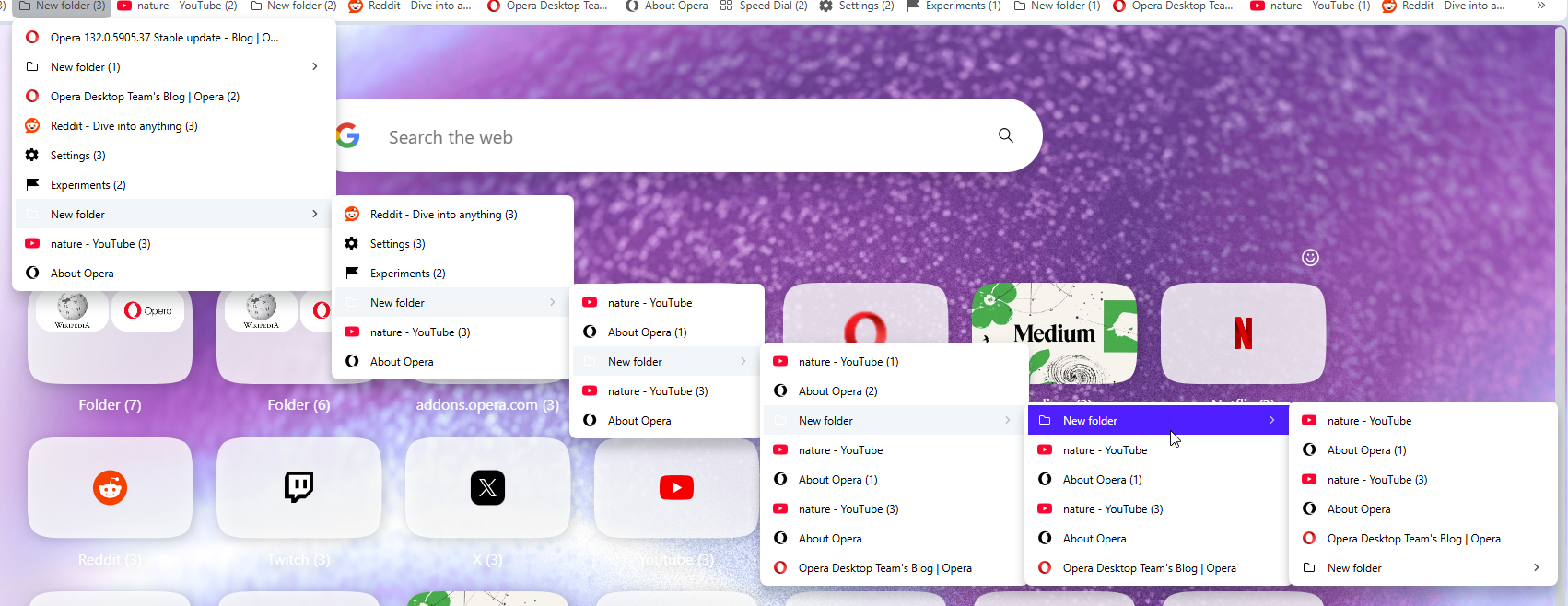
                2026-06-14_153704.png

                Reply Quote 0
                  K 1 Reply Last reply
                • A
                  andrew84 last edited by
                  • Again the 'force dark pages' toggle doesn't remember its state.
                    After disabling the toggle and enabling the dark mode the toggle is on.

                  • also, the theme switching icons are white for some light wallpapers (Orbit for example) and thus are barely visible.
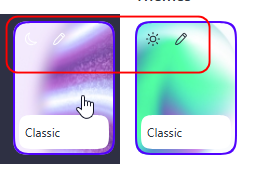
                    2026-06-14_154907.png

                  Reply Quote 0
                    1 Reply Last reply
                  • K
                    karen-arzumanyan @andrew84 last edited by

                    @andrew84: OK, Try import my test bookmarks, and add site to Folder Name->Folder Name 5-> Folder Name 515
                    Bookmarks:
                    https://www.upload.ee/files/19443593/bookmarks_6_14_26.html.html
                    Video demonstraion:
                    https://www.upload.ee/files/19443596/Video_2026-06-14_202306.wmv.html
                    Screenshot:
                    https://www.upload.ee/files/19443603/2026-06-14_202714.png.html

                    Reply Quote 1
                      A 1 Reply Last reply
                    • A
                      andrew84 @karen-arzumanyan last edited by andrew84

                      @karen-arzumanyan Ok, I managed to reproduce it here using my own bookmark folders (simply created more empty folders).
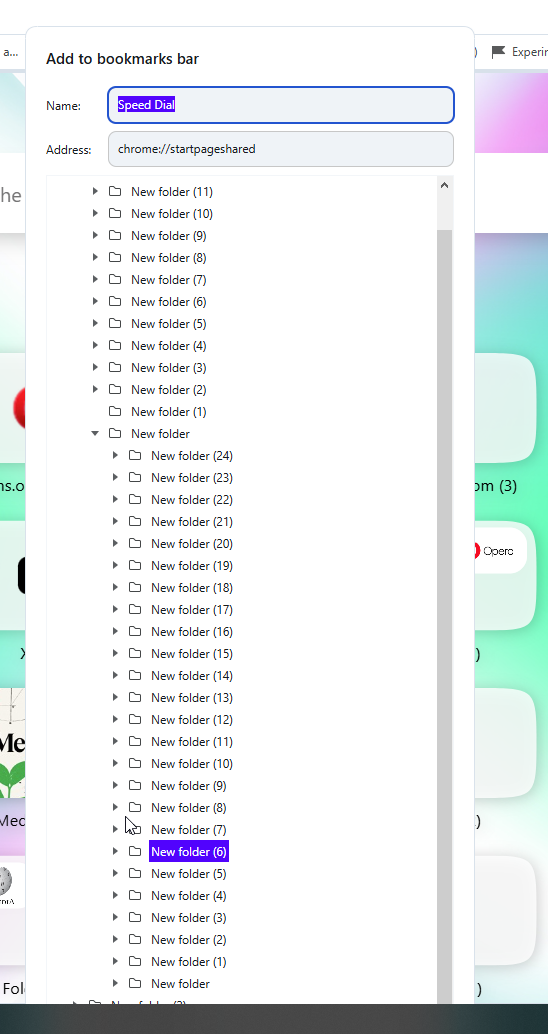
                      2026-06-14_213635.png

                      Reply Quote 0
                        K 1 Reply Last reply
                      • K
                        karen-arzumanyan @andrew84 last edited by

                        @andrew84: Well, that's great! Q.E.D.

                        Reply Quote 0
                          1 Reply Last reply
                        • A
                          andrew84 @rick2 last edited by

                          @rick2 So this is an intended change > https://blogs.opera.com/desktop/2026/06/opera-133-0-5931-0-developer-update/#comment-404519

                          Looks like a mockery.

                          Reply Quote 0
                            1 Reply Last reply
                          • First post
                            Last post

                          Computer browsers

                          • Opera for Windows
                          • Opera for Mac
                          • Opera for Linux
                          • Opera beta version
                          • Opera USB

                          Mobile browsers

                          • Opera for Android
                          • Opera Mini
                          • Opera Touch
                          • Opera for basic phones

                          • Add-ons
                          • Opera account
                          • Wallpapers
                          • Opera Ads

                          • Help & support
                          • Opera blogs
                          • Opera forums
                          • Dev.Opera

                          • Security
                          • Privacy
                          • Cookies Policy
                          • EULA
                          • Terms of Service

                          • About Opera
                          • Press info
                          • Jobs
                          • Investors
                          • Become a partner
                          • Contact us

                          Follow Opera

                          • Opera - Facebook
                          • Opera - Twitter
                          • Opera - YouTube
                          • Opera - LinkedIn
                          • Opera - Instagram

                          © Opera Software 1995-
