• Login
    • Search
    • Categories
    • Recent
    • Tags
    • Users
    • Groups
    • Rules
    • Help

    Do more on the web, with a fast and secure browser!

    Download Opera browser with:

    • built-in ad blocker
    • battery saver
    • free VPN
    Download Opera

    Opera 124.0.5705.65 Stable update

    Blogs
    desktop blog comments
    14
    27
    1071
    Loading More Posts
    • Oldest to Newest
    • Newest to Oldest
    • Most Votes
    Reply
    • Reply as topic
    Log in to reply
    This topic has been deleted. Only users with topic management privileges can see it.
    • ironbone
      ironbone last edited by

      The main menu is too small. See
      https://ibb.co/hFsVhDhB

      Reply Quote 0
        Opera-QA-Team 1 Reply Last reply
      • Kilian01
        Kilian01 last edited by

        The Linux version of opera-stable 124 is indeed really buggy compared to 123. I hope this gets addressed with high priority.
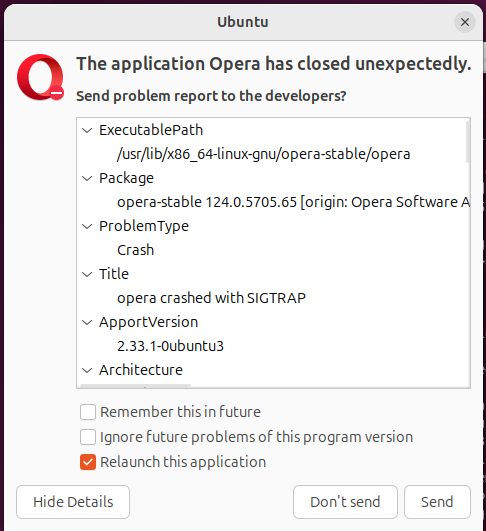
        Screenshot From 2025-11-28 22-37-53.png

        Reply Quote 0
          1 Reply Last reply
        • dfochi
          dfochi last edited by

          The RPM version of opera-stable-124.0.5705.65-0.x86_64 is also broken on Fedora 43

          Reply Quote 0
            1 Reply Last reply
          • Opera-QA-Team
            Opera-QA-Team Opera @jedi-am last edited by

            @jedi-am: Hi, thanks for reporting! We already know this issue and we are working on the solution.

            Reply Quote 0
              jedi-am 1 Reply Last reply
            • Opera-QA-Team
              Opera-QA-Team Opera @Urby938 last edited by

              @urby938: Hi, thanks for pointing this out. We have this issue reported and it's awaiting to fix.

              Reply Quote 0
                1 Reply Last reply
              • Opera-QA-Team
                Opera-QA-Team Opera @ironbone last edited by

                @ironbone: Hi, thanks for the feedback. I reported the two issues and we will investigate them.

                Reply Quote 0
                  1 Reply Last reply
                • Opera-QA-Team
                  Opera-QA-Team Opera @ironbone last edited by

                  @ironbone: Hello, what OS is it?

                  Reply Quote 0
                    ironbone 1 Reply Last reply
                  • ironbone
                    ironbone @Opera-QA-Team last edited by

                    @opera-qa-team: Ubuntu 24.04.3 LTS+ Gnome 46.0

                    Reply Quote 0
                      1 Reply Last reply
                    • jedi-am
                      jedi-am @Opera-QA-Team last edited by

                      @opera-qa-team:

                      yesterday already could open opera ( 124.0.5705.70) snap version, on ubuntu 24.04.3.
                      so far videos like using youtube are working fine.
                      The step are down.

                      i did some testing and for those using linux with wayland with snap ( like me, which i am using ubuntu gnome) with version
                      with version 124.0.5705.70 and try if you can open it.

                      i recommend doing the following:

                      • if you are not last version: 124.0.5705.70, do it

                      with last version, using wayland, you can not open then:

                      • switch to x11, by using this command in terminal: opera --ozone-platform=x11
                      • export yours bookmarks, close the terminal
                      • uninstall opera snap: snap remove opera ( or via software store)
                      • install it again: snap install opera ( or via software store)
                      • try to open it
                      • if it can open then, import your bookmarks.

                      Some issue that i detect, in snap using wayland:

                      • main menu icon, small
                      • main menu icon when menu is open, is on top of icon
                      • on "easy setup" menu > layout section, when choosing autohide, the browser crash

                      i dont know what you change, but you have to fix, because x11 is working fine, however few desktop env and linux distros are starting to move on to wayland, so it is important that work in same way in x11 as well as wayland.

                      thank you

                      Reply Quote 0
                        1 Reply Last reply
                      • deathcat
                        deathcat last edited by

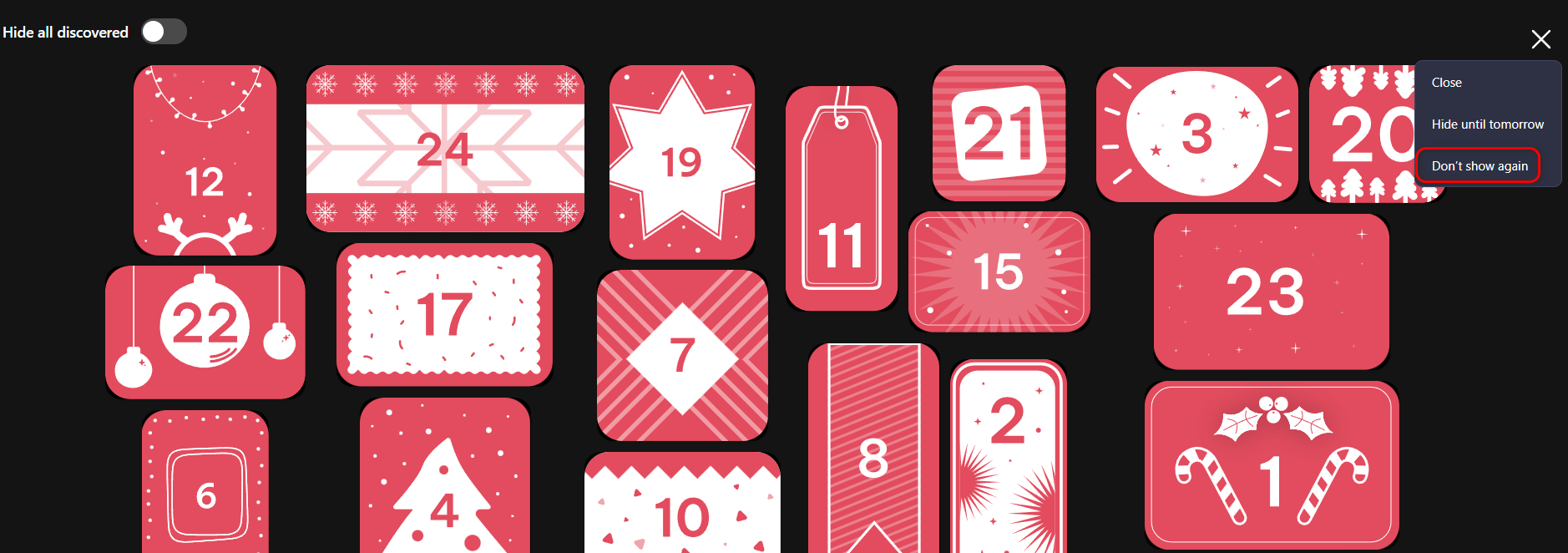
                        What's this crap that's appeared, and why can't I remove it? I click "Don't show again," but it reappears after opening a new tab or restarting the browser. They can't update the engine, but they still manage to shove in more junk.
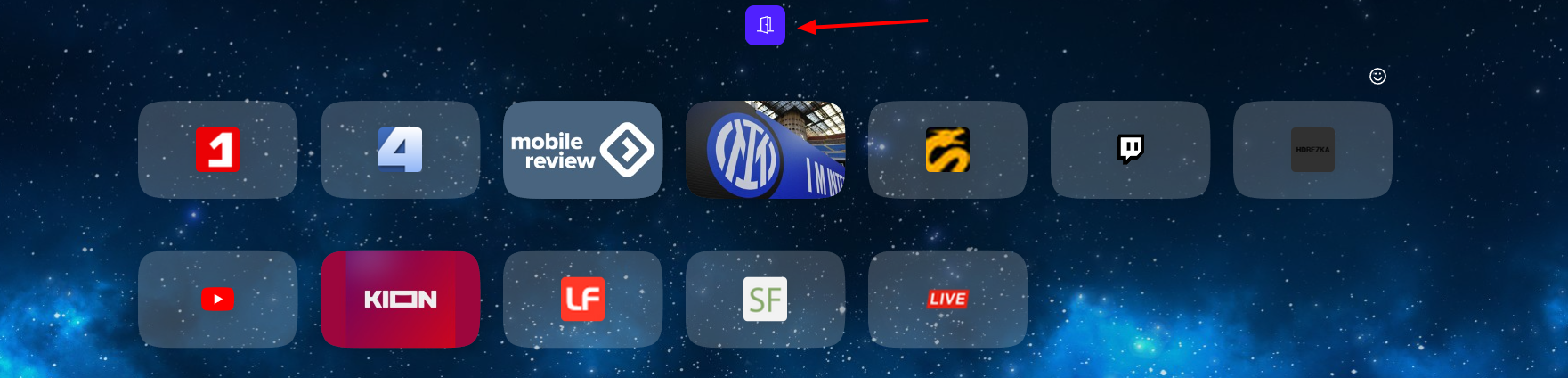
                        Opera Снимок_2025-12-02_014818_opera.png
                        2025-12-02_014921.png

                        Reply Quote -1
                          Opera-QA-Team dicinson 2 Replies Last reply
                        • Opera-QA-Team
                          Opera-QA-Team Opera @deathcat last edited by

                          @deathcat: Hi, we are aware of this and working on fix.

                          Reply Quote 0
                            1 Reply Last reply
                          • dicinson
                            dicinson @deathcat last edited by This post is deleted!
                            Reply Quote 0
                              deathcat leocg 2 Replies Last reply
                            • deathcat
                              deathcat @dicinson last edited by This post is deleted!
                              Reply Quote 0
                                1 Reply Last reply
                              • leocg
                                leocg Moderator Volunteer @dicinson last edited by

                                @dicinson English here please

                                Reply Quote 0
                                  1 Reply Last reply
                                • First post
                                  Last post

                                Computer browsers

                                • Opera for Windows
                                • Opera for Mac
                                • Opera for Linux
                                • Opera beta version
                                • Opera USB

                                Mobile browsers

                                • Opera for Android
                                • Opera Mini
                                • Opera Touch
                                • Opera for basic phones

                                • Add-ons
                                • Opera account
                                • Wallpapers
                                • Opera Ads

                                • Help & support
                                • Opera blogs
                                • Opera forums
                                • Dev.Opera

                                • Security
                                • Privacy
                                • Cookies Policy
                                • EULA
                                • Terms of Service

                                • About Opera
                                • Press info
                                • Jobs
                                • Investors
                                • Become a partner
                                • Contact us

                                Follow Opera

                                • Opera - Facebook
                                • Opera - Twitter
                                • Opera - YouTube
                                • Opera - LinkedIn
                                • Opera - Instagram

                                © Opera Software 1995-