Opera 130.0.5832.0 developer update
-
 Opera-QA-Team Opera last edited by
@andrew84: Hello, the new search tooltip is still in development, so it's not its final look. But thank you for your input.
-
andrew84 last edited by
@Opera-QA-Team said in Opera 130.0.5832.0 developer update:
is still in development
Yes, I understand this.
But the point of my post was that already implemented redesigned features are worse (at least in my opinion) than the original ones (exclusive in former times). -
donq last edited by
It may be Opera 130 problem, but can be some trouble at my side - I had no time to check today and can investigate after few days, not earlier.
But I post it here - if anyone other sees similar problems, then I'll test it further.
I have two PCs with Opera dev installation. One of those has got no problems with 130 dev version, another one crashed immediately, then I attempted to click on some heavy JS page, it crashed again, then itcrashed while clicking on google chat "disable notifications", then crashed at loading some other page and so on. I had to roll back it to 128 (previous 130 crashed too; as Opera has been open for weeks, I had not updated it long time).
Configuration of working and crashing instances is mostly same, working instance has much more extensions loaded.
Crashed instance was launched with --force-device-scale-factor command-line flag however - maybe that was the culprit. -
 tspringer last edited by
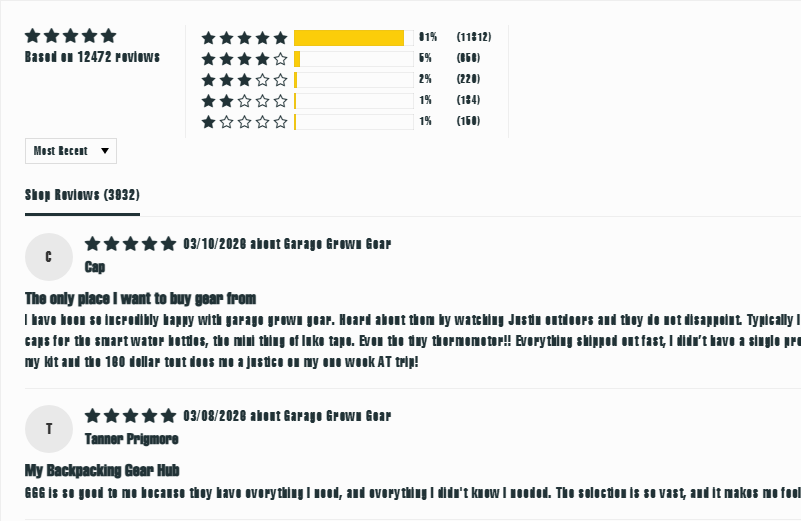
I'm having problems with fonts, on several pages/sites, showing up like in this example;
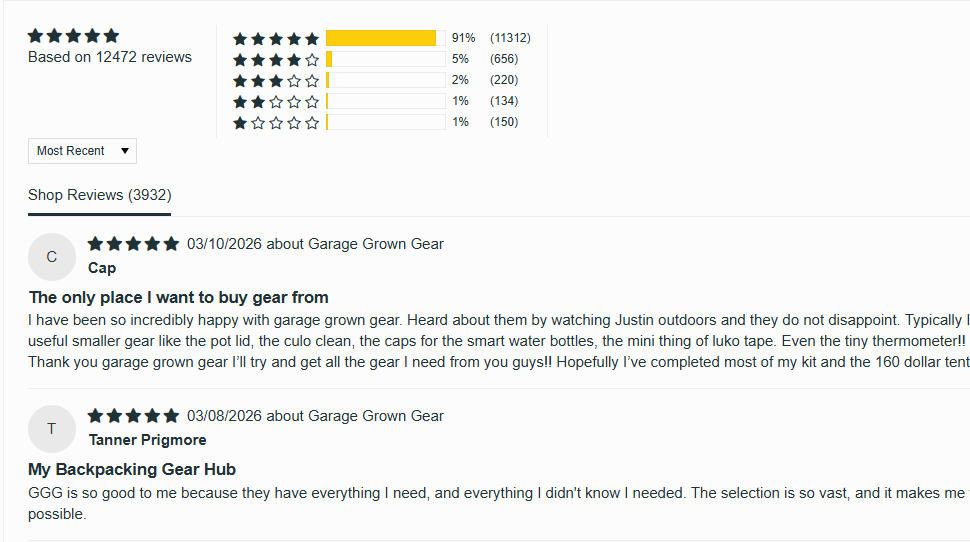
Where it usually, and when tested with MS Edge, looks like this;
Any idea, what's going on/how to fix it?
-
Opera-QA-Team Opera last edited by
@tspringer: Hello, can you share the exact url of this page, or any other with the problem? We will check it.
-
Opera-QA-Team Opera last edited by
@donq: Hello, thanks for letting us know. Could you share the crash ID? You will find it in opera://crashes
-
donq last edited by
@Opera-QA-Team said in Opera 130.0.5832.0 developer update:
@donq: Hello, thanks for letting us know. Could you share the crash ID? You will find it in opera://crashes
Sure, for two last crashes:
Crash from Monday, March 16, 2026 at 1:32:53 PM
CrashID=bp-cd9af9d2-3df2-4dc6-be9c-66ed20260316
Crash from Monday, March 16, 2026 at 1:32:53 PM
CrashID=bp-11748b48-48f9-4d5d-9756-d0c270260316This time crashed without forcing scale factor - similar problems.
I have had no possibility to check latest dev version yet. -
tspringer last edited by
@Opera-QA-Team
https://www.garagegrowngear.com
https://addons.opera.com/extensions
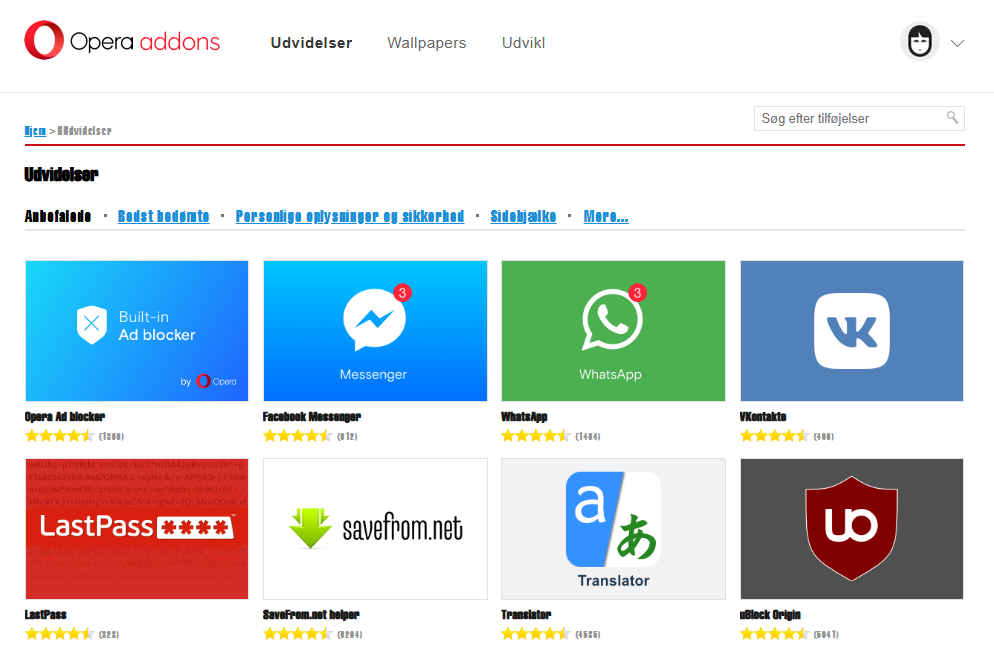
And on many others, ofc, I can't find any right now

-
Opera-QA-Team Opera last edited by
@tspringer: For me they are fine. Are you using some extensions? Maybe some of them is causing the problem?
-
Opera-QA-Team Opera last edited by
@donq: Thanks for sharing. I checked that this crash should be fixed on the next developer release. Please check it after update.
-
tspringer last edited by tspringer
@opera-qa-team:
I have tried to run opera without any extensions, with --disable-extensions, and I still had problems on the sites.
I also tried to start a fresh clean profile, to check if some settings was messed up, but the result was the same.Edit: Tried the sites with Edge, Vivaldi and Comet the pages looks fine. With Firefox, the result was the same as I experience with Opera.. weird.
-
Opera-QA-Team Opera last edited by
@tspringer: What screen resolution do you have? And what scaling in system settings?
-
-
Opera-QA-Team Opera last edited by
@tspringer: And did it start in this version 130.0.5832.0? It looks like your font is different that standard, did you change it?
-
tspringer last edited by
@Opera-QA-Team
Yes, it started with v130.0.5832.0
And fonts are standard.
As I mentioned, I did try with a clean (deleted the profile folder) profile, with same result.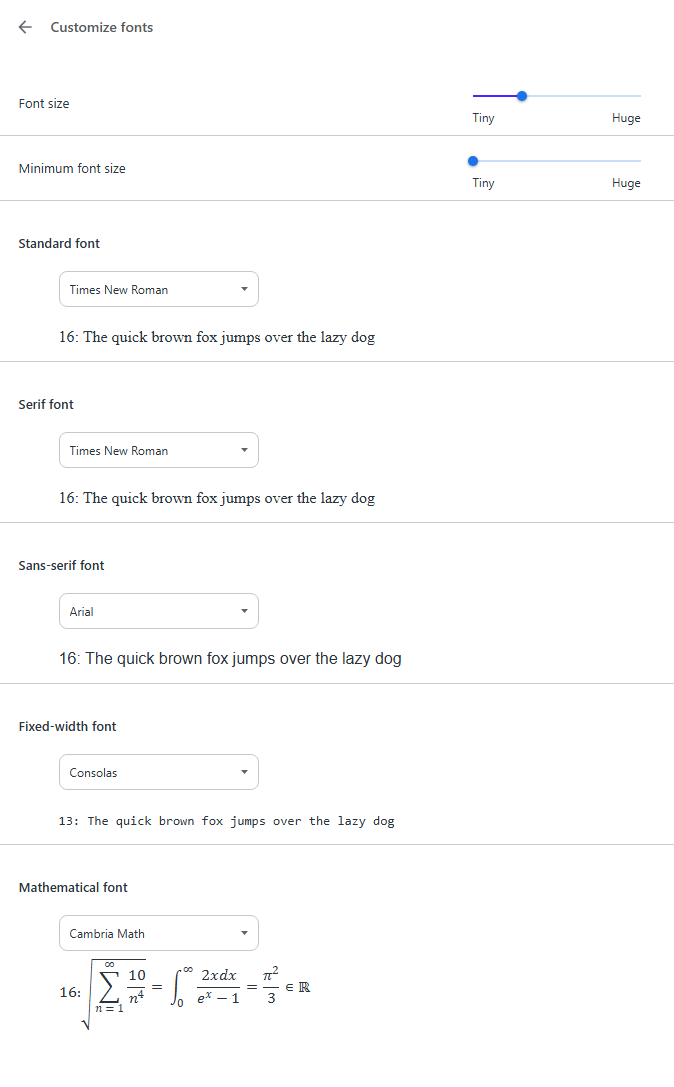
-
donq last edited by
@Opera-QA-Team said in Opera 130.0.5832.0 developer update:
@donq: Thanks for sharing. I checked that this crash should be fixed on the next developer release. Please check it after update.
Checked today, everything is working well again, thank you!
PS. I had some problems with updating after I had rolled Opera back to 128 and renamed opera_autoupdate - renaming it back did not help anymore. Reinstalling from downloaded installer worked without problems. Just FYI
-
tspringer last edited by
@opera-qa-team: Just wanted to follow up on this..
I have found the solution, for my problem. Seems like some fonts on my system got deleted. So I reinstalled the fonts, and all is good now. Still baffled, why it did not affect all the browsers i tested, but only some.
I found the solution, from this thread on reddit; https://www.reddit.com/r/chrome/comments/1q8tyqs -
Opera-QA-Team Opera last edited by
@tspringer: Thanks for letting us know! We're happy to hear it is finally solved.
-
Locked by Opera-QA-Team