Opera 129 developer
-
 Opera Comments Bot last edited by
Dear Opera Users, new developer update is now available, starting version 129! Key highlights: Split Screen fixes (restoring, selection, and tab islands) Crash fixes For a full list of changes check out our changelog. Happy browsing! Installation links:
Read full blog post: Opera 129 developer
-
andrew84 last edited by andrew84
Split Screen got a lot of attention
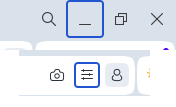
- Still no fix for the blue borders of the minimize and EasySetup buttons
-
still no fix for the grabbing and dragging right split screen's scrollbar.
-
still no fix for the grabbing and dragging the scrollbar in EasySetup menu.
-
still no fix for the sidebar setup pane scaling
-
still the 'scroll to top' feature is not fixed while moving scrolled down tabs.
-
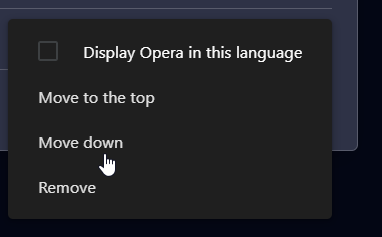
3 dots menus in Settings still don't have the highlighting boxes on hover.
*In some places on internal pages the text is hardly visible in default theme.
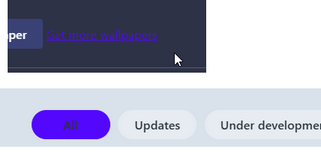
*many of the bugs listed above stay for years already.
-
andrew84 last edited by andrew84
Still see here the light purplish/pinkish (for the default theme) full screen flash while starting the browser or opening bookmarks.
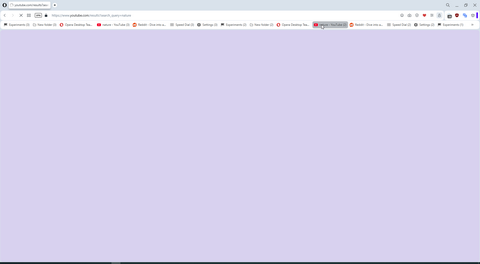
*the color changes or is added depending on color edited in theme editing popup. So on browser start I see a set of color full screen frames-> default bluish > edited in popup color > light gray background color >more lighter gray background > appearing wallpaper. Starting in Dark mode looks a way better.
three years old pre One version on start works here smoother than the fresh version with an almost empty profile.
-

-

-

-
Opera-QA-Team Opera last edited by
@kenedsf: Hello, we checked the issue and it turned out Netflix itself blocked the functionality. Similar issue with Disney+.
-
oP2 last edited by
Why did you delete the dark mode flag? It allowed choosing dark mode with inversion of different aspects which were very useful, as the standard dark mode is broken on many sites
-
-
-
Metalbrain last edited by
One annoying bug from 3 years ago (Opera 96.0.4691.0) has resurfaced (not this exact version, I think it started 2 or 3 versions ago).
If you're using many tabs, the tabs are moving to the right if the current active tab is set to the left of the one I'm going to click, because after clicking it the currently active one will decrease its size, so everything moves to the left, and the new active tab has moved several positions to the right. I guess the number of positions it moves depends on the number of tabs you're using. If I click a new active tab that is to the left of the current one, it works correctly.
-
Locked by Opera-QA-Team