• Login
    • Search
    • Categories
    • Recent
    • Tags
    • Users
    • Groups
    • Rules
    • Help

    Do more on the web, with a fast and secure browser!

    Download Opera browser with:

    • built-in ad blocker
    • battery saver
    • free VPN
    Download Opera

    Opera 123.0.5669.47 Stable update

    Blogs
    desktop blog comments
    14
    27
    2200
    Loading More Posts
    • Oldest to Newest
    • Newest to Oldest
    • Most Votes
    Reply
    • Reply as topic
    Log in to reply
    This topic has been deleted. Only users with topic management privileges can see it.
    • Opera-QA-Team
      Opera-QA-Team Opera @P1tzO last edited by

      @p1tzo: Thanks for the feedback - we are happy you like the new design!

      Reply Quote 0
        1 Reply Last reply
      • sicu220
        sicu220 last edited by

        The bug is still not fixed. The long strip is not needed for the background image.

        Reply Quote 0
          1 Reply Last reply
        • Opera-QA-Team
          Opera-QA-Team Opera @Urby938 last edited by

          @urby938: Thank you for the feedback - we will investigate it. Was it working for you on the previour Opera version?

          Reply Quote 0
            Urby938 1 Reply Last reply
          • Urby938
            Urby938 @Opera-QA-Team last edited by

            @opera-qa-team: Nope.. i reported this many times but nothing changed

            Reply Quote 0
              1 Reply Last reply
            • bbildman
              bbildman last edited by bbildman

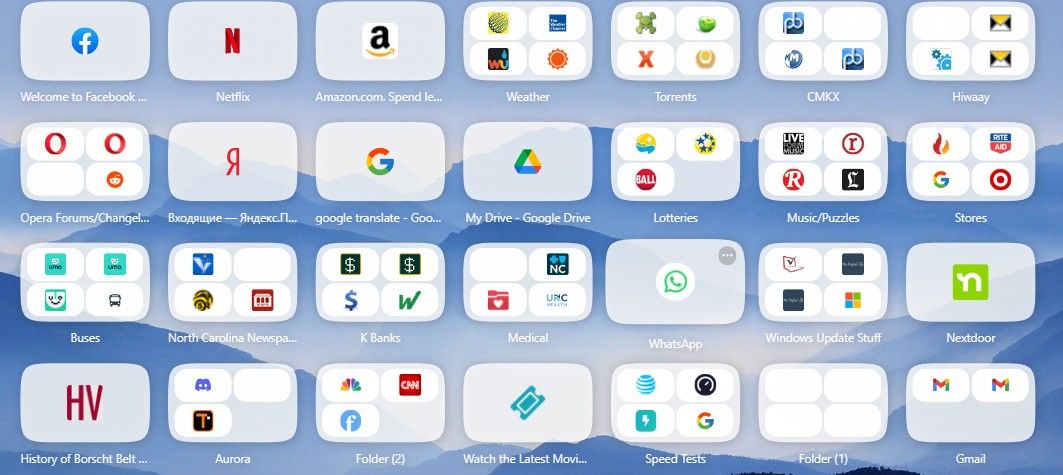
              Since O123 was released, when I install it over O122, launching it gives me a total grey screen. No way to use it, it was posted that I I changed OpenGL to to D3D11, it would solve the problem. But when I do that, Opera open correctly, grey screen is gone, but on my Speed Dial page, many of the Speed Dial icons/groups are greyed out. I have disabled all extensions to make sure this is not the problem.

              This is a BIG deal, can someone from the Opera team help me, I posted this before in the previous version of 123 discussion along with a screen capture, and I got no response as far as any solution. Help

              Below is an image of the Speed Dial with blank icons withinpic.jpg

              Reply Quote 0
                bbildman 1 Reply Last reply
              • agungriadi
                agungriadi last edited by

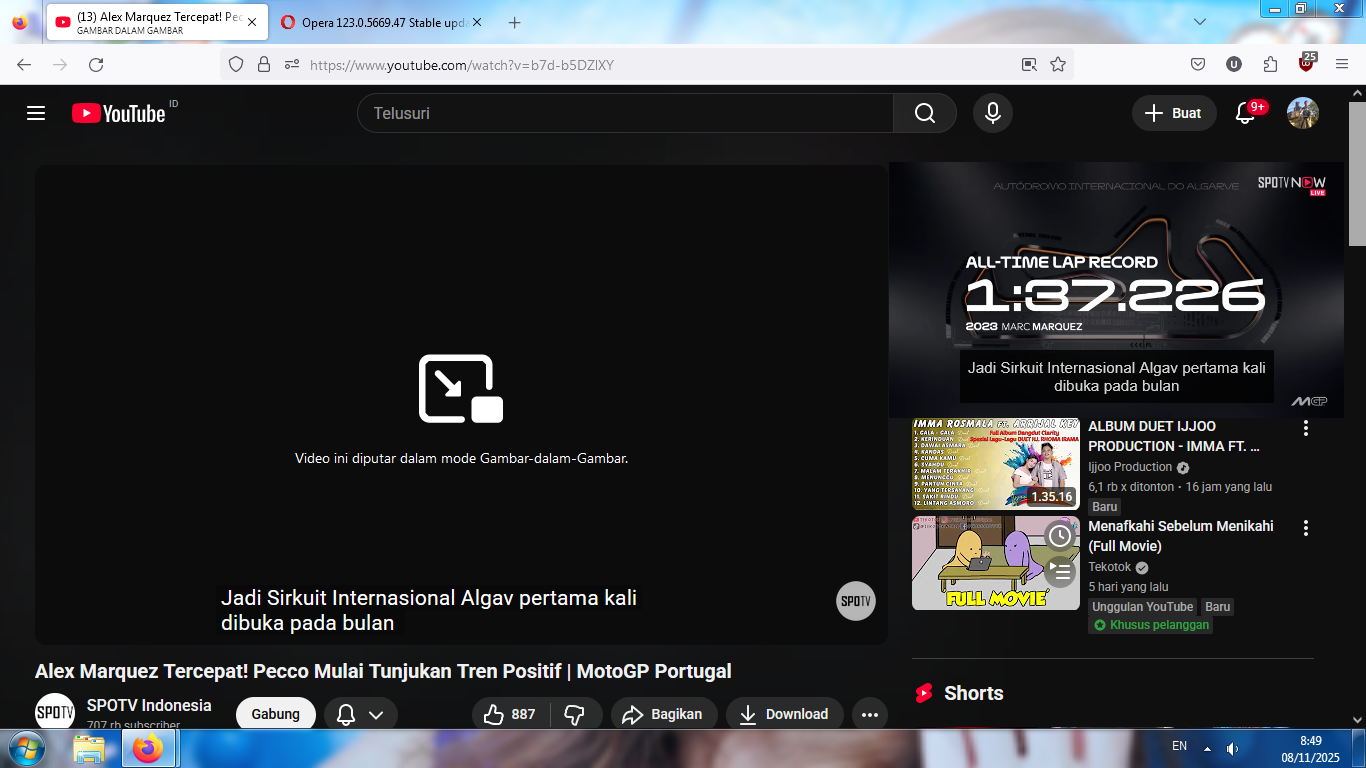
                ![alt text]73f7be5c-6bb5-48cc-8fda-6b1a9f1ccda0-gambar.png (image url) please bring subtitles to the picture in picture feature like in firefox

                Reply Quote 0
                  Opera-QA-Team 1 Reply Last reply
                • bbildman
                  bbildman @bbildman last edited by

                  @bbildman: No one has anything like this??

                  Reply Quote 0
                    1 Reply Last reply
                  • jim97219
                    jim97219 last edited by

                    I'm finding ctrl-enter is still not working properly. It should autocomplete a typed URL by adding "www." and ".com" to the address. Instead, it's doing a Google search. If I type "CNN in the search box in the address bar then hit ctrl-enter, I expect Opera will take me to https://www.cnn.com/. Instead, it takes me to https://www.google.com/search?client=opera&q=cnn&sourceid=opera&ie=UTF-8&oe=UTF-8
                    Am I the only one to whom this is happening?

                    Reply Quote 0
                      Opera-QA-Team 1 Reply Last reply
                    • yuseijaden
                      yuseijaden last edited by

                      @Opera-QA-Team said in Opera 123.0.5669.47 Stable update:

                      Opera-QA-Team

                      Thanks for the update Team !
                      Would it be possible to get a changelog for Aria AI? I saw that it's now version 6.12.0.7

                      Reply Quote 0
                        1 Reply Last reply
                      • sgrandin
                        sgrandin last edited by

                        At the site below, in Opera I can't get rid of the strong password. Works with Edge.

                        https://www.audiogon.com/users/password/edit?reset_password_token=zVZyCb1ZJhsf9XtQTNjg&utm_campaign=website&utm_medium=email&utm_source=sendgrid

                        Reply Quote 0
                          Opera-QA-Team 1 Reply Last reply
                        • ironbone
                          ironbone last edited by

                          When I ask Aria for summaries of a Polish article and I write the query in Polish, I receive a summary in English

                          Reply Quote 0
                            1 Reply Last reply
                          • Opera-QA-Team
                            Opera-QA-Team Opera @sgrandin last edited by

                            @sgrandin: Hello, thanks for the feedback. The strong password appears, but when you start typing, it vanishes. Could you check? What happens when you start typing?

                            Reply Quote 0
                              1 Reply Last reply
                            • Opera-QA-Team
                              Opera-QA-Team Opera @jim97219 last edited by

                              @jim97219: Hello, thanks for pointing this out. We already know the issue and are working on the fix.

                              Reply Quote 0
                                1 Reply Last reply
                              • Opera-QA-Team
                                Opera-QA-Team Opera @agungriadi last edited by

                                @agungriadi: Hello, thanks for the feedback - this is already known issue (RNA-967) and will be fixed soon.

                                Reply Quote 0
                                  1 Reply Last reply
                                • Locked by  leocg leocg 
                                • First post
                                  Last post

                                Computer browsers

                                • Opera for Windows
                                • Opera for Mac
                                • Opera for Linux
                                • Opera beta version
                                • Opera USB

                                Mobile browsers

                                • Opera for Android
                                • Opera Mini
                                • Opera Touch
                                • Opera for basic phones

                                • Add-ons
                                • Opera account
                                • Wallpapers
                                • Opera Ads

                                • Help & support
                                • Opera blogs
                                • Opera forums
                                • Dev.Opera

                                • Security
                                • Privacy
                                • Cookies Policy
                                • EULA
                                • Terms of Service

                                • About Opera
                                • Press info
                                • Jobs
                                • Investors
                                • Become a partner
                                • Contact us

                                Follow Opera

                                • Opera - Facebook
                                • Opera - Twitter
                                • Opera - YouTube
                                • Opera - LinkedIn
                                • Opera - Instagram

                                © Opera Software 1995-