Opera 136.0.5988.0 developer update
-
 Opera Comments Bot last edited by
Hello! We’ve rolled out a new Opera Developer release with a few notable changes: We also enabled #opera-one-rebranding, which brings a fresh new color scheme to the browser. Check it out! For a full list of changes check out our changelog. Happy browsing! Installation links:
Read full blog post: Opera 136.0.5988.0 developer update
-
andrew84 last edited by
Also added drag and drop to create tab islands, with animations and a “new tab in tab island” button
the changes are good (obvious if comparing vs horizontal mode) but the relization is bad if talikng about the 'new tab in island' button. Again the tiny button appearing somewhere between elements needs precise catching.
*It'd be much easier if the 'new tab in island' button would be placed on the appearing tooltip ih horizontal mode like in Edge.
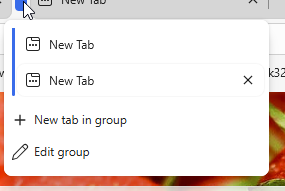
It'll allow to add tab without expanding the island first and catching the small button somewhere at the bottom or in the end(for horizontal mode).
In vertical mode the edit and new tab buttons could be placed directly onto the island's 'body'.Like in Edge again
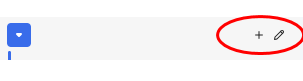
*Also the edit name nd color panel shouldn't be visible each time inside the tooltip and should appear only once while creating tab islands and later be called manually. I doubt that user is changing island name and color each time.
**The collapsed vertical tabs panel still needs the 'auto' mode when it automatically expands on hover to previously adjusted width(like in Edge).
***The vertical mode still needs option for the orientation on the right edge.
-
andrew84 last edited by
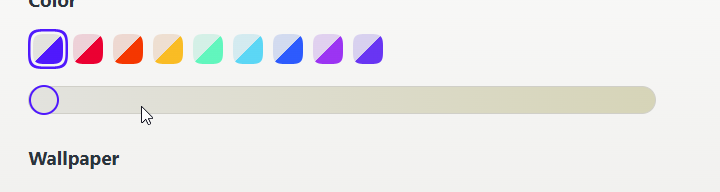
enabled #opera-one-rebranding which brings a fresh new color scheme to the browser
Maybe I'm missing smth. but I don't see any changes here on Win 10.
-
 thelittlebrowserthatcould last edited by thelittlebrowserthatcould
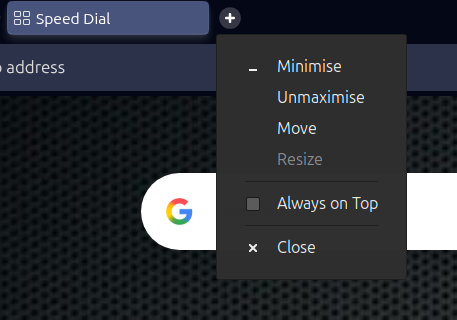
Thanks for fixing the "Always on top" stuck dialog in Linux .deb release with vertical tabs, however it is now present with the horizontal tab strip.
As before, it can be cleared by switching to another application and invoking and dismissing the dialog there.Incidentally, my last post, deleted by "someone", about being unable to launch the browser, was due to outdated video codecs. I expected better of both the browser, and "someone".
-
andrew84 last edited by
- Restore the 2nd click for the 'scroll to top' feature.
- Restore the search engines creation by using right click.
- Disable the automated search engines adding.
- Fix the 'force dark pages' toggle not remembered state.
- In EasySetup and for the right split screen the scrollbar can't be grabbed when the cursor is far right (EesySetup closes, split screen has no reaction)
-
burnout426 Volunteer last edited by
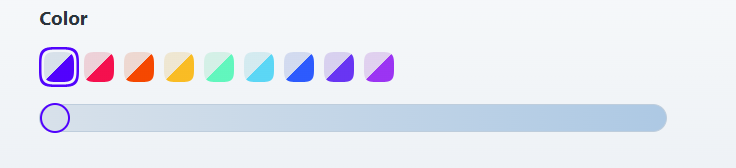
@andrew84 That's weird. It's as though the slider is somewhere in the middle instead of all the way to the left. Here on Windows 11, with the default color scheme and the slider all the way to the left, the tab bar is gray, the address bar is white, the unfocused address field is white, the focused address field is a darker gray, and highlighted text in the address field is blue with white text. No sand colors here in that situation.
Is that in a new or dirty profile?
-
andrew84 last edited by andrew84
@burnout426 said in Opera 136.0.5988.0 developer update:
It's as though the slider is somewhere in the middle instead of all the way to the left
No, the slider is ok.
I just showed how the color looks for the toolbar with slider far right.*It's quite absurd that while adjusting blue accents you can get beige accents.
-
-
-
-
-
-
-
-
thelittlebrowserthatcould last edited by
@thelittlebrowserthatcould: Apologies, my comment referred to the Stable .deb release, 134.0.5954.54.
-
Locked by
 leocg
leocg