Opera 136.0.5988.0 developer update
-
andrew84 last edited by
- Restore the 2nd click for the 'scroll to top' feature.
- Restore the search engines creation by using right click.
- Disable the automated search engines adding.
- Fix the 'force dark pages' toggle not remembered state.
- In EasySetup and for the right split screen the scrollbar can't be grabbed when the cursor is far right (EesySetup closes, split screen has no reaction)
-
burnout426 Volunteer last edited by
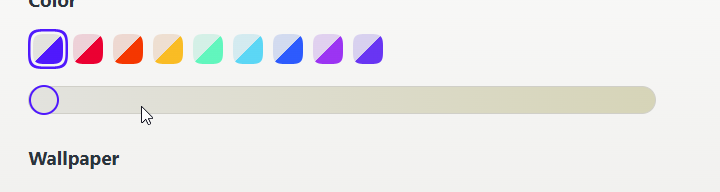
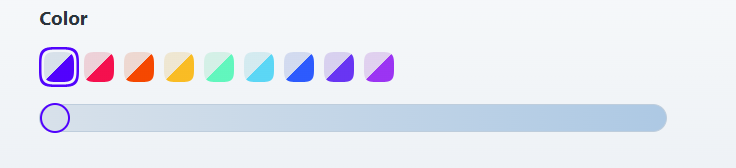
@andrew84 That's weird. It's as though the slider is somewhere in the middle instead of all the way to the left. Here on Windows 11, with the default color scheme and the slider all the way to the left, the tab bar is gray, the address bar is white, the unfocused address field is white, the focused address field is a darker gray, and highlighted text in the address field is blue with white text. No sand colors here in that situation.
Is that in a new or dirty profile?
-
andrew84 last edited by andrew84
@burnout426 said in Opera 136.0.5988.0 developer update:
It's as though the slider is somewhere in the middle instead of all the way to the left
No, the slider is ok.
I just showed how the color looks for the toolbar with slider far right.*It's quite absurd that while adjusting blue accents you can get beige accents.
-
-
-
-
-
-
-
-
 thelittlebrowserthatcould last edited by
@thelittlebrowserthatcould: Apologies, my comment referred to the Stable .deb release, 134.0.5954.54.
-
Locked by
 leocg
leocg