Opera 135 Stable
-
 Opera Comments Bot last edited by
Hi, Dear Opera Users! We’ve just promoted Opera 135 to Stable! Here’s what’s new: a Chromium bump, a big round of stability and performance work, and a few user-facing improvements. Key highlights You can find the full list in the changelog. Happy browsing! Installation links:
Read full blog post: Opera 135 Stable
-
 Submerstep last edited by
When will Opera get a redesign for the sidebar bookmarks tab? Back when the Stable version was around 120, I mentioned it—I even provided an image with ideas and you "took note"—but after 15 stable releases, it's still the exact same.
The current bookmarks page feels like it was designed for tablets, and it looks terrible on PC:
· The header containing the bookmark search bar is way too big (you could just put a button at the top to toggle the search bar).
· If you click "Bookmarks" next to the heart icon in the header (where the search bar is), it opens the full bookmarks page... except at the very bottom, there's already another bar taking up space that says "Open full bookmarks view!!".
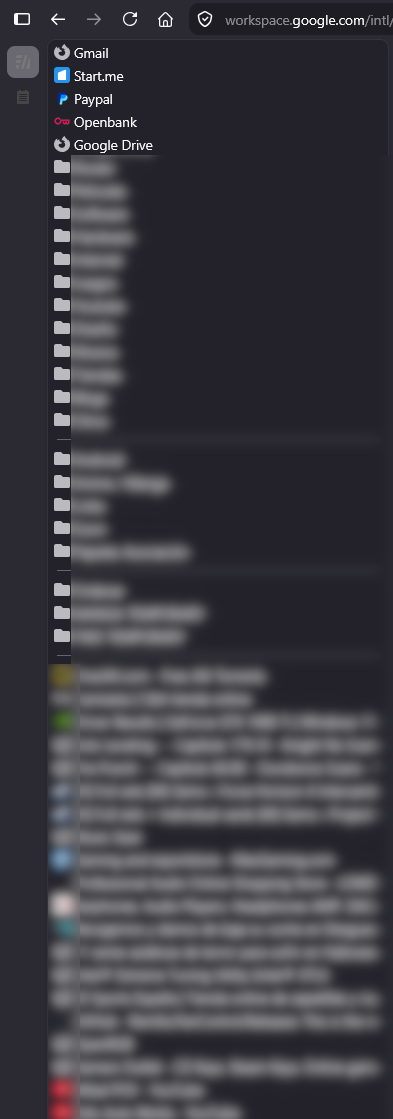
· You can't remove the sub-sections: Bookmarks bar, Imported bookmarks, Speed dial, and Other bookmarks. I just want to see my bookmarks and nothing else, like in the image attached below.
· The spacing between bookmarks and folders is too large.
· You can't hide web page URLs.
· There is no option to add dividers.
Can't we get something compact and simple like this?:
-
 firuz-u7 last edited by
@submerstep: Right on. I wish Opera had proper syncing for extensions, history, Workspaces, and Tab Islands. Browsers like Vivaldi and Chrome sync everything seamlessly right after you turn on sync, whereas Opera barely syncs anything beyond bookmarks and passwords.
-
Urby938 last edited by
why opera stopped supporting browser notifications? -disable-features=NativeNotifications parameter doesnt work anymore and only native windows notifications work.... please fix this
-
danstudio last edited by leocg
The BUG-25876 issue had accidentally stopped reproducing in the latest builds — most likely because the underlying developer tools had been updated. But in this build, it's back again!
It feels like you restored/reapplied your own modifications on top of the Chrome update, and now we're back to square one...
This is extremely inconvenient for developers. This bug has been around for several months, if not years.
It is also known as BS-92008, BUG-24931, and BUG-27619.
https://forums.opera.com/topic/89379/devtools-does-not-resize-the-page-viewport-after-navigation
-
rdhalla last edited by
https://opera.atlassian.net/servicedesk/customer/portal/52/BUG-28105
Please check the attached files for comparison I mentioned in the file name of opera one version used
- Go to datacamp learning platform and check this URL for example and save as pdf - https://campus.datacamp.com/courses/building-ai-applications-with-pinecone/introduction-to-pinecone?ex=2
- open any course and do save as pdf , it will save pdf but the output is truncated which was working fine before latest update of 134.0.5954.56.
4.Issue is reproducible on latest and comparable with previous release , tested on two windows machines by updating the browser
-
 Opera-QA-Team Opera last edited by
@rdhalla: Hello, thanks for catching, our team is currently looking into it.
-
Locked by Opera-QA-Team