Opera 140.0.6074.36 Stable update
-
sgrandin last edited by
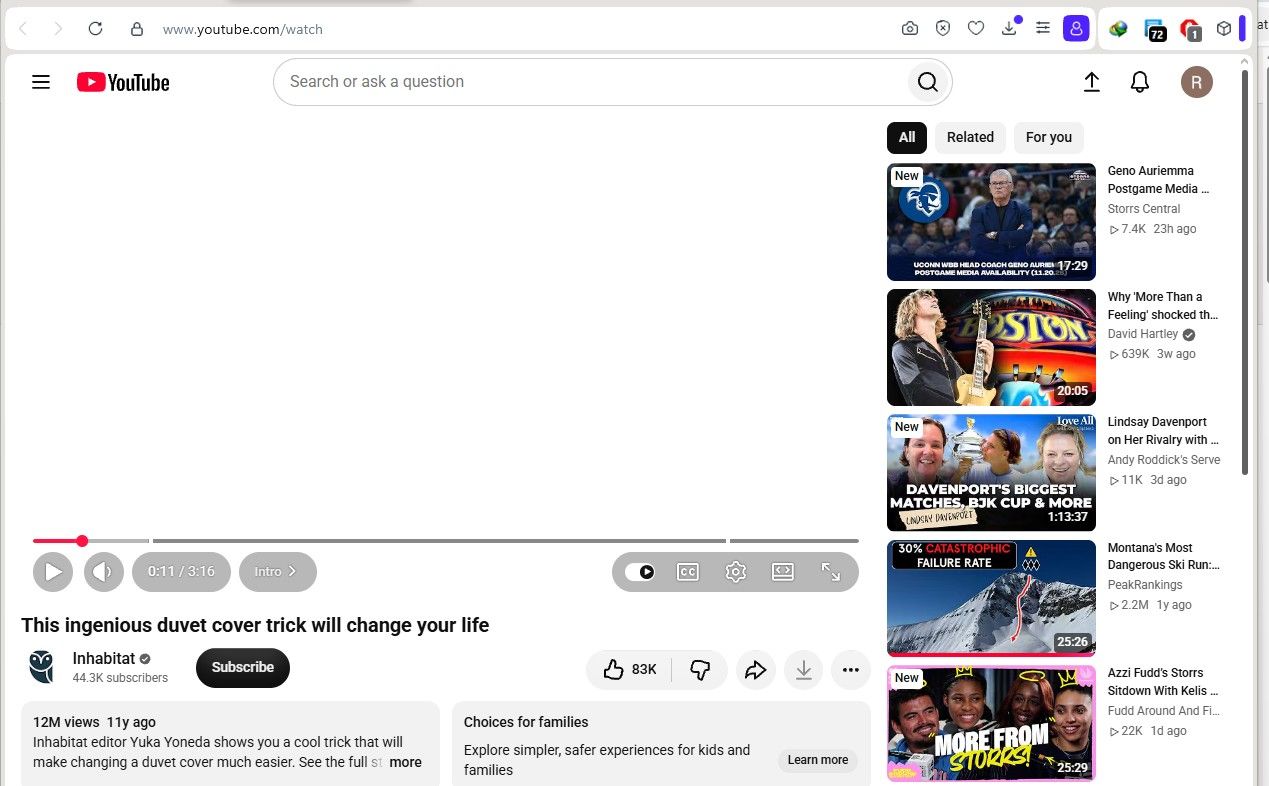
@sgrandin I'm finding now it's not just the Emmet Cohen YT site, but here's another example where there's no video in the main screen: https://www.youtube.com/watch?v=cjXJL1Tqas0&ab_channel=TAILLE6
-
karen-arzumanyan last edited by
@albano23: Yes, I agree. It’s exactly the same for me. It’s really annoying, especially when you have to download things frequently.
-
Urby938 last edited by
I previously reported an issue with website push notifications, particularly YouTube notifications, not working correctly in Opera. The issue was eventually fixed, and notifications started working again.
However, there is now another problem with notification handling.
I use Opera with the following command-line parameter:
--disable-features=NativeNotifications
The purpose of this parameter is to disable native Windows notifications and use the browser's own notification interface instead.
Currently, Opera displays website notifications using native Windows notifications, even when this parameter is present.
This behaviour is different from other Chromium-based browsers. Google Chrome, Brave and Vivaldi still respect this command-line parameter and display browser-style notifications instead of native Windows notifications.
Expected behaviour:
Opera should respect --disable-features=NativeNotifications and display its own browser notifications.Actual behaviour:
Opera ignores this parameter and continues to display native Windows notifications.Please investigate why this Chromium feature flag is no longer respected by Opera and restore the previous behaviour.
Thank you.
-
 whisperer last edited by
@whisperer said in Opera 140 Stable:
When using the offline installer and choosing Options, the error "The install path is invalid" is displayed. (This doesn't happen when using the mini installer.)
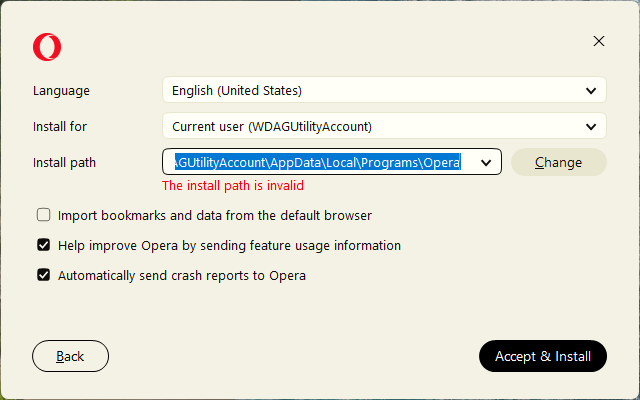
The error disappears when changing any option, for example by adding "123" to the end of the path or clicking one of the options.
This also happens with Windows offline installers for the latest stable version (140.0.6074.36) and developer version (141.0.6087.0).
I encounter this with Windows installers since version 134.0.5954.46. Prior installers (133.0.5932.85 and earlier) do not have this bug. -
sgrandin last edited by
@sgrandin And another one - https://www.youtube.com/watch?v=DRPfudNNd8Y&t=5s&ab_channel=Inhabitat
-
Referenced by
 akoryukov
-
rogbiz last edited by
Why did the latest 'upgrade' ruin my desktop? Around a third of my speed dial titles run to two lines, and now the second line has been cut off. Additionally the upgrade saw fit to remove my preferred background and stick a poor image in its place. The first rule of software improvements is "don't make the user interface worse".
-

-
swarley0506 last edited by
This latest update is constantly crashing any time I close either a tab island or a tab. Just constant crashing and reloading of the same tabs open previously effectively sticking me in a constant loop of crash and reload.
