Change tab layout back to list
-
leolee last edited by
Is there an option to change the tab layout back to the list layout?
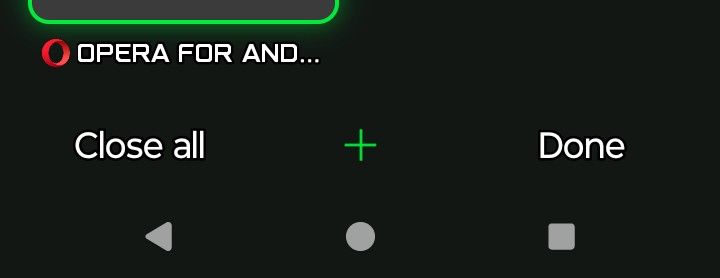
I saw there is supposed to be a bad at the bottom that has the option but for me I just says 'close all' and 'done', am I missing something?
-

-
malcolmparkedhere last edited by
If you mean the old list view of your open tabs, I’d check the tab screen itself first. Opera has changed the Android tab interface a few times, and the options can depend on the version and layout you’re using. Opera’s current help only documents the visual tab view, so if you’re not seeing the list option anymore, it may have been removed or moved in your version.
I’d make sure Opera is updated, then open the Tabs screen and look for a small layout/view button near the bottom or in the three-dot menu. If it’s simply not there, tell us your Opera version and Android version. That’ll make it easier to tell whether you’re missing a setting or Opera changed the feature.
-
Eric05Bee last edited by Eric05Bee
@leocg
That squared Font/Typeface is Opera GX.
Settings is top-right ... but ...
There is no option to change the style of tab-chooser.
Use Opera full or Opera Mini instead: they let you choose previews, lists, or even carousel, like app-switching in Android!Workaround:
Turn the phone sideways for Wide mode, not Tall mode.
sort-of ... -
leocg Moderator Volunteer last edited by
@Eric05Bee Then the topic was opened in the wrong area of the forum, this one is for Opera for Android itself.
-
Eric05Bee last edited by Eric05Bee
@leocg
Does a Forum exist for Opera GX for Android?
https://play.google.com/store/apps/details?id=com.opera.gx
Seems other GX for Android posts are on the GX Desktop forum
Opera GX Android keeps download history saved for private mode
[Mobile] When I download a PDF on Google Docs it downloads as a html instead of a PDF.
Are all Opera for computers forums basically for obsolete products?
-
leocg Moderator Volunteer last edited by leocg
@Eric05Bee Nope, you just use Opera GX forum both for desktop and mobile versions of Opera GX