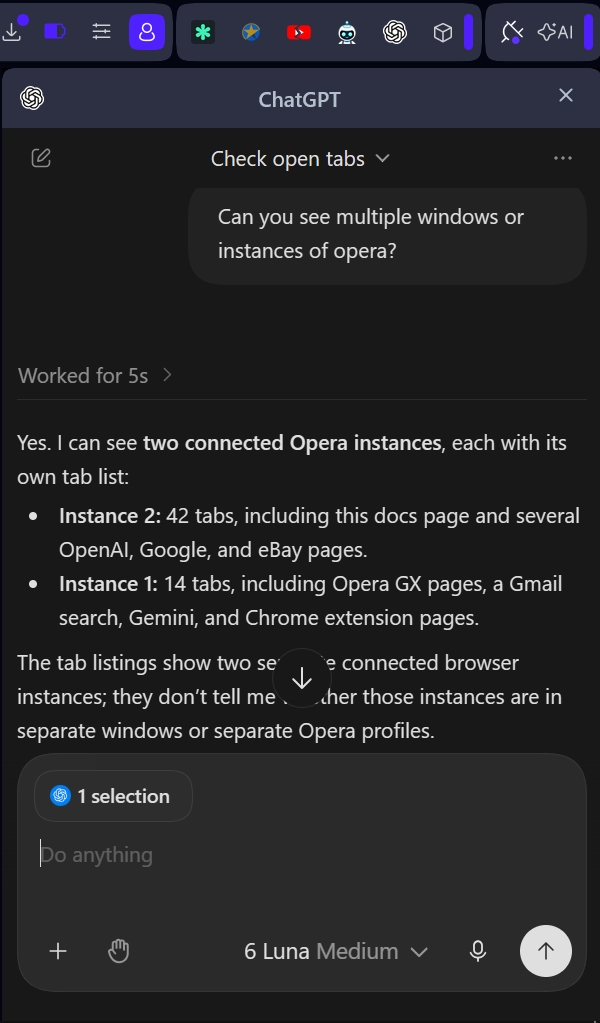
The right side-panel has Chrome Extension 'ChatGPT' installed.
'@chrome' still summons it: but the connector has re-named itself to '@Opera' !
Having created a new connection, you seem to have to toggle
'AI connection disabled'
'AI connection enabled'
to let it start.
Using another AI, I explored whether these connectors could be extended to Gemini as well, and there is a way.
I don't know why Opera doesn't seem to have documented this (AFAICS).
"Can it be easily extended from ChatGPT and Claude to Gemini?"
Probably yes, and you may not need to change any code.
Nothing in either extension depends on ChatGPT or Claude, so whether it works mostly comes down to Opera's server, which I can't see.
Why the extensions aren't the obstacle
They don't know which AI is connected.
Requests arrive over the connection to Opera's server with only an ID and a name for each AI app.
The permission checks and the 7-tool filter work the same whichever app is calling.
ChatGPT and Claude only appear in the setup screens.
Their entire role in the code is the popup's provider choices, setup videos and two links.
Claude's link just pre-fills Opera's standard tool-server address,
https://connector.mcp.opera.com/mcp
That address uses the same open standard Gemini uses.
Adding Gemini doesn't require a new adapter.
How to try it with Gemini
Gemini web app:
in Settings → Connected Apps, add a custom app and paste the server address.
https://connector.mcp.opera.com/mcp
Google says the server must follow the standard specification, and
you'll need to enter sign-in credentials if the server doesn't support
automatic registration of new apps.
Gemini CLI:
run gemini mcp add --transport http opera https://connector.mcp.opera.com/mcp
then
/mcp auth opera
if sign-in doesn't start by itself.
Then sign in with your Opera account when asked and make sure Browser Connector is switched on in Opera.
If it works, Gemini should show up in the connector's list of connected apps.
On Opera's forum, one user said they got it working with other AI agents but didn't give details.
What could stop it
Opera's sign-in step: Opera's server may only accept sign-ins from ChatGPT's and Claude's own return addresses.
If so, the Opera sign-in for Gemini will fail, and only Opera can change that.
Server-side blocking: the server could refuse unknown apps outright.
Same 7 tools: Gemini would get exactly what ChatGPT and Claude get.
Clicking, typing and key presses would still be hidden by Browser Connector's filter.
My initial experience is that it works.
Connect & manage custom apps for Gemini Apps - Computer - Gemini Apps Help
says you have to be in US, and discusses safety implications.
Seems it is best to use Gemini Web UI in a browser, not mobile or desktop apps.