• Login
    • Search
    • Categories
    • Recent
    • Tags
    • Users
    • Groups
    • Rules
    • Help

    Do more on the web, with a fast and secure browser!

    Download Opera browser with:

    • built-in ad blocker
    • battery saver
    • free VPN
    Download Opera

    Opera Air welcomes the longer nights with Dark Ambience

    Blogs
    news blog comments
    10
    19
    3647
    Loading More Posts
    • Oldest to Newest
    • Newest to Oldest
    • Most Votes
    Reply
    • Reply as topic
    Log in to reply
    This topic has been deleted. Only users with topic management privileges can see it.
    • Opera Comments Bot
      Opera Comments Bot last edited by

      Hey all, You asked, and we delivered: today – just after the Fall Equinox, as the Northern Hemisphere enters a period of darkness – Opera Air introduces Dark Ambience, a stylish new way to experience your browser.  When we first launched Opera Air, our mindful browser featured a bright, cozy interface. We wanted it to […]

      Read full blog post: Opera Air welcomes the longer nights with Dark Ambience

      Reply Quote 0
        1 Reply Last reply
      • burnout426
        burnout426 Volunteer last edited by burnout426

        Looks like the context menus, dialogs, tab tooltips and link tooltips are not dark in dark mode.

        Reply Quote 0
          burnout426 1 Reply Last reply
        • burnout426
          burnout426 Volunteer last edited by

          Not new, but when starting Opera Air, I can see the background of things paint in steps. First, there's a flash of white and the stuff for light mode paints.

          When starting Opera Air in dark mode, I see a flash of white, then light mode and then the changes for dark mode paint.

          Probably depends on the hardware how much one can see it, but for dark mode, the initial white can be undesirable.

          Reply Quote 0
            1 Reply Last reply
          • burnout426
            burnout426 Volunteer @burnout426 last edited by

            @burnout426 opera://settings, opera://flags,, opera://extensions and other Opera pages are not dark either.

            Also not seeing the "Force dark pages" option anywhere for pages that don't have their own dark mode.

            Reply Quote 0
              RoseFlowerWell TomaszStawarz 2 Replies Last reply
            • RoseFlowerWell
              RoseFlowerWell @burnout426 last edited by

              @burnout426 all they did was made one two elemets of ui dark and call it a day, there is no force dark mode, right click context menu is still in light mode, same goes to login menu , extension menu, opera menu and also all most of other parts, i was waiting for dark modes for months now and im extremely disappointed, they took so much time and release this half baked dark mode,

              Reply Quote 0
                1 Reply Last reply
              • mixchild
                mixchild last edited by

                @burnout426 and @RoseFlowerWell mentioned it force dark mode is needed Chrome 140 actually includes flag to force white flash to be changed but it's more important to know when will be Tab Island function implemented does burnout426 has timeframe

                Reply Quote 0
                  burnout426 1 Reply Last reply
                • burnout426
                  burnout426 Volunteer @mixchild last edited by

                  @mixchild said in Opera Air welcomes the longer nights with Dark Ambience:

                  important to know when will be Tab Island function implemented does burnout426 has timeframe

                  Have no clue.

                  Reply Quote 0
                    1 Reply Last reply
                  • TailaBlu12
                    TailaBlu12 last edited by

                    I really like this new dark mode! I think my request at this point would be to allow us to force dark mode on all webpages, but I understand if that's a lot to ask!

                    Reply Quote 0
                      TomaszStawarz 1 Reply Last reply
                    • Mlipka
                      Mlipka Opera last edited by

                      Hi Everyone,

                      We're glad you're playing with dark UI!

                      Currently, the nights are getting longer, so we wanted to share interface changes related to the most popular parts of the browser. However, more updates are coming and we'll gradually keep updating other areas.

                      Keep sending your feedback. Let us know what you like and what could be improved.

                      Reply Quote 0
                        1 Reply Last reply
                      • KenedSF
                        KenedSF last edited by

                        Finally the dark theme. Thank you.

                        Reply Quote 1
                          1 Reply Last reply
                        • pinnacle1973
                          pinnacle1973 last edited by

                          Absolutely love this update! 🌙 The new Dark Ambience design is a perfect blend of style and mindfulness — it really enhances the browsing experience during long working hours. At (Pinnacle Digitech Edge)
                          , we truly appreciate how Opera continues to innovate user-focused digital experiences. As a team passionate about web performance and SEO solutions, we believe such adaptive designs set new standards for modern browsers. Kudos to the Opera team for keeping usability and aesthetics perfectly balanced!

                          Reply Quote 0
                            1 Reply Last reply
                          • Utkirbek
                            Utkirbek last edited by

                            nice update, but could you please also add dark mode for settings page, thank you

                            Reply Quote 0
                              1 Reply Last reply
                            • TomaszStawarz
                              TomaszStawarz Opera @TailaBlu12 last edited by

                              @tailablu12: Hello, with the recent update of the Opera Air we have added support for the Force Dark Pages. Please let us know how does it work for you.

                              Reply Quote 0
                                1 Reply Last reply
                              • TomaszStawarz
                                TomaszStawarz Opera @burnout426 last edited by

                                @burnout426: Hi, with the recent update of the Opera Air we have added support for the Force Dark Pages. Please let us know how does it work for you.

                                Reply Quote 1
                                  1 Reply Last reply
                                • Mlipka
                                  Mlipka Opera last edited by

                                  @burnout426: @utkirbek:
                                  We made another dark mode update. Adding Force Dark Pages and dark mode in the settings.
                                  More dark mode parts of the browser are still coming.
                                  Enjoy!

                                  Reply Quote 1
                                    mixchild 1 Reply Last reply
                                  • mixchild
                                    mixchild @Mlipka last edited by

                                    @Mlipka

                                    • No Force Dark in right click menu, or in setting

                                    • No implementation of chromium 141 fix of Content area flashes white when changing or re-opening tabs

                                    • No plans of implementation second most asked feature after Dark Mode - Tab Islands - Session Buddy extension type of feature

                                    Reply Quote 0
                                      Mlipka 1 Reply Last reply
                                    • Mlipka
                                      Mlipka Opera @mixchild last edited by

                                      HI @mixchild

                                      • No Force Dark in right click menu -> work is ongoing, we be released soon

                                      • The settings section has been dark since the last release. Are you referring to some other settings?
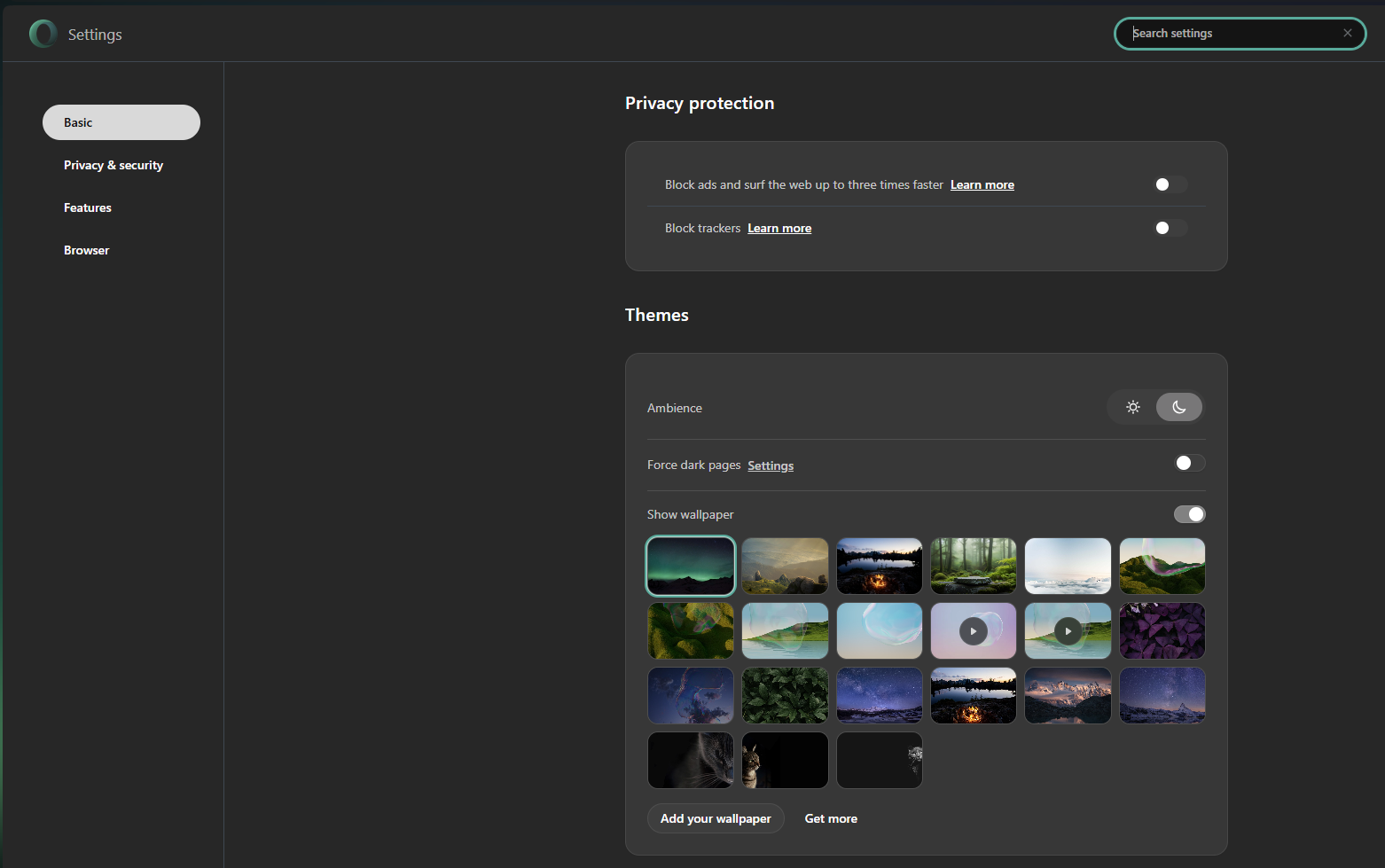
                                        79e1087c-1ab4-40c9-ad56-226ffa6c46c1-image.png

                                      • No implementation of chromium 141 fix of Content area flashes white when changing or re-opening tabs -> We're gradually updating the Chromium engine. However, it might take some time to get to 141. Anyways, we're on it.

                                      • No plans of implementation second most asked feature after Dark Mode - Tab Islands - Session Buddy extension type of feature -> We're not planning to add Tab Islands or Session Buddy type of extension in upcoming future.

                                      Reply Quote 0
                                        mixchild 2 Replies Last reply
                                      • mixchild
                                        mixchild @Mlipka last edited by

                                        @Mlipka

                                        • Opera One has already been updated to Update Chromium on master to 141.0.7390.125 so it's strange that flashes remain constant in browser related to - Content area flashes white when changing or re-opening tabs

                                        • Opera GX has flag to enable tab islands, issue with around 24 000 views about tab island is not getting prioritized by the team? how is this possible, just let users enable flag from settings like GX does

                                        Reply Quote 0
                                          1 Reply Last reply
                                        • mixchild
                                          mixchild @Mlipka last edited by

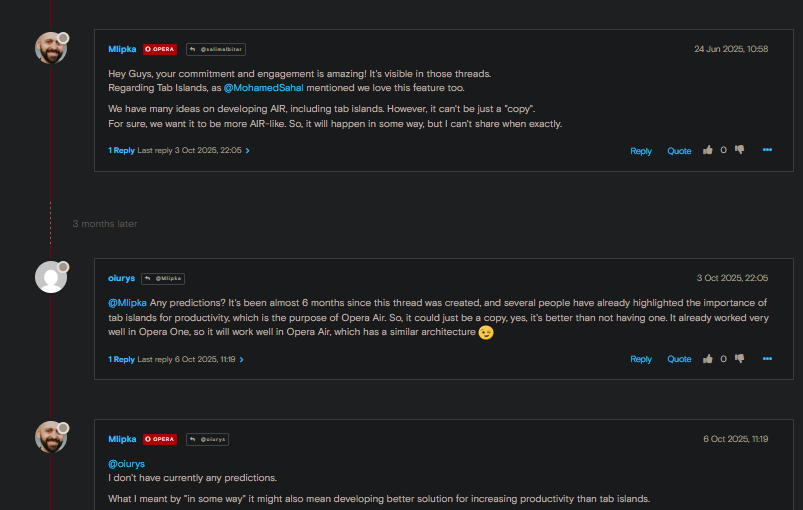
                                          image_2025-12-10_182630493.png I mean it would take less time to deploy the Flag for tab islands than answering all the users who asked for the feature

                                          Reply Quote 0
                                            1 Reply Last reply
                                          • First post
                                            Last post

                                          Computer browsers

                                          • Opera for Windows
                                          • Opera for Mac
                                          • Opera for Linux
                                          • Opera beta version
                                          • Opera USB

                                          Mobile browsers

                                          • Opera for Android
                                          • Opera Mini
                                          • Opera Touch
                                          • Opera for basic phones

                                          • Add-ons
                                          • Opera account
                                          • Wallpapers
                                          • Opera Ads

                                          • Help & support
                                          • Opera blogs
                                          • Opera forums
                                          • Dev.Opera

                                          • Security
                                          • Privacy
                                          • Cookies Policy
                                          • EULA
                                          • Terms of Service

                                          • About Opera
                                          • Press info
                                          • Jobs
                                          • Investors
                                          • Become a partner
                                          • Contact us

                                          Follow Opera

                                          • Opera - Facebook
                                          • Opera - Twitter
                                          • Opera - YouTube
                                          • Opera - LinkedIn
                                          • Opera - Instagram

                                          © Opera Software 1995-