• Login
    • Search
    • Categories
    • Recent
    • Tags
    • Users
    • Groups
    • Rules
    • Help

    Do more on the web, with a fast and secure browser!

    Download Opera browser with:

    • built-in ad blocker
    • battery saver
    • free VPN
    Download Opera

    Opera 140 Stable

    Blogs
    desktop blog comments
    11
    18
    1229
    Loading More Posts
    • Oldest to Newest
    • Newest to Oldest
    • Most Votes
    Reply
    • Reply as topic
    Log in to reply
    This topic has been deleted. Only users with topic management privileges can see it.
    • K
      karen-arzumanyan last edited by karen-arzumanyan

      Critical Download Regression in 140.0.6074.18 (Windows 11 x64) - Part 2

      File downloads do not work when clicking on the links with the middle mouse button (scroll wheel) to open them in a new tab.

      However, if you copy the link and paste it into the address bar of a new tab, or simply click on the link directly, the file downloads as expected.

      This issue did not exist in version 139; it began after updating to version 140.

      The problem occurs on various PCs running Windows 11 Pro 26H2 x64 .

      Reply Quote 0
        1 Reply Last reply
      • whisperer
        whisperer @albano23 last edited by whisperer

        I can confirm the bug with the Windows version. For example, clicking the download link at https://support.bluestacks.com/hc/en-us/articles/34359017537549-BlueStacks-5-22-Release-Notes doesn't work.

        Right-clicking and selecting "Save linked content as" works, as well as copying the target link and pasting it in a new tab.

        It happens for links that open in a new tab, so for links with target="_blank", links that are opened while holding Ctrl or Shift, or links that are opened by clicking the link using the scroll button.

        Reply Quote 0
          1 Reply Last reply
        • S
          sicu220 last edited by

          Strange characters in Opera AI's response. Stars, strange lines. That's why it's hard to see the response and what it replies doesn't make sense.
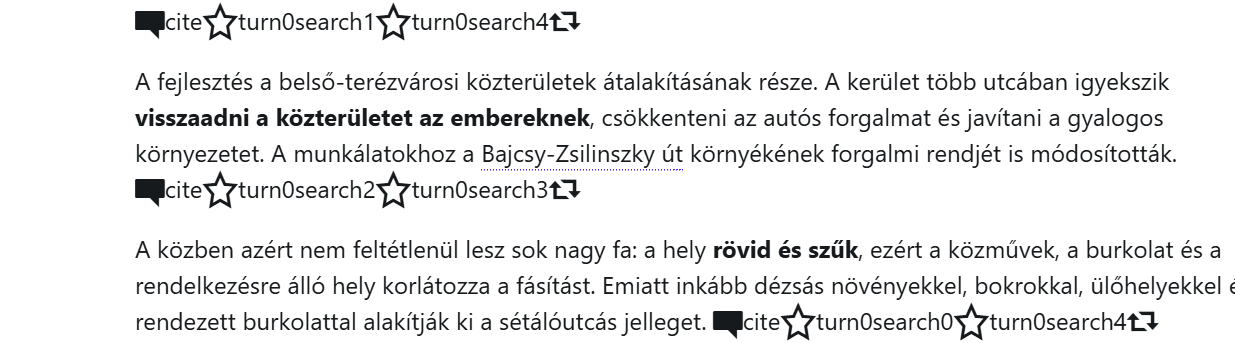
          64698e65-9550-4d15-91ba-7bcb0caa4fc6-image.png

          Reply Quote 0
            1 Reply Last reply
          • S
            sicu220 last edited by

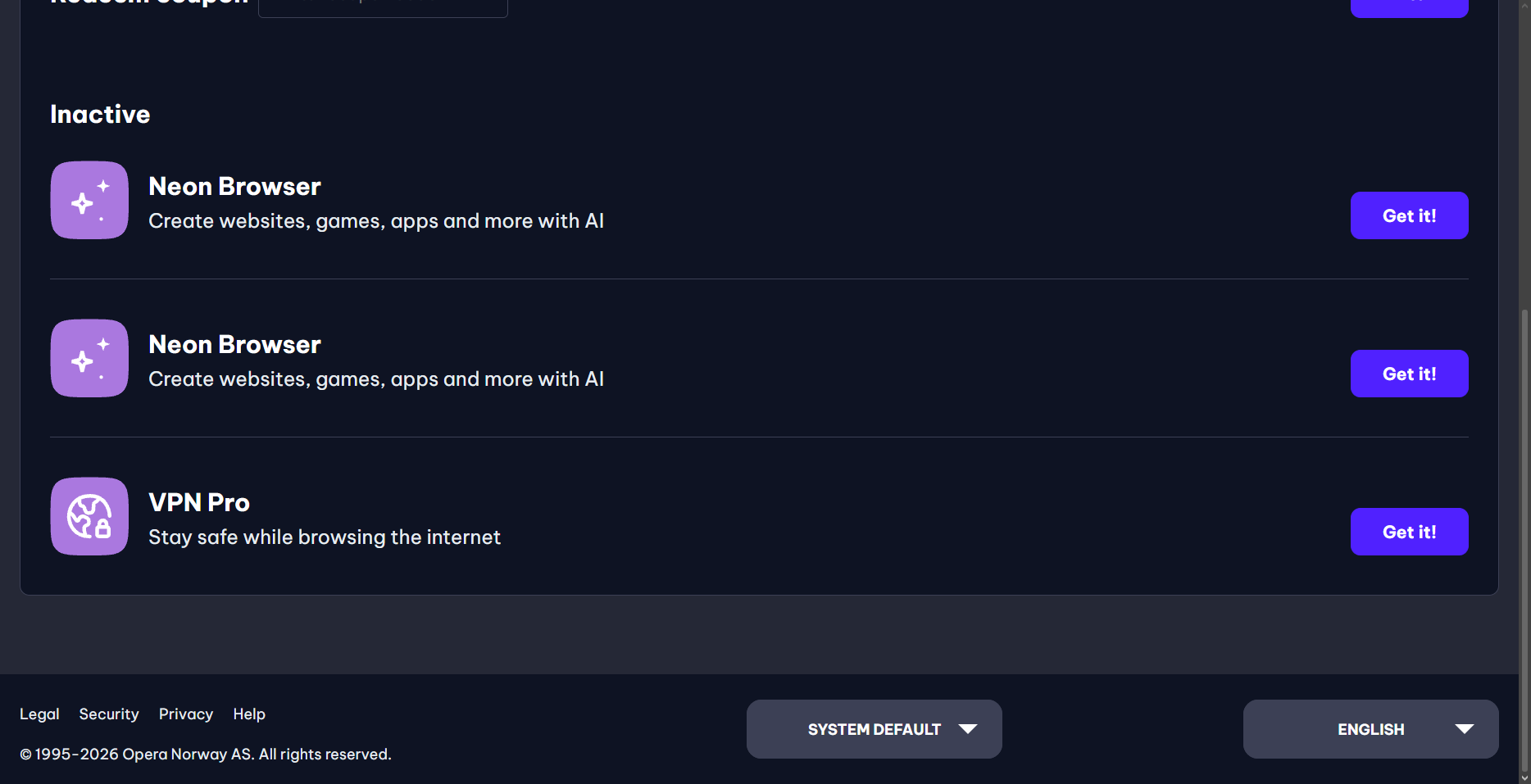
            Neon browser is on the list twice

            38e27e64-be02-4c1c-89c0-de8a6bfcd656-image.png

            Reply Quote 0
              1 Reply Last reply
            • A
              andrew84 last edited by

              In vertical tabs I'm getting the ugly speed dial icons (only the one 'square' from four) while creating new tabs. In Dveloper the same.
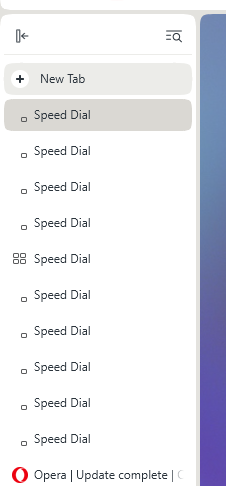
              2026-11-13_004703.png

              Reply Quote 0
                1 Reply Last reply
              • whisperer
                whisperer last edited by

                When using the offline installer and choosing Options, the error "The install path is invalid" is displayed. (This doesn't happen when using the mini installer.)
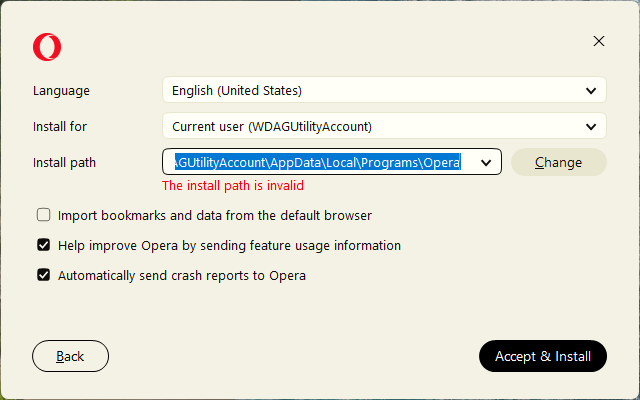
                de3e33ed-28bb-4a15-91c6-c38ae411b8af-image.png

                The error disappears when changing any option, for example by adding "123" to the end of the path or clicking one of the options.

                Reply Quote 0
                  1 Reply Last reply
                • Referenced by  burnout426 burnout426 
                • S
                  sgrandin last edited by

                  https://www.youtube.com/watch?v=6QSc940cukI&ab_channel=EmmetCohen
                  Audio but no video, except running cursor along time bar. Shows in lower corner if I move to another webpage. Also fine in Edge.

                  Reply Quote 0
                    S 1 Reply Last reply
                  • S
                    sgrandin @sgrandin last edited by

                    @sgrandin I'm seeing the absent video is not just the link above, but other YouTube pages at the Emmet Cohen channel, e.g., https://www.youtube.com/watch?v=pMKYkUN5Eo8&list=RDEMJjNChrzZRpz5SwqG9HKbxw&index=4
                    Reply Quote 0
                      1 Reply Last reply
                    • S
                      sgrandin last edited by

                      140.0.6074.18. espn.com - The black banner next to the ESPN is supposed to show NFL, NBA, NCAAF, NHL, More Sports (drop downs). It shows none with this build of Opera. Two apparent bugs I've never seen before just tonight.

                      Reply Quote 0
                        1 Reply Last reply
                      • A
                        AlexeyGrinko @steeveboy last edited by leocg

                        @steeveboy: Confirmed !!! Fix it!!!

                        Reply Quote 0
                          1 Reply Last reply
                        • First post
                          Last post

                        Computer browsers

                        • Opera for Windows
                        • Opera for Mac
                        • Opera for Linux
                        • Opera beta version
                        • Opera USB

                        Mobile browsers

                        • Opera for Android
                        • Opera Mini
                        • Opera Touch
                        • Opera for basic phones

                        • Add-ons
                        • Opera account
                        • Wallpapers
                        • Opera Ads

                        • Help & support
                        • Opera blogs
                        • Opera forums
                        • Dev.Opera

                        • Security
                        • Privacy
                        • Cookies Policy
                        • EULA
                        • Terms of Service

                        • About Opera
                        • Press info
                        • Jobs
                        • Investors
                        • Become a partner
                        • Contact us

                        Follow Opera

                        • Opera - Facebook
                        • Opera - Twitter
                        • Opera - YouTube
                        • Opera - LinkedIn
                        • Opera - Instagram

                        © Opera Software 1995-