Opera 136.0.6001.0 developer update
-
 Opera Comments Bot last edited by
Hello! We’ve rolled out a new Opera Developer release, version: 136.0.6001.0 Key highlights: For a full list of changes check out our changelog. Happy browsing! Installation links:
Read full blog post: Opera 136.0.6001.0 developer update
-
andrew84 last edited by andrew84
Fixed Force dark mode on pages resetting after changing theme or mode
The toggle should remember its state depending on what mode (dark/light theme) it was activated for.
So if I disable it while in light theme mode but enable it while in dark mode, next time I switch light theme the toggle should be off and next time I activate dark mode the toggle should be automatically on.
It's obvious and habitual algorithm(of course, if the 'force dark page' toggle visibility while in light theme is an intended, previously the toggle was visible only in dark theme). -
andrew84 last edited by
- Restore the 2nd click for the 'scroll to top' feature.
- Restore the search engines creation by using right click.
- Disable the automated search engines adding.
- In EasySetup and for the right split screen the scrollbar can't be grabbed when the cursor is far right (EesySetup closes, split screen has no reaction)
-
andrew84 last edited by
Tab islands still need such obvious options like 'pin island' and 'ungroup island'.
Split tab should also have the 'pin' option. -
andrew84 last edited by
Scroll to top feature still doesn't work for vertical tabs. Along with not visible volume booster.
-
andrew84 last edited by andrew84
-
search tabs button doesn't work here in vertical mode (Edit: if I enable the sidebar, it works).
-
Make the vertical tabs collapsed bar narrower. Currently it is a bit too wide. I guess the width can be reduced almost by 1,5 times.
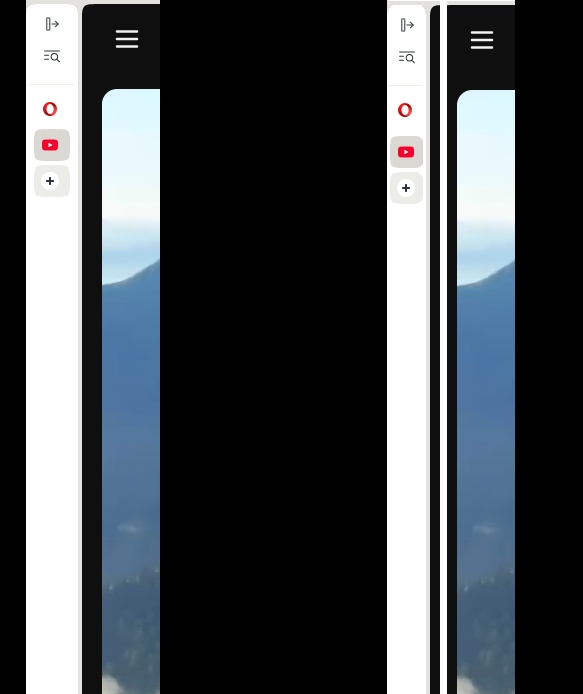
- Also the auto-expand vertical tabs feature is must have option. So on mouse hover the collpased bar will expand and hover the page content (like it works in Edge)
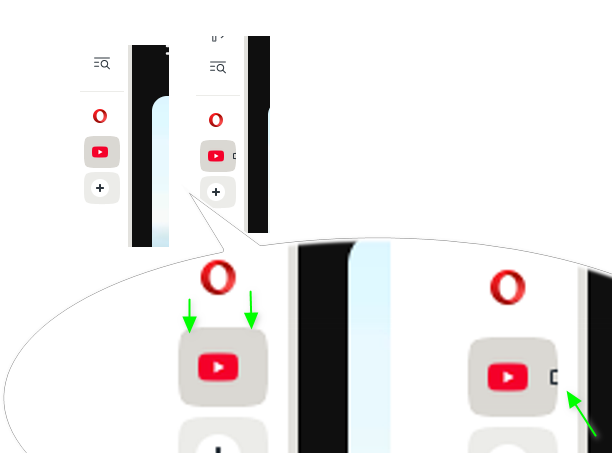
*btw, on the collapsed bar favicons and new tab icon are not centered well. So when watching YT there's some cut part of letter for example.
-
-
pkap1 last edited by
 Please please make the tiles on the main page fully transparent again! (at least for the Midsommar theme). Thanks!
 -
andrew84 last edited by
I'm not sure regarding the suggestion but wouldn't it be more unified if the vertical tabs panel had the same color scheme as the horizontal tabstrip does?
I mean the white with shadow effect active tab and the grey (the current 'rebranded') background and tab islands containers? It will keep the same style after switching vertical/horizontal mode and clearly separate (logically) the tabs bar from the sidebar/sidebar panels.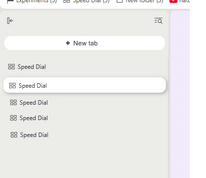
-
Locked by
 leocg
leocg