• Conectarse
    • Buscar
    • Categorías
    • Recientes
    • Etiquetas
    • Usuarios
    • Grupos
    • Rules
    • Help

    Do more on the web, with a fast and secure browser!

    Download Opera browser with:

    • built-in ad blocker
    • battery saver
    • free VPN
    Download Opera

    How to Fix Opera GX Grey/Black/White/Empty Screen on Startup

    Opera GX
    15
    25
    40004
    Cargando más mensajes
    • Más antiguo a más nuevo
    • Más nuevo a más antiguo
    • Mayor número de Votos
    Responder
    • Responder como tema
    Accede para responder
    Este tema ha sido borrado. Solo los usuarios que tengan privilegios de administración de temas pueden verlo.
    • dordob
      dordob Opera Última edición por

      Dear Users,
      if you've recently started seeing a black, white, gray, or completely empty screen when launching Opera GX, you are likely encountering a known bug related to experimental Chromium flags.
      This issue is often caused by a bug when the experimental Chromium flag #use-angle is manually set to non-default options like OpenGL or D3D9. The screen will appear broken and unusable, preventing you from accessing the browser settings.
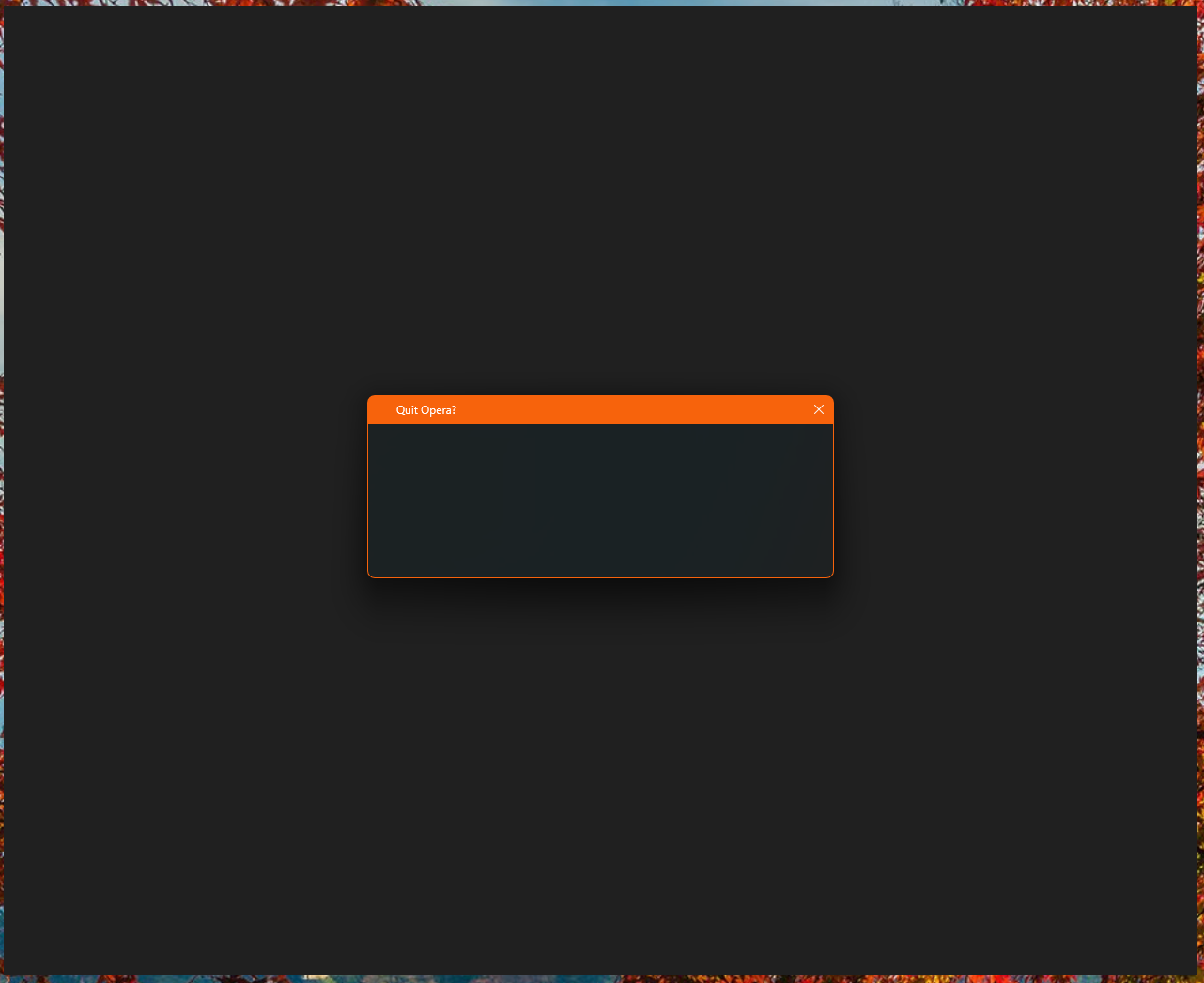
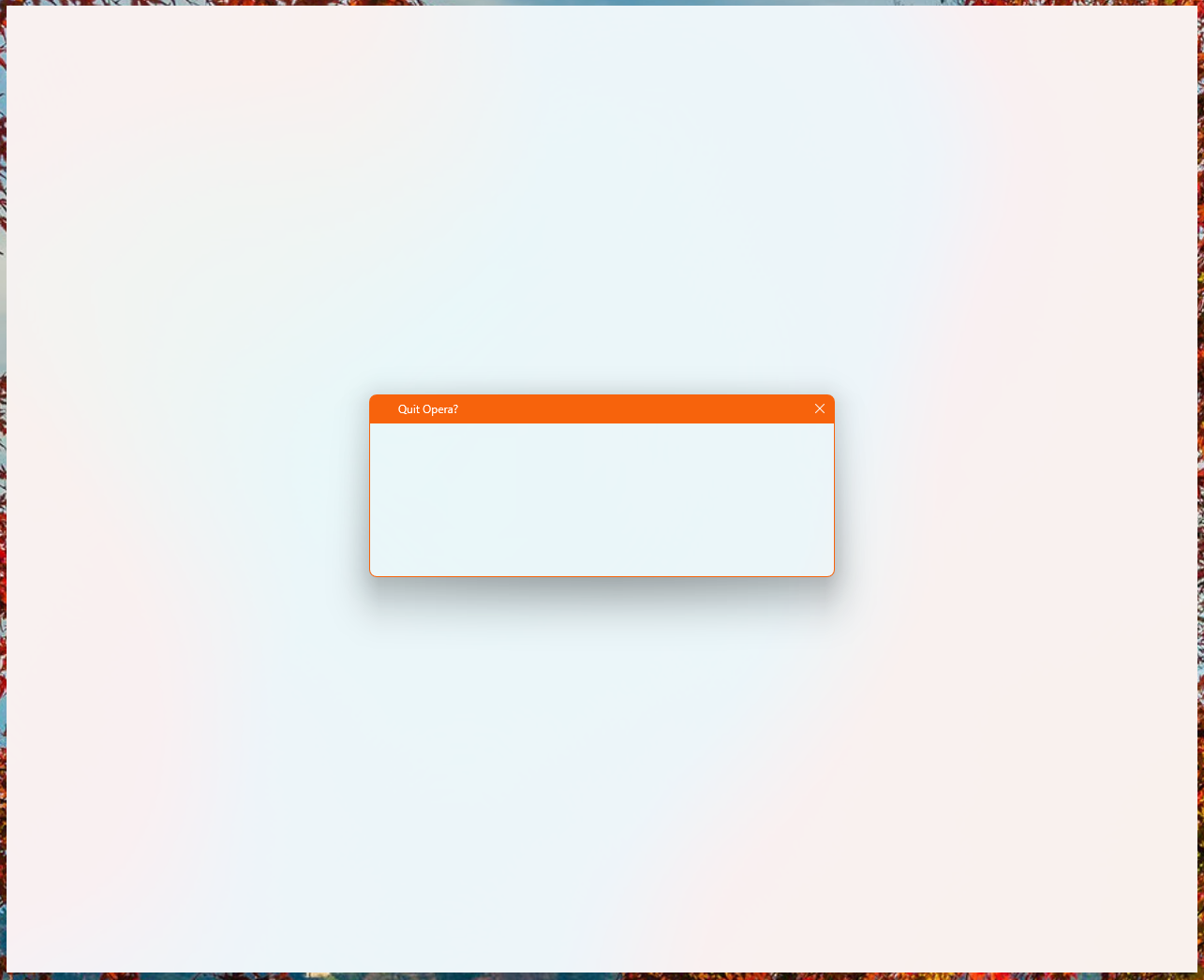
      Zrzut ekranu 2025-11-07 085728.png
      Zrzut ekranu 2025-11-07 085149.png

      Here is a step-by-step guide to temporarily launch your browser and permanently apply the fix.

      Step 1: Launch Opera GX without experiments (flags)

      Method A: Modify the Shortcut
      This is the easiest method for most users.

      • Right-click on your Opera GX shortcut (on your desktop or Start Menu).
      • Select Properties.
      • In the Target field, add the switch -no-experiments to the very end. Make sure there is a space between the existing path (the closing quote " if it's there) and the switch.
        Example: "C:\Users...\opera.exe" -no-experiments
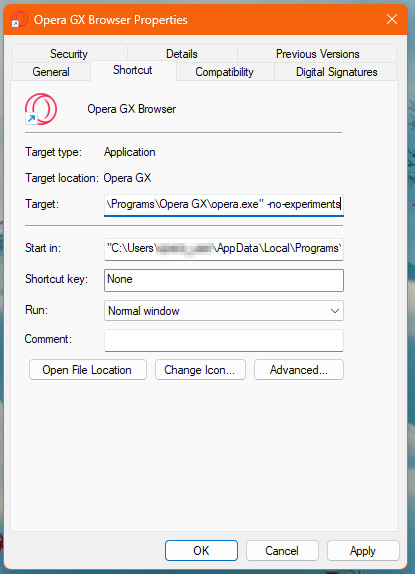
        no_experiments.png
      • Click Apply and then OK.
      • Double-click the modified shortcut to launch Opera GX. It should now open normally.

      Method B: Use the Command Line (Advanced)
      If you prefer not to modify your shortcut, you can use the Command Prompt or PowerShell.

      • Open Command Prompt (CMD) or PowerShell.
      • Navigate to your Opera GX installation directory.
      • Run the browser with the switch:
        .\opera.exe -no-experiments

      Step 2: Change the ANGLE Flag

      Once you have successfully launched Opera GX using one of the methods above, you can now change the problematic flag back to a stable setting.
      In the Opera GX address bar, type or paste the following address and hit Enter: opera://flags/#use-angle (or chrome://flags/#use-angle)
      This will jump you directly to the setting "Choose ANGLE graphics backend."
      Change the dropdown menu for this setting from the problematic value (likely OpenGL or D3D9) to either Default (Recommended) or D3D11 (If Default does not resolve the issue)

      A Relaunch button will appear at the bottom right. Click it to restart your browser.

      Your Opera GX should now open correctly without needing the -no-experiments switch!
      If you used Method A in Step 1, you must now go back to the shortcut properties and remove the -no-experiments switch you added. It is no longer needed.

      Responder Citar 0
        C C U R 4 Respuestas Última respuesta
      • Pinned by  dordob dordob 
      • C
        COA5T @dordob Última edición por

        Step 1: Launch Opera GX without experiments (flags)

        Method A: Modify the Shortcut
        This is the easiest method for most users.

        • Right-click on your Opera GX shortcut (on your desktop or Start Menu).
        • Select Properties.
        • In the Target field, add the switch -no-experiments to the very end. Make sure there is a space between the existing path (the closing quote " if it's there) and the switch.
          Example: "C:\Users...\opera.exe" -no-experiments
          no_experiments.png
        • Click Apply and then OK.
        • Double-click the modified shortcut to launch Opera GX. It should now open normally.

        This worked for me. Thank you for the workaround!

        Responder Citar 0
          1 Respuesta Última respuesta
        • A
          acowboybythesea Última edición por

          Not wokring for me

          Responder Citar 0
            M 1 Respuesta Última respuesta
          • M
            Maudslay @acowboybythesea Última edición por

            @acowboybythesea try this https://forums.opera.com/topic/87076/my-opera-gx-opens-but-the-everything-is-black/2 this should work over what the Opera GX admin is suggesting.

            Responder Citar 0
              1 Respuesta Última respuesta
            • G
              gruutak Última edición por

              It worked for me on Opera (non-GX). Thank you very much!

              Responder Citar 0
                1 Respuesta Última respuesta
              • Referenced by  P Paul-the-Walker 
              • C
                chasiac @dordob Última edición por

                @dordob signed into opera forums just to tell u thank you. thank you so so so much, the first one worked for me and it was so simple too. u deserve a handful of awards

                Responder Citar 0
                  1 Respuesta Última respuesta
                • B
                  bbildman Última edición por

                  Bottom line, users of Opera 123 (I use Opera One and have the same issue) shouldn't have to jump through hoops to install a stable working update.

                  Period

                  Responder Citar 0
                    1 Respuesta Última respuesta
                  • D
                    DarkSaian Última edición por

                    it doesn't work for me

                    Responder Citar 0
                      1 Respuesta Última respuesta
                    • keione
                      keione Última edición por

                      worked for me! do i really need to remove the -no-experiments though? wouldn't it help me avoid future bugs?

                      Responder Citar 0
                        1 Respuesta Última respuesta
                      • U
                        Utkucann @dordob Última edición por

                        @dordob Thanks. Opera needs more controlled source control because stable version shouldn't be this unstable every update brokes some things.

                        Responder Citar 0
                          1 Respuesta Última respuesta
                        • R
                          RenthleiJr @dordob Última edición por

                          @dordob Method B worked but the next time I have to open the problem persists. Hope this gets a fixed soon

                          Responder Citar 0
                            1 Respuesta Última respuesta
                          • Referenced by  T Tigaaa 
                          • Referenced by  T Tigaaa 
                          • R
                            RinVindor Última edición por

                            As someone in I.T. its wild to me this dev team pushes out so often an update that renders the entire browser unusable. I had to go through Chrome just to get here to find out what was going on. Really frustrating to have to go through this more than even one time, starting to debate on going back to the nightmare that is Chrome.

                            Responder Citar 0
                              1 Respuesta Última respuesta
                            • C
                              CzechRepublic98 Última edición por

                              not working for me... even after changing compatibility to Windows 8/7... I no longer have a blank screen, but every page (including settings) displays an error message after loading... I tried reinstalling Opera and updating my graphic drivers, but it still doesnt work.

                              Responder Citar 0
                                burnout426 1 Respuesta Última respuesta
                              • A
                                azimli52 Última edición por

                                my opera gx doesnt even starts, none of solutions are worked. looking for a real fix😒⌚

                                Responder Citar 0
                                  1 Respuesta Última respuesta
                                • burnout426
                                  burnout426 Volunteer @CzechRepublic98 Última edición por

                                  @CzechRepublic98 Put compatibility back to default, start Opera in safe mode, reset your flags at the URL opera://flags, close Opera and start Opera normally.

                                  Responder Citar 0
                                    C A 2 Respuestas Última respuesta
                                  • C
                                    CzechRepublic98 @burnout426 Última edición por

                                    @burnout426 this finally worked for me, thank you!!

                                    Responder Citar 0
                                      1 Respuesta Última respuesta
                                    • A
                                      azimli52 @burnout426 Última edición por

                                      @burnout426 why didnt work for me? i disabled these in cmd but still doesnt opens, i have exams at university and i need use pc with browser for exams (i dont like edge), u can help me?

                                      Responder Citar 0
                                        burnout426 1 Respuesta Última respuesta
                                      • burnout426
                                        burnout426 Volunteer @azimli52 Última edición por

                                        @azimli52 You can make a standalone installation of Opera GX to a folder named "Opera GX" on your desktop and use that till you figure out what's wrong with your normal installation.

                                        Responder Citar 0
                                          A 1 Respuesta Última respuesta
                                        • Referenced by  leocg leocg 
                                        • A
                                          azimli52 @burnout426 Última edición por azimli52

                                          @burnout426 even with can describe whats wrong if i cant open opera in any way its possible to fix it without open it?🤔

                                          Responder Citar 0
                                            burnout426 2 Respuestas Última respuesta
                                          • burnout426
                                            burnout426 Volunteer @azimli52 Última edición por

                                            @azimli52 You can rename the "Opera GX Stable" folder in both "C:\Users\yourusername\AppData\Roaming\Opera Software" and "C:\Users\yourusername\AppData\Local\Opera Software" to "Opera GX Stable old". The start Opera.

                                            Responder Citar 0
                                              1 Respuesta Última respuesta
                                            • First post
                                              Last post

                                            Computer browsers

                                            • Opera for Windows
                                            • Opera for Mac
                                            • Opera for Linux
                                            • Opera beta version
                                            • Opera USB

                                            Mobile browsers

                                            • Opera for Android
                                            • Opera Mini
                                            • Opera Touch
                                            • Opera for basic phones

                                            • Add-ons
                                            • Opera account
                                            • Wallpapers
                                            • Opera Ads

                                            • Help & support
                                            • Opera blogs
                                            • Opera forums
                                            • Dev.Opera

                                            • Security
                                            • Privacy
                                            • Cookies Policy
                                            • EULA
                                            • Terms of Service

                                            • About Opera
                                            • Press info
                                            • Jobs
                                            • Investors
                                            • Become a partner
                                            • Contact us

                                            Follow Opera

                                            • Opera - Facebook
                                            • Opera - Twitter
                                            • Opera - YouTube
                                            • Opera - LinkedIn
                                            • Opera - Instagram

                                            © Opera Software 1995-