• Войти
    • Поиск
    • Категории
    • Последние
    • Метки
    • Пользователи
    • Группы
    • Rules
    • Help

    Do more on the web, with a fast and secure browser!

    Download Opera browser with:

    • built-in ad blocker
    • battery saver
    • free VPN
    Download Opera

    Opera GX doesn't open or crashes just after it Topic

    Opera GX
    49
    95
    84370
    Загружаем больше сообщений
    • Сначала старые
    • Сначала новые
    • По количеству голосов
    Ответить
    • Ответить, создав новую тему
    Авторизуйтесь, чтобы ответить
    Эта тема была удалена. Только пользователи с правом управления темами могут её видеть.
    • sbstndalton
      sbstndalton отредактировано

      MacOS High Sierra 13.6 MacBook Air 2015

      Whenever I launch Opera GX it keeps crash looping. It launches for a couple seconds and then crashes immediately after. Then relaunches and crashes again. Anyone with any tips or anything?

      Ответить Цитировать 0
        1 ответ Последний ответ
      • AsimosTriouss
        AsimosTriouss отредактировано

        I had the same problem, Opera was working fine then i saw an error message on the background, it was about opera gx auto update i closed the error and continued watching youtube, the next day (which is today) i opened the browser everything was normal then i saw the update so i updated the browser. But when i tried to open it it came up with a splash screen then closed itself and never opened, i tried re-installing, running it as administrator but none worked, so i think its about an update that caused the problem.

        Ответить Цитировать 0
          1 ответ Последний ответ
        • cparke
          cparke отредактировано

          I'm totally new user to Opera and wanted to try out Opera GX.

          Downloaded the automatic installer, everything installs fine, but then when the Opera GX browser is supposed to open, I just get the animated splash screen then it closes and nothing! Re-trying to open Opera GX results in the same disappointing experience! No change if I uninstall or re-install, or if I use the 64-bit specific installer. However, if I use the 32-bit installer, then Opera comes up just fine!

          So ... what gives? This an up-to-date Windows 10 PC and has never had Opera browser before. It does have Google Chrome browser installed however, my previous browser. Used this installer: Opera_GX_73.0.3856.438_Setup_x64.exe, the latest as of this writing.
          No error or exception dialog pops up, so really no clue why I can't run the 64-bit version of Opera GX but I'd like to make you aware of the issue or figure out my problem and get it fixed.

          Ответить Цитировать 0
            1 ответ Последний ответ
          • Бывший пользователь
            Бывший пользователь отредактировано

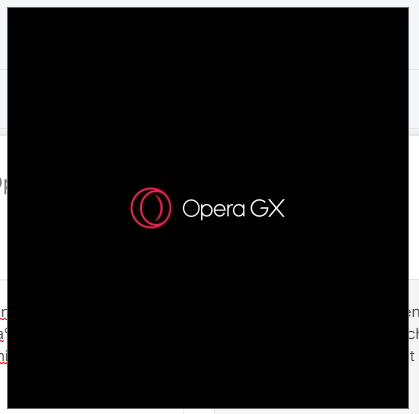
            Opera GX just won't open, I already tried uninstalling more than 3 times, cleaning the cache and% appdata% but the problem continues, Opera GX just shows its logo animation but the browser never opens. asd.PNG
            Ответить Цитировать 0
              quik Weasel699 2 ответов Последний ответ
            • quik
              quik @Гость отредактировано

              @elrroccopa

              Do Windows Key + R and paste -"%LOCALAPPDATA%\Programs\Opera GX\launcher.exe" -uninstall (with the -uninstall, don't delete anything)

              Make sure that Delete my Data is UNCHECKED and uninstall the app.

              Download an old offline installer from the links - 64 bit OR 32 Bit:
              ➡ x64 - https://ftp.opera.com/ftp/pub/opera_gx/73.0.3856.438/win/Opera_GX_73.0.3856.438_Setup_x64.exe
              ➡ x32 - https://ftp.opera.com/ftp/pub/opera_gx/73.0.3856.438/win/Opera_GX_73.0.3856.438_Setup.exe

              Disconnect from the internet and run the installers

              Do Windows Key + R and paste -"%LOCALAPPDATA%\Programs\Opera GX\73.0.3856.438"

              From there delete the opera_autoupdater.exe, and do the same from 73.0.3856.438_0 or similar if they exist

              Run Opera GX normally

              Dream on till your dream comes true

              Ответить Цитировать 0
                AsimosTriouss 1 ответ Последний ответ
              • AsimosTriouss
                AsimosTriouss @quik отредактировано

                @quik Thanks that fixed the problem it runs all fine now

                Ответить Цитировать 1
                  1 ответ Последний ответ
                • ndyer115
                  ndyer115 отредактировано

                  I recently installed opera gx and got everything setup. After I restarted my computer I realized that opera would rarely open and if it did no pages would load. I have tried uninstalling and reinstalling and also logging into a local windows account instead of using my microsoft account but nothing seems to work.

                  Ответить Цитировать 0
                    1 ответ Последний ответ
                  • z26
                    z26 отредактировано

                    Well. I installed Opera GX 76.0.4017.227 and whenever I opened a new tab in Opera GX, it will guarantee to randomly crash either when I type into a search bar, after doing nothing for 1 - 2 minutes or just immediately after startup. What I've done:

                    • Delete all extensions (except adblocker).
                    • Reinstalling the profile and cache folders.
                    • Already checked that my microsoft account does not belong in a family according to this reddit post: https://www.reddit.com/r/operabrowser/comments/j5fstq/opera_opera_gx_not_opening_or_opening_and_closing/
                      And that's it. btw while typing this, Opera GX just crashed randomly again. Thanks for the help.
                    Ответить Цитировать 0
                      1 ответ Последний ответ
                    • Friicee
                      Friicee отредактировано

                      I kept on seeing these ads about this cool gaming browser and I thought it would be cool to check it out and after downloading Opera GX I opened it and I cant even do anything it does the logo boot up then just closes itself. How can this problem be resolved? Thank you for taking time out of your day to read this.

                      Ответить Цитировать 0
                        sgunhouse leocg BrownYoshi 3 ответов Последний ответ
                      • sgunhouse
                        sgunhouse Moderator Volunteer @Friicee отредактировано

                        @friicee Any error messages? Checked with Task Manager to see whether or not the process is still running? Some specs on the system might help too - OS and version, video, drivers up to date?

                        Ответить Цитировать 0
                          Friicee 1 ответ Последний ответ
                        • Friicee
                          Friicee @sgunhouse отредактировано

                          @sgunhouse There are no error messages and task manager doesnt even put it up. Windows 10, Version 20H2 (OS Build 19043, 1348). My video card is a RTX 2060. How do I check if my drivers are up to date?

                          Ответить Цитировать 0
                            1 ответ Последний ответ
                          • leocg
                            leocg Moderator Volunteer @Friicee отредактировано

                            @friicee Check above

                            Ответить Цитировать 0
                              1 ответ Последний ответ
                            • Zom-B-Allan
                              Zom-B-Allan отредактировано

                              Just updated windows malicious software remover and opera gx stopped working right afterwards... not %100 if that is exactly why, or if its just coincidence, but it sucks because im in the middle of something important! any idea how to fix this?????

                              Ответить Цитировать 0
                                burnout426 1 ответ Последний ответ
                              • burnout426
                                burnout426 Volunteer @Zom-B-Allan отредактировано

                                @zom-b-allan I'd uninstall and reinstall Opera GX (don't choose to delete your data when uninstalling) first before trying anything else.

                                If you have to, add Opera's install, profile, and cache folders to the Windows Defender exclusion list. The paths are listed at the URL opera://about. You can also exclude by process (exe name or specific path to exe name) to exclude opera.exe, launcher,exe, opera_autoupdate.exe etc.

                                Ответить Цитировать 0
                                  1 ответ Последний ответ
                                • ArcticKing
                                  ArcticKing отредактировано

                                  When ever I try to open Opera GX a blank screen will pop up then close immediately. I'm using windows 10 and trying to use the latest version of Opera GX. The program was working fine 2 days ago but stopped working yesterday. I have tried re-installing the application in new locations, restarting my pc, making exceptions in my antivirus, and updating my drivers and so far nothing has changed.Opera gx start pt 1.PNG Opera gx start pt 2.PNG

                                  Ответить Цитировать 0
                                    leocg 1 ответ Последний ответ
                                  • leocg
                                    leocg Moderator Volunteer @ArcticKing отредактировано

                                    @arcticking Check above

                                    Ответить Цитировать 0
                                      1 ответ Последний ответ
                                    • arthurcpereira
                                      arthurcpereira отредактировано

                                      I just reinstalled Opera GX and this time the app won't open. I click on its icon, and a screen with the Opera logo pops up. Then, there's a white screen that starts blinking until it closes.

                                      This link is a short video to show the problem happening (sorry, I used my phone to record it lol): https://drive.google.com/file/d/1BjjdxnUn6bHkdKhlYXAh7OtWVeqFHTnF/view?usp=sharing

                                      Ответить Цитировать 0
                                        1 ответ Последний ответ
                                      • Referenced by  leocg leocg 
                                      • junnn
                                        junnn отредактировано

                                        Good afternoon, could someone help me? Yesterday I had installed a driver to capture my ps3 controller, but when I ran opera gx it stopped working. I have already cleaned the computer, removed this driver, reinstalled and uninstalled opera and installed it again, but it just opens 4 blank screens and then closes. I've cleared the cache too and it still won't open. If anyone can help me, I'd appreciate it.

                                        OBS: I already pressed some commands like alt + space etc and nothing

                                        Ответить Цитировать 0
                                          leocg 1 ответ Последний ответ
                                        • leocg
                                          leocg Moderator Volunteer @junnn отредактировано

                                          @junnn Did you try with a clean profile directory?

                                          Ответить Цитировать 0
                                            junnn 1 ответ Последний ответ
                                          • junnn
                                            junnn @leocg отредактировано

                                            @leocg yes

                                            Ответить Цитировать 0
                                              1 ответ Последний ответ
                                            • Первое сообщение
                                              Последнее сообщение

                                            Computer browsers

                                            • Opera for Windows
                                            • Opera for Mac
                                            • Opera for Linux
                                            • Opera beta version
                                            • Opera USB

                                            Mobile browsers

                                            • Opera for Android
                                            • Opera Mini
                                            • Opera Touch
                                            • Opera for basic phones

                                            • Add-ons
                                            • Opera account
                                            • Wallpapers
                                            • Opera Ads

                                            • Help & support
                                            • Opera blogs
                                            • Opera forums
                                            • Dev.Opera

                                            • Security
                                            • Privacy
                                            • Cookies Policy
                                            • EULA
                                            • Terms of Service

                                            • About Opera
                                            • Press info
                                            • Jobs
                                            • Investors
                                            • Become a partner
                                            • Contact us

                                            Follow Opera

                                            • Opera - Facebook
                                            • Opera - Twitter
                                            • Opera - YouTube
                                            • Opera - LinkedIn
                                            • Opera - Instagram

                                            © Opera Software 1995-