Netflix Appearing Blank
-
malcolmparkedhere last edited by
@JinaeW Since Netflix works in a Private Window, I'd suspect something in your normal Opera profile rather than a compatibility issue. Try clearing Netflix's site data and cookies first, then sign in again. If that doesn't help, check whether hardware acceleration or Opera's built-in ad blocker is interfering. You could also test with a fresh Opera profile before resetting your current one.
-
 JinaeW last edited by
@malcolmparkedhere Thank you!
Tried everything and just decided to reset and start fresh, seems to all work with the same extensions and settings as before.
-
Tor3129 last edited by
Got exactly the same problem few days ago... And now I can't even access the website, it shows an error 500 immediatly. But it works on a private window.
Tried to delete cookies but the problem persists..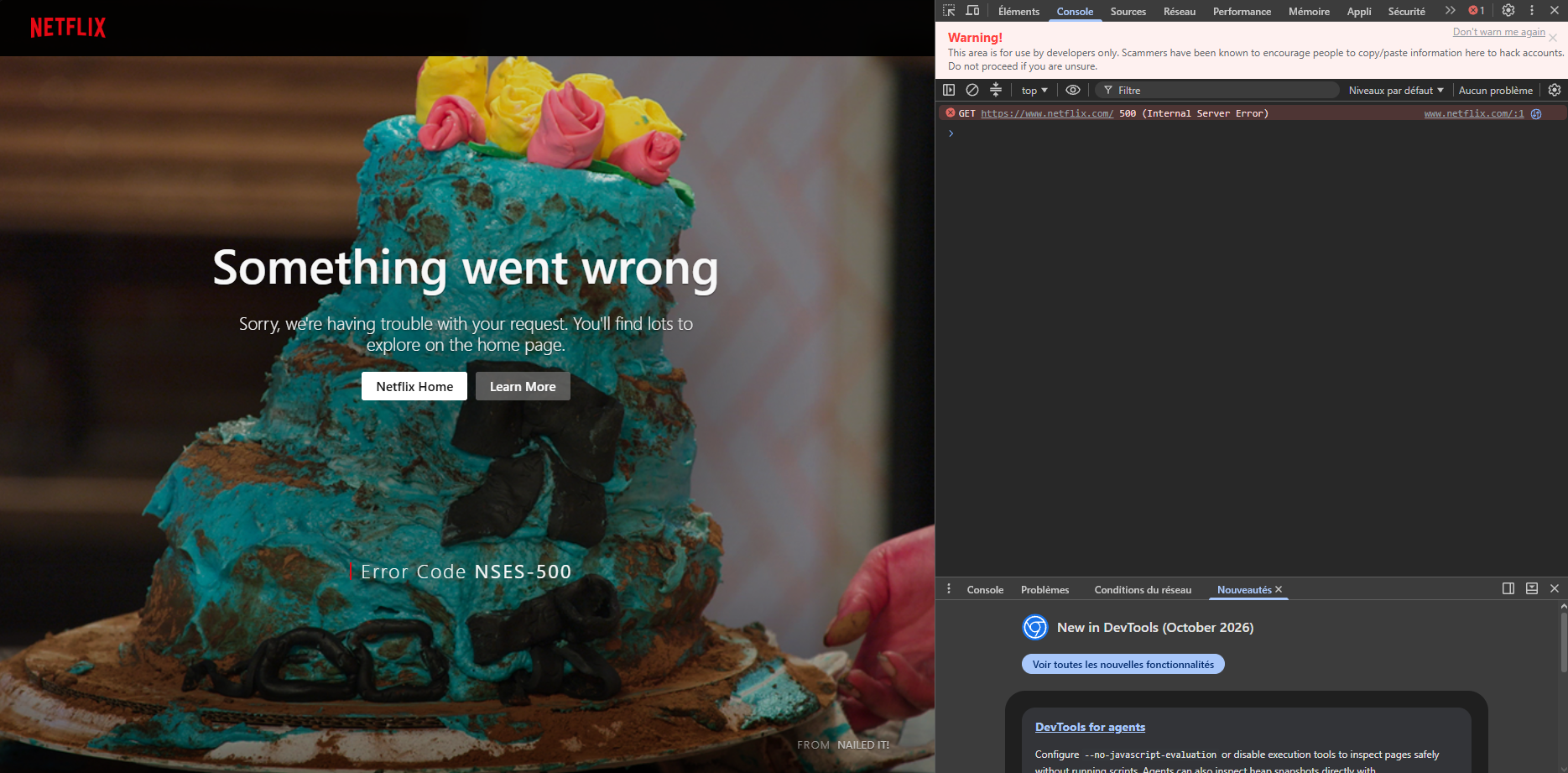
-
Tor3129 last edited by
After some research, it seems to be a recent problem that affects a lot of ppl : https://www.reddit.com/r/OperaGX/comments/1xda7nn/netflix_not_loading_only_on_gx_browser
-

-
 alobpreis last edited by
@leocg said in Netflix Appearing Blank:
@JinaeW When a page works on a private windows but not on a regular one, it usually means problems with an extension.
I'd agree, but this is not the case. I disabled all extensions and it's still occurring. In my case, it happens with Opera One 138.0.6044.24.
At first the page the screen remained black and loaded forever. Then I removed all the application's storage data with the Developer Toolbar and now I get the same screen shown above, with the NSES-500 error code.That post on Reddit has 45 upvotes... Some claim that doing a recovery in opera://update worked, although that logs you out of everything and a few reported that didn't work at all.
-
-
JinaeW last edited by
@leocg All extensions, mods and OGX adblocker etc were disabled or uninstalled and nothing allowed netflix to load.
It seems it's literally a problem with opera as i've now reset and setup opera, tested netflix before and it worked and even with all the same mods and adblocker it works, very odd. -
alobpreis last edited by
@leocg said in Netflix Appearing Blank:
@alobpreis What about mods?
Nothing, it just stopped working, like dozens of others also experience.
I just tried Opera Portable and it works. As some reported doing a restoration works, there must be something in the profile that causes this, but not due to a user error or something that changed on the user side (besides the Opera update).
The console from Developer Toolbar only shows
GET https://www.netflix.com/ 500 (Internal Server Error)The Network tab shows just 17 requests, the only error being the status 500 of the main GET.
Doing a Clear in the Application tab under Storage should suffice, but apparently there's something else somewhere. Having to restore the browser is an overkill solution. I'd much rather just use another browser (or Opera Portable) until it's solved.
-
burnout426 Volunteer last edited by
@alobpreis If you want to try and fix your existing profile, here are some things you can try:
Goto the URL
opera://about, take note of the "cache" path, close Opera and delete the "Cache" and "System Cache" folders in the cache path to see if that helps.If that doesn't help:
Goto the URL
opera://about, takte note of the "profile" path, close Opera and delete all folders with "Cache" somehwere in their names. Then, go up one folder level (where you can see the "Default" folder) and delete all folders there with "Cache" somewhere in their names.If you're not using Opera Sync, you can try:
In both "C:\Users\yourusername\AppData\Roaming\Opera Software" and "C:\Users\yourusername\AppData\Local\Opera Software", while Opera is closed, make a copy of the "Opera GX Stable" folder named "Opera GX Stable Backup". Then, you can try deleting things one by one and testing to see what makes Netflix work again. For example, you can delete the "History" file to see if it helps. You can delete the "Cookies" file in the "Network" folder to see if it helps. You can delete the "File System" folder to see if it helps. you can delete the "Local Storage" folder to see if it helps. You can delete the "IndexedDB" folder to see if it helps. You can delete the all the folders with "Extension" in their names and also delete any "IndexedDB" folders that start with "chrome-extension". You can delete the "WidevineCDM" folder to see if it helps. You'll have to goto the URL
opera://components, update Widevine and restart Opera afterwards first though.You can delete the "Preferences" file to see if that helps. If so, you can delete the "Opera GX Stable" folders, make copies of the "Opera GX Stable backup" folders and rename them to "Opera GX Stable". Then, you can open the "Preferences" file in JSONedit in tree mode and see if it you can see a specific setting that you think might be causing the issue and remove it and save your changes.
You can delete the "Local State" file or the "Secure Preferences" file.
If you play around enough, you might eventually find the culprit file, which might narrow things down for the Opera devs.
