An invisible interface element moves the entire browser window.
-
anonimus1337 last edited by
There is a small, invisible interface element in the top-left corner of the browser, if you drag your mouse over this area, for instance, while selecting text, the entire browser window will start to move. This works even on the browser's start screen. I recorded a video showing the bug with 100% reproducibility - https://files.catbox.moe/kpzvzh.webm

-
DeeBeeEff last edited by
Thank goodness! I thought I was going crazy.
I also have this after latest update.
Also, once the window moves, clicking the box in upper right to restore it to full screen takes two clicks. All other APP windows only take one click. -
UncleAu last edited by
I can confirm this; the bug is reproducible.
There is a similar bug involving the page's vertical scrollbar. If you place the cursor between the scrollbar's edge (left or right) and the slider and then drag, the window moves and loses its maximized state.I had a similar problem on Ubuntu. I stopped using Opera there. It seems like they're carrying the bugs over to the other OS.
-
andrew84 last edited by andrew84
Actually, I discovered that on the right side happens the same.
So the whole green area on the screenshot is affected and entire window is moving.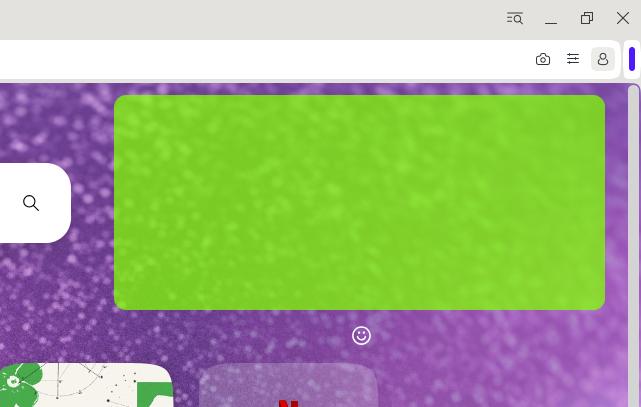
Not 100% reproducible but still happens.I also can confirm that the window also can move if the cursor is far right or far left.
-
andrew84 last edited by
Check the latest build 136.0.6008.80. I couldn't reproduce the bug there so far. But still persistd in Dev.
-
andrew84 last edited by
@DeeBeeEff said in An invisible interface element moves the entire browser window.:
Pretty sure this is a Opera bug