0xc0000022 Error
-
A Former User last edited by
Updated the browser yesterday, worked fine all day, switched my laptop off after finishing my day, started up this morning and now getting the error.
Have gone through every resource on Google & these forums and nothing seems to have fixed it.
(uninstalled and reinstalled all Microsoft Visual C++ programmes, uninstalled Opera GX and reinstalled)Weird...
-
A Former User last edited by
@sgunhouse Of course, doesn't work with fresh profile or older version of Opera GX, normal Opera also doesn't work.
Nothing in Event Logs, also followed a post on here where it said to delete certain Opera RegEdit files which also didn't resolve it.
Any other suggestions?
-
DurgerKing last edited by
Same thing happened with me around the time of the original post. Somebody please help with this.
-
DurgerKing last edited by
Alright, so I ran a process monitor tool and idk if it helps but the command line observed by the app was
"C:\Users\name\AppData\Local\Programs\Opera GX\77.0.4054.275_2\opera.exe" --ran-launcher --started-from-shortcut --instance-name=d4819d8f89d05d2c658c9147b98a5127 --splash-handle=992modules used were opera.exe, kernellBase.dll, kernell32.dll, and ntdll.dll.
This info is also available through the monitor
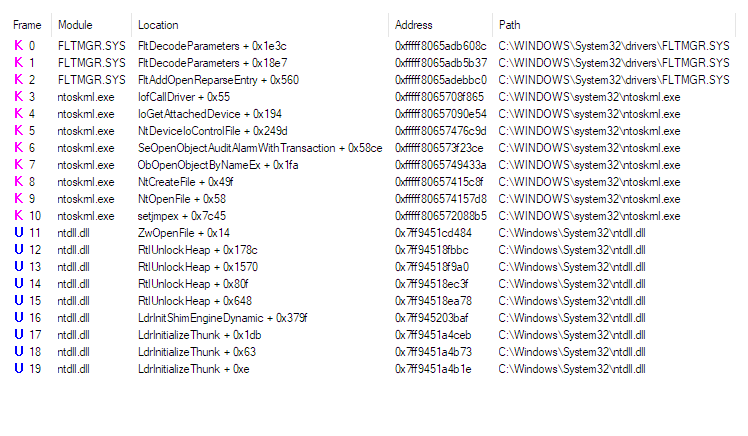
But apparently before it died it was trying to create a file, of which the result of that operation was access denied.
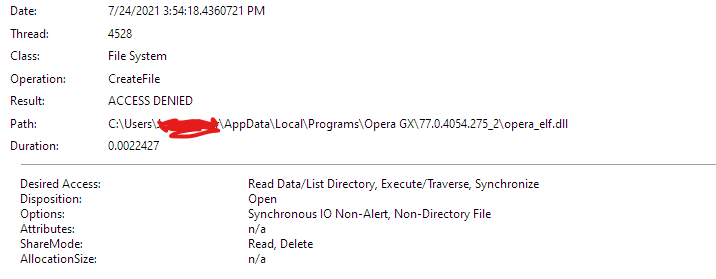
If you need more info I'll happily provide it.
-
A Former User last edited by
@durgerking Oh thanks for this! After granting access have you managed to be able to use Opera GX again?
-
A Former User last edited by A Former User
So is anyone apart from DurgerKing on this forum able to help or do you just not care?
-

-
A Former User last edited by
@leocg Done these steps prior to this, think most of the posts for this error I followed were by you
-
Locked by leocg
