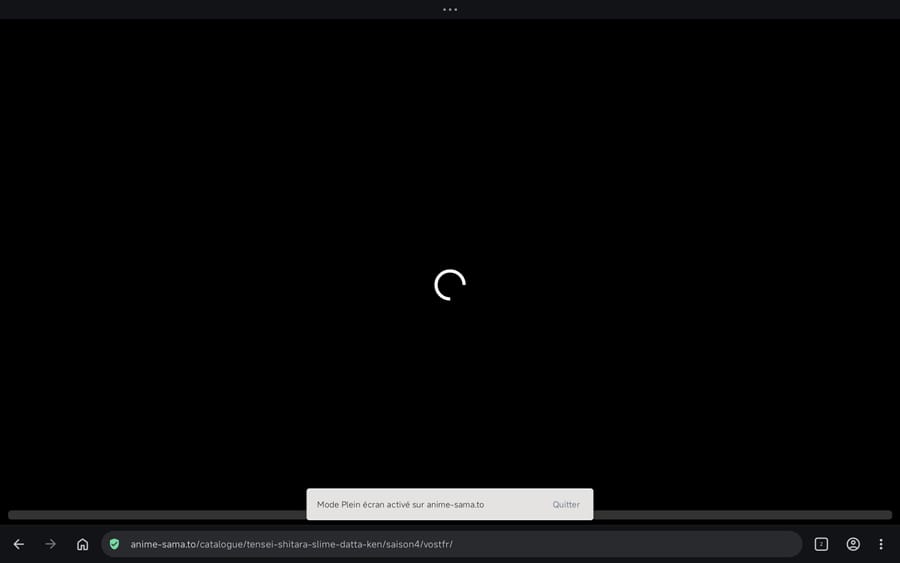
Toolbar always displayed during full-screen video
-
Enzo023 last edited by
The toolbar is always displayed when I watch a video in full screen, but only on Opera, not on Chrome or other browsers.
-

-
ARDEETHREE last edited by
@Enzo023
I'm experiencing this same issue just recently. Same problem occurs with rumble videos too. Can you test rumble?Interestingly, if i toggle on the "show tab bar" option in settings>appearance>layout, the toolbar isn't displayed in full screen. Does toggling this option remove the toolbar in full screen vids for you?
What phone and android version are you using?
-
Enzo023 last edited by
@ARDEETHREE Yes, it works with the tab bar, but only by placing the toolbars at the top and not at the bottom as I was used to.
-
ARDEETHREE last edited by
@Enzo023 just submitted a bug report.
https://opera.atlassian.net/servicedesk/customer/portal/33/OFABUGS-26932
Let's see what happens
-
ARDEETHREE last edited by
Opera techs already responded! I suppose they knew of this issue as they already have a bug fix which will be released in the next update....
"Mobile Customer Support
Today 3:18 PM
Thank you for the detailed report and the screenshots — they make the issue very clear.A fix has already been identified for the toolbar overlay issue in fullscreen video playback. It is being rolled out gradually, and the update should reach your device within the coming days. Once it is available, please update Opera to the latest version and let us know whether the toolbar overlay issue is resolved.
Regarding the unresponsive settings gear in fullscreen mode: this is a separate behaviour that has been observed across other Chromium-based browsers as well, including Chrome, Brave, and Edge, which suggests it originates from YouTube's player rather than Opera itself. In the meantime, exiting fullscreen to adjust quality or playback settings remains the available workaround.
In the meantime, you noted that enabling Show tab bar under Settings > Appearance > Layout causes the fullscreen video to display correctly without the overlaid toolbar — keeping that enabled is a viable workaround until the update arrives on your device.
Please do update once the new version is available and follow up here if either issue persists."
-
Enzo023 last edited by
@ARDEETHREE Yes, I no longer have that problem, even with the bar at the bottom.