• Login
    • Search
    • Categories
    • Recent
    • Tags
    • Users
    • Groups
    • Rules
    • Help

    Do more on the web, with a fast and secure browser!

    Download Opera browser with:

    • built-in ad blocker
    • battery saver
    • free VPN
    Download Opera

    Search box in address bar

    Suggestions and feature requests
    5
    11
    511
    Loading More Posts
    • Oldest to Newest
    • Newest to Oldest
    • Most Votes
    Reply
    • Reply as topic
    Log in to reply
    This topic has been deleted. Only users with topic management privileges can see it.
    • emily-coding
      emily-coding @Damifino last edited by

      @Damifino You need to add a custom pattern URL for your specific search engine: Google example: https://www.google.com/search?q=%s

      Reply Quote 0
        Damifino 2 Replies Last reply
      • Moved from Opera for Windows by  leocg leocg 
      • Damifino
        Damifino @emily-coding last edited by

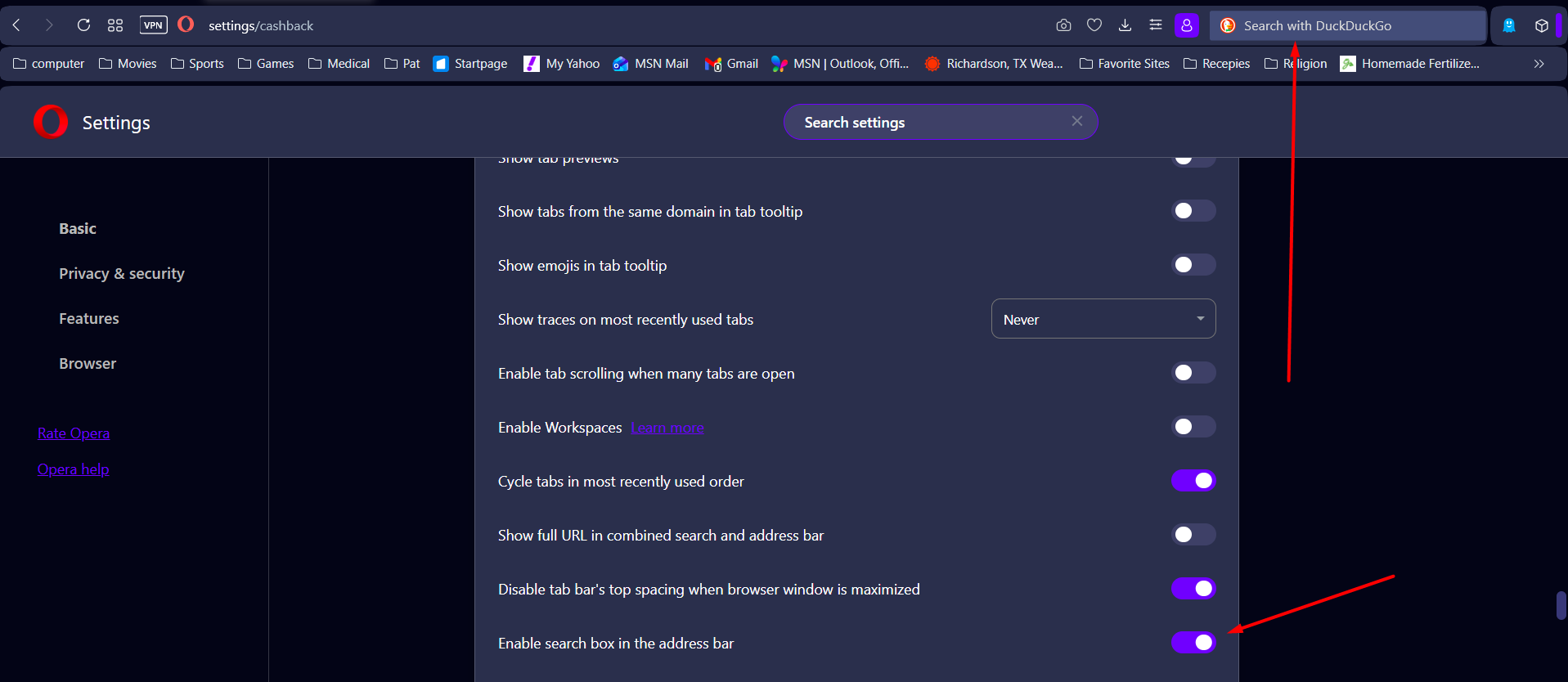
        @emily-coding Thank you for your reply. Unfortunately I am a amateur and have no idea how to do that. My issue is the option to put a search box in the address bar is no longer a option in the settings menu. I am going to see if I can install a previous version of Opera which has it.
        Again..thank you.

        Reply Quote 0
          1 Reply Last reply
        • Damifino
          Damifino @emily-coding last edited by

          @emily-coding Emily, I installed a previous version of Opera (Dec 2025) and all is well. However, I need some way to prevent Opera from automatically updating to the current version. Any ideas?Screenshot_3.png

          Reply Quote 0
            emily-coding andrew84 2 Replies Last reply
          • emily-coding
            emily-coding @Damifino last edited by emily-coding

            @Damifino the relevant flag (opera://flags/#search-box-in-address-bar) has also been removed. This means Opera developers have removed the old interface element as a result of modern UX decisions. Unfortunately, you have no choice but to revert to an older version or use the Address Bar as a "Pure Search Box".

            Reply Quote 0
              Damifino 1 Reply Last reply
            • andrew84
              andrew84 @Damifino last edited by

              @Damifino Yes, the search box was removed starting from 126 version > https://forums.opera.com/post/398095

              Regarding the disabling the autoupdate feature you can check this thread > https://forums.opera.com/post/188248

              Reply Quote 0
                Damifino 1 Reply Last reply
              • Damifino
                Damifino @andrew84 last edited by

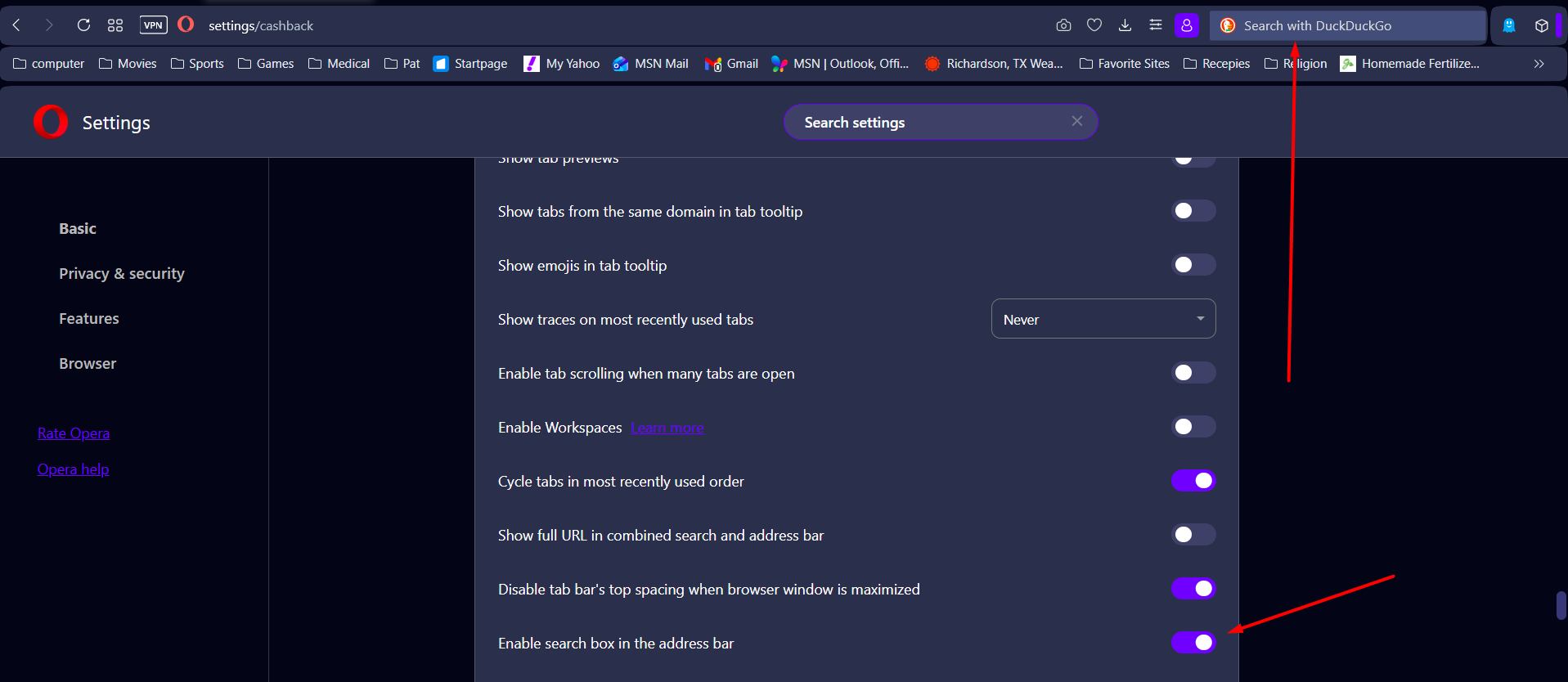
                @andrew84 Thanks for the reply. Yes I disabled it in the registry.

                Reply Quote 0
                  1 Reply Last reply
                • Damifino
                  Damifino @emily-coding last edited by

                  @emily-coding I installed a version from Dec 2025 and disabled the auto-update in the registry'
                  Screenshot_3.png

                  Reply Quote 0
                    1 Reply Last reply
                  • turbo-tom64
                    turbo-tom64 last edited by

                    I absolutely do not understand why the search box in the address bar was removed. The address bar goes the entire length of the screen and the search box took only about 20% of the address bar, it wasn't in the way of anything. So I guess I'm left with only one option, Firefox. I never understood searching in the address bar, those are 2 entirely different things. Perhaps I do different things on my computer, but I know I use both the address bar and search box separately. If I wanted a browser with no search box, I'd use Edge or Chrome. Please please please put the search box back.....anywhere on the browser. it always seems that improving something means taking the stuff you want away.

                    Reply Quote 0
                      Damifino recobb 2 Replies Last reply
                    • Damifino
                      Damifino @turbo-tom64 last edited by leocg

                      @turbo-tom64 Totally agree. As I mentioned above, I installed a previous version....Dec 2025 and its back. No difference in browser behavior.

                      You can get the download here

                      https://get.opera.com/ftp/pub/opera/desktop/

                      Disconnect from the internet. After installing go to the installation folder and delete anything about updates as well as in the registry.

                      Reply Quote 0
                        1 Reply Last reply
                      • recobb
                        recobb @turbo-tom64 last edited by

                        @turbo-tom64 Another agree here. Please bring back the search box in the address bar!

                        Reply Quote 0
                          1 Reply Last reply
                        • First post
                          Last post

                        Computer browsers

                        • Opera for Windows
                        • Opera for Mac
                        • Opera for Linux
                        • Opera beta version
                        • Opera USB

                        Mobile browsers

                        • Opera for Android
                        • Opera Mini
                        • Opera Touch
                        • Opera for basic phones

                        • Add-ons
                        • Opera account
                        • Wallpapers
                        • Opera Ads

                        • Help & support
                        • Opera blogs
                        • Opera forums
                        • Dev.Opera

                        • Security
                        • Privacy
                        • Cookies Policy
                        • EULA
                        • Terms of Service

                        • About Opera
                        • Press info
                        • Jobs
                        • Investors
                        • Become a partner
                        • Contact us

                        Follow Opera

                        • Opera - Facebook
                        • Opera - Twitter
                        • Opera - YouTube
                        • Opera - LinkedIn
                        • Opera - Instagram

                        © Opera Software 1995-