• Login
    • Search
    • Categories
    • Recent
    • Tags
    • Users
    • Groups
    • Rules
    • Help

    Do more on the web, with a fast and secure browser!

    Download Opera browser with:

    • built-in ad blocker
    • battery saver
    • free VPN
    Download Opera

    Browser Connector says “update required” after Opera update, but no update is available

    Bugs
    12
    17
    1296
    Loading More Posts
    • Oldest to Newest
    • Newest to Oldest
    • Most Votes
    Reply
    • Reply as topic
    Log in to reply
    This topic has been deleted. Only users with topic management privileges can see it.
    • R
      Ronaldoraemon @sanliang last edited by

      @sanliang me too 3df2b1a3-ab56-48b3-802f-e22c8db042e3-image.png

      Reply Quote 0
        1 Reply Last reply
      • G
        Granma70 @seals831 last edited by

        @seals831 same problem here. Suddenly stopped working (while I was already working with the plugin. Same errors, I tried every reinstallation.

        Reply Quote 0
          E 1 Reply Last reply
        • S
          Serotoninovich last edited by

          The same problem on two devices.

          Reply Quote 0
            1 Reply Last reply
          • M
            mitvinder-outlook last edited by

            same here.

            Reply Quote 0
              1 Reply Last reply
            • M
              mitvinder-outlook @seals831 last edited by

              @seals831 same here.

              Reply Quote 0
                1 Reply Last reply
              • S
                Scots1 last edited by

                Yes, same issue here. Also tried rolling back to an earlier version, but the problem continues to persist.

                Reply Quote 0
                  1 Reply Last reply
                • E
                  Eric05Bee @Granma70 last edited by Eric05Bee

                  @Granma70
                  I also just reported this on opera.atlassian.net
                  https://opera.atlassian.net/servicedesk/customer/portal/52/BUG-30134

                  I don't know if 'Update' means
                  'Update the above settings'
                  'Update the version of Browser Connector.

                  Fails on established (One - stable) build.
                  'Disconnect' setting is 'Never'.
                  Even with uninstall/reinstall of Browser Connecter in opera://settings/ai
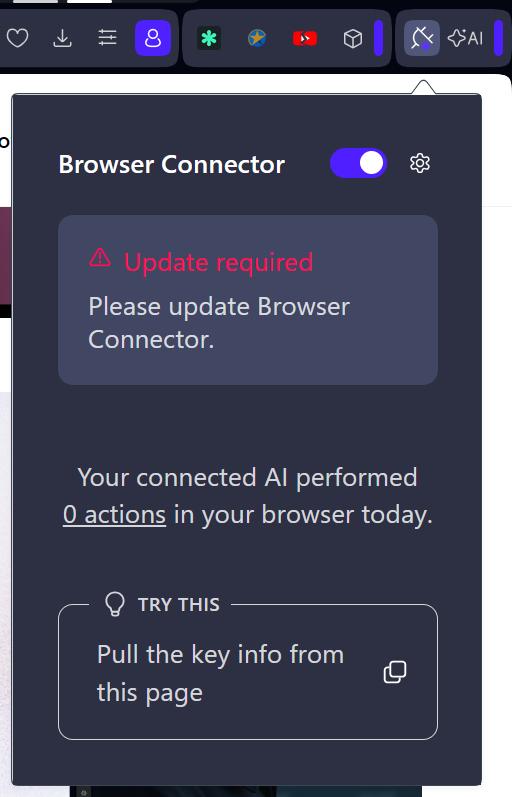
                  Browser Connector Update required.PNG

                  (Early Bird seettings enabled)
                  opera://settings/early_bird
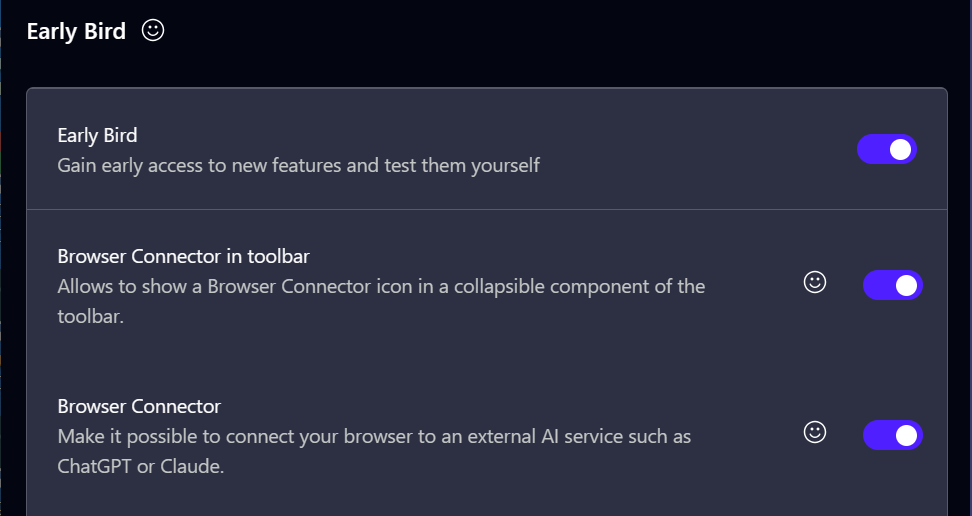
                  a2a45410-0cb0-4746-8c85-9719dd23f60a-image.png

                  Fails on new standalone install (Opera Developer)
                  Even before the button moves from Extensions ToolBar to AI ToolBar.
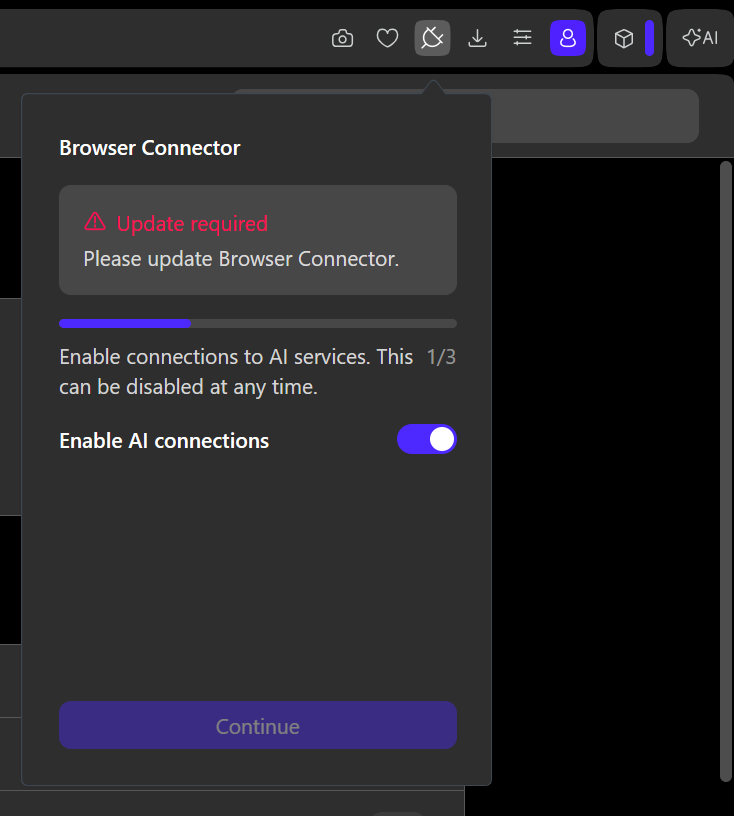
                  NewDev Browser Connector Update required.PNG

                  Reply Quote 0
                    1 Reply Last reply
                  • Referenced by  E Eric05Bee 
                  • Referenced by  E Eric05Bee 
                  • K
                    KN1s last edited by

                    Browser Connector version: 5.2.0
                    Server error: OUTDATED_CLIENT
                    WebSocket close: 1008 Client version below minimum

                    Reply Quote 0
                      E 1 Reply Last reply
                    • A
                      atarifan last edited by

                      Adding my own experience: Browser Connector permanently stuck on “Update required"

                      Opera Browser Connector consistently displays “Update required — You need to update the Browser Connector to get the latest version.”

                      Troubleshooting completed:

                      • Updated Opera through Update & Recovery.
                      • Relaunched Opera multiple times.
                      • Rebooted Windows.
                      • Uninstalled and reinstalled Browser Connector through Opera AI settings.
                      • Tried enabling/disabling AI connection and changing auto-disconnect settings.

                      The connector remains installed but unusable, and the same warning persists.

                      Please advise how to force a Browser Connector version refresh, whether this is a known compatibility or rollout issue, and whether there is a supported workaround that doesn't require resetting the browser profile.

                      Reply Quote 0
                        1 Reply Last reply
                      • M
                        MemphisSlim last edited by

                        Same here

                        Reply Quote 0
                          1 Reply Last reply
                        • E
                          Eric05Bee @KN1s last edited by Eric05Bee

                          @KN1s
                          I note from ChatGPT's end, there are some geographical restrictions on ChatGPT Pro and Plus tier users (excluding users in Switzerland, EEA, and the UK) for some connectors and custom MCP connectors.

                          https://help.openai.com/en/articles/6825453-chatgpt-release-notes

                          GDPR ?

                          I am in an excluded area, but I don't think the exclusions apply to 'Opera Browser Connector' plugin.

                          Reply Quote 0
                            E 1 Reply Last reply
                          • E
                            Ebenezer11 @seals831 last edited by

                            @seals831 yes will them help me please

                            Reply Quote 0
                              1 Reply Last reply
                            • E
                              Eric05Bee @Eric05Bee last edited by

                              @Eric05Bee
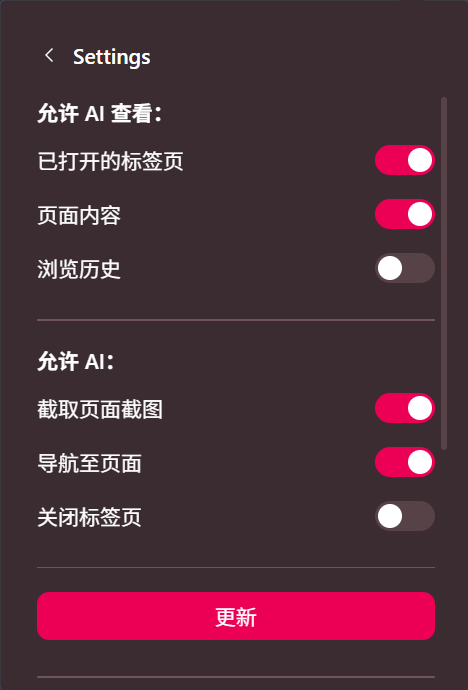
                              Ah, just tried it again, removed 'ChatGPT' (no longer a red 'Update' button).
                              Re-connected, re-authenticated both ends.
                              It works!
                              Thanks
                              Eric
                              Reply Quote 0
                                E 1 Reply Last reply
                              • E
                                Eric05Bee @Eric05Bee last edited by

                                @Eric05Bee
                                There was apparently a permissions issue!
                                8e5f5902-5932-4220-aa82-a95bdb7f5e33-image.png

                                Reply Quote 0
                                  1 Reply Last reply
                                • G
                                  Granma70 last edited by

                                  The problem seems to have been solved.

                                  Reply Quote 0
                                    1 Reply Last reply
                                  • First post
                                    Last post

                                  Computer browsers

                                  • Opera for Windows
                                  • Opera for Mac
                                  • Opera for Linux
                                  • Opera beta version
                                  • Opera USB

                                  Mobile browsers

                                  • Opera for Android
                                  • Opera Mini
                                  • Opera Touch
                                  • Opera for basic phones

                                  • Add-ons
                                  • Opera account
                                  • Wallpapers
                                  • Opera Ads

                                  • Help & support
                                  • Opera blogs
                                  • Opera forums
                                  • Dev.Opera

                                  • Security
                                  • Privacy
                                  • Cookies Policy
                                  • EULA
                                  • Terms of Service

                                  • About Opera
                                  • Press info
                                  • Jobs
                                  • Investors
                                  • Become a partner
                                  • Contact us

                                  Follow Opera

                                  • Opera - Facebook
                                  • Opera - Twitter
                                  • Opera - YouTube
                                  • Opera - LinkedIn
                                  • Opera - Instagram

                                  © Opera Software 1995-