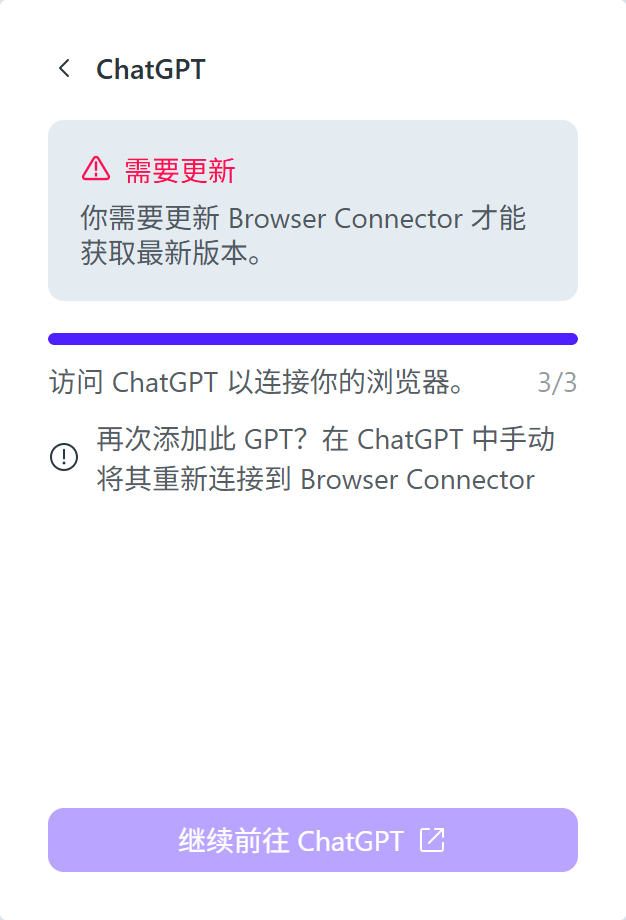
Title: Opera Browser Connector says "Update Required" but no update is available — reproduced on two Windows PCs
Description:
Hi Opera Team,
I'm experiencing a specific Browser Connector update issue on two different Windows computers.
The Browser Connector displays a red warning:
"Update required. You need to update Browser Connector to get the latest version."
Environment:
- OS: Windows
- Opera version on my main PC: 137.0.6036.39
- Browser: Opera Stable
- The same problem also occurs on another PC with a fresh Opera installation.
Steps to reproduce:
- Install or update Opera to the latest available stable version.
- Open
opera://settings/aiand install Browser Connector. - Enable the AI connection.
- Open the Browser Connector toolbar popup.
- The red "Update Required" warning appears.
- Trying to update does not resolve the warning.
- Uninstalling and reinstalling Browser Connector does not help.
- Opera's own update page says the browser is already up to date.
Expected behavior:
Browser Connector should update successfully and connect to ChatGPT without displaying an update warning.
Actual behavior:
Browser Connector keeps requesting an update, but no working update path is available. The connection to ChatGPT cannot be established.
This issue is reproducible on two different computers, including one with a fresh installation.
Questions:
- Has a newer Browser Connector version been released separately from Opera Stable?
- Is this a known version compatibility or update distribution issue?
- Is there an official way to force-update Browser Connector?
Please advise. I can provide screenshots of the warning.
Thank you!