Geolocation not working after last update
-
 klebox3001 last edited by
When allowing a device, it saves the site with port :443; this prevents geolocation from working correctly on sites accessed via Opera. Even without a VPN or any antivirus interference, the bug started after the update. Does anyone have any insight into this?
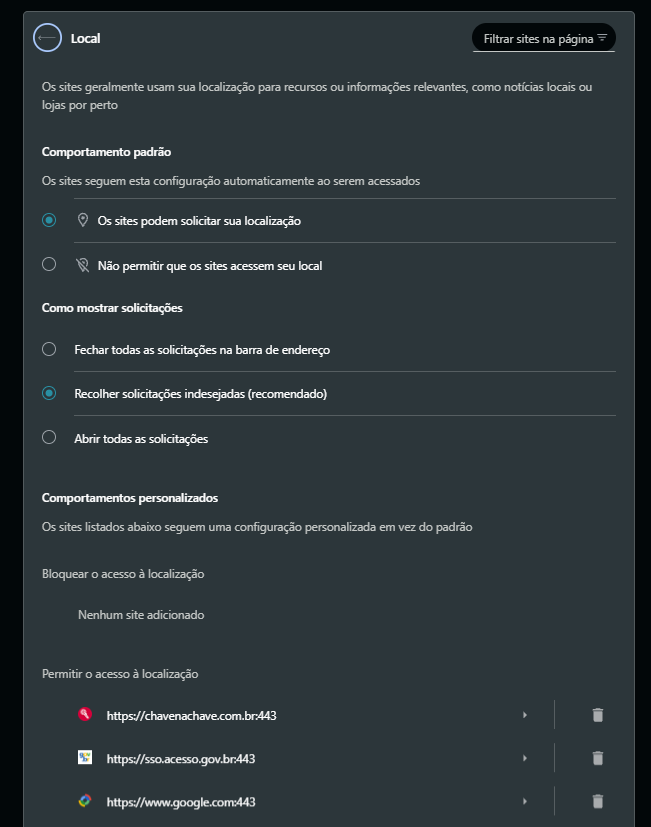
-
malcolmparkedhere last edited by
The :443 part by itself shouldn’t be a problem. 443 is the normal HTTPS port, so https://example.com and https://example.com:443 are normally the same site origin.
I’d try removing the saved location permission for the site and granting it again: click the padlock/site icon → Site settings → Location → Reset/Ask, reload the page, and allow location again.
If Opera keeps saving :443 and geolocation still fails, that sounds more like a permission-handling bug introduced by the update than something wrong with your VPN or antivirus. I’d test the same site in a clean/Guest Opera profile too; that would tell you pretty quickly whether it’s the browser or your existing profile.
-
klebox3001 last edited by
@malcolmparkedhere
I ran all these location permission tests using a fresh, clean installation without a VPS and the issue is occurring after the latest Opera update: the browser captures fixed, hardcoded latitude and longitude coordinates, even when location access is granted! Chrome, Safari, and Edge are all working correctly. -
malcolmparkedhere last edited by
@klebox3001 said in Geolocation not working after last update:
  	klebox3001


  	 @malcolmparkedhere


  last edited by


  	about 2 hours ago
@malcolmparkedhere
I ran all these location permission tests using a fresh, clean installation without a VPS and the issue is occurring after the latest Opera update: the browser captures fixed, hardcoded latitude and longitude coordinates, even when location access is granted! Chrome, Safari, and Edge are all working correctly.I’d report it to Opera as a geolocation regression and include the exact Opera version, OS, test site, and the incorrect coordinates being returned. If possible, include a screen recording showing Opera vs. another browser on the same device. That should give the developers something concrete to reproduce.
-
klebox3001 last edited by
@malcolmparkedhere I do that, and if I get a response, I'll come back here. Thanks. malcolmparkedhere
-
