Cannot move my saved HTML speed dial bookmarks to my Opera 1 start page
-
DrLanders last edited by
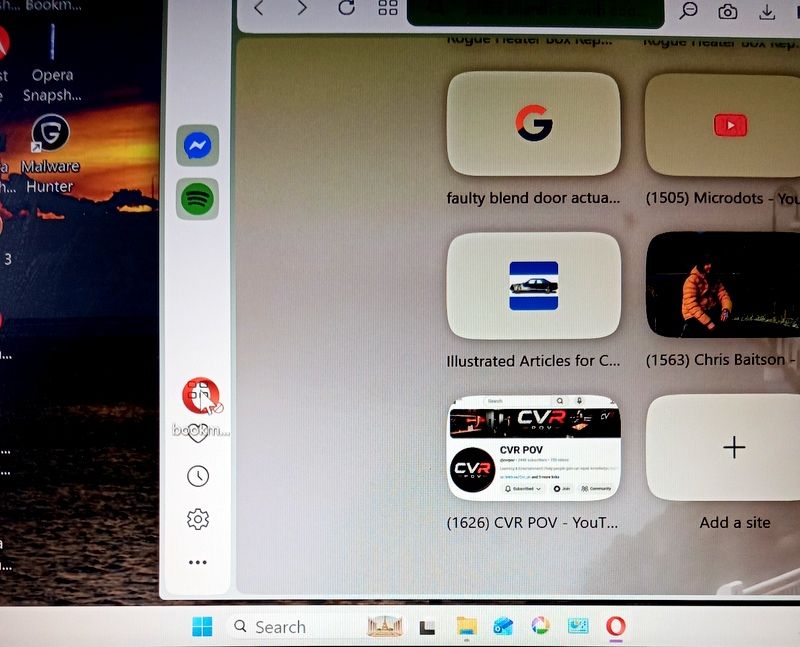
Hello, I do not have a bug issue …sorry if this is the wrong platform. I cannot transfer my Speed Dial Start Page bookmarks + to my start page. I had them saved to HTML on my desktop. I had to factory reset my PC and they disappeared.
I tried to copy and paste (drag & dropped) them to my sidebar speed dial , but no luck .
Any help appreciated .Thank you.
PS My browser is OPERA 1 (136.06008.22)
Asus Vivobook windows 11 -

-
leocg Moderator Volunteer last edited by
@DrLanders What happens when you try to import the bookmarks?
-
burnout426 Volunteer last edited by
After you goto the URL
opera://settings/importData, choose "Bookmarks HTML file" and point it to the HTML file with your bookmarks, you need to goto the URLopera://bookmarksin a tab.On the
opera://bookmarkspage, find your imported bookmarks. They might be in the root of the "Bookmarks Bar" folder or in an "Imported Bookmarks" folder in the "Bookmarks bar" folder. Wherever they're at, just like in Windows Explorer (File explorer), you can select (one, many or all), cut or copy, and paste from one folder to another to move or copy items. Shortcuts like ctrl + a, ctrl + x, ctrl + c and ctrl + v work too.As for the imported speed dials, they should be somewhere on the
opera://bookmarkspage (in an "other speed dials" folder or something) where you can select and move them to the main "Speed Dial" folder. Then they should show up on the start page. -
leocg Moderator Volunteer last edited by
@DrLanders Host the video somewhere and post the link here, that way others can also help.
-
DrLanders last edited by
@burnout426 Hi Burnout , great thanks I will try that out
 when i get a chance after work.
PS thanks to leocg for reaching out also:)