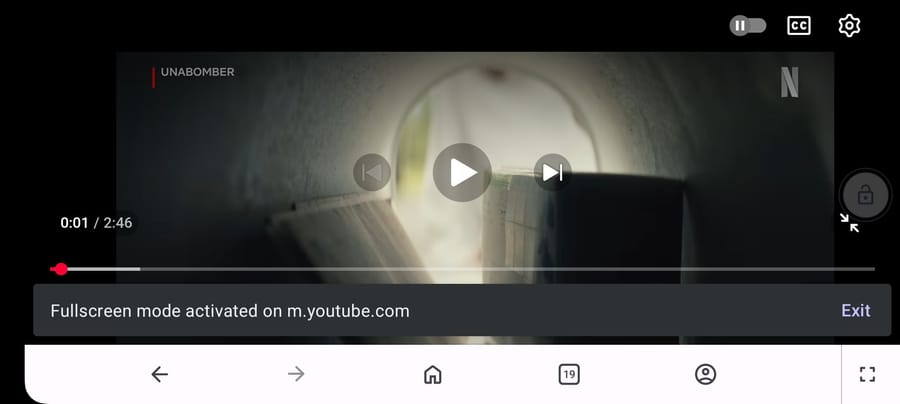
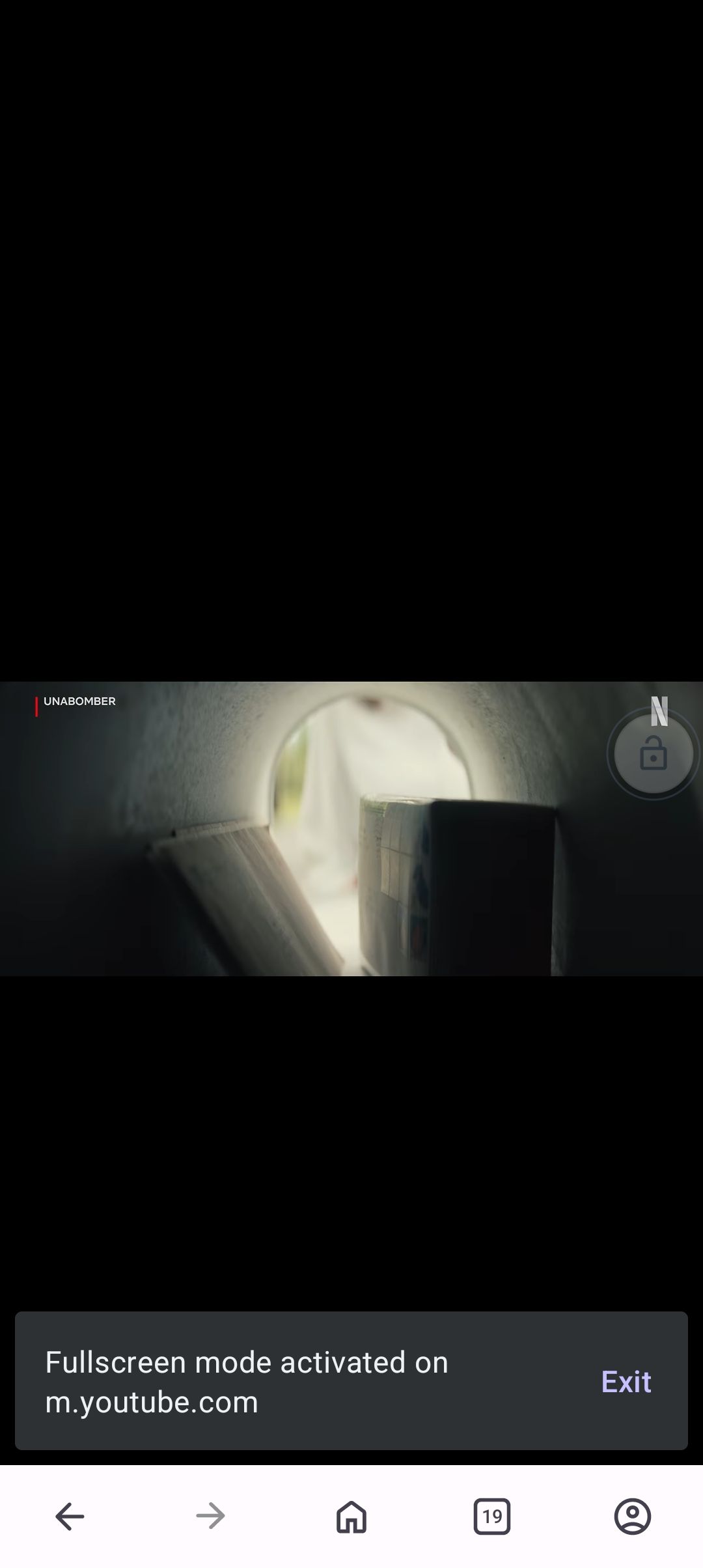
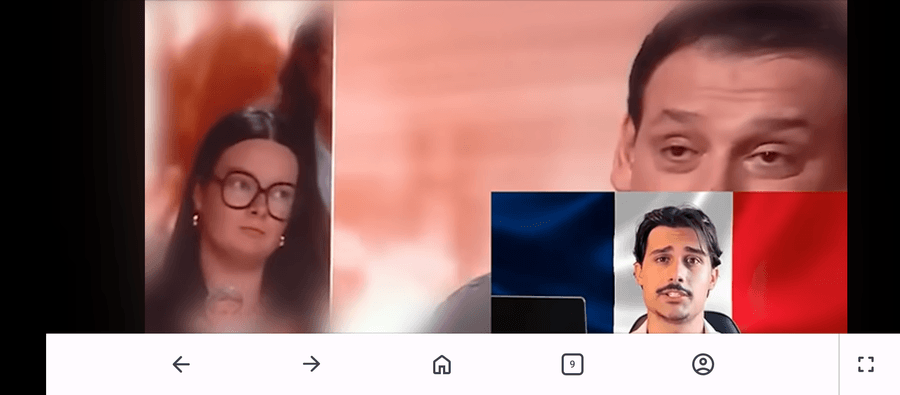
Opera toolbar displays over fullscreen YouTube videos
-
ARDEETHREE last edited by
Android 14 on an Asus Zenfone 9. Using Opera Version 101.1.5178.89889
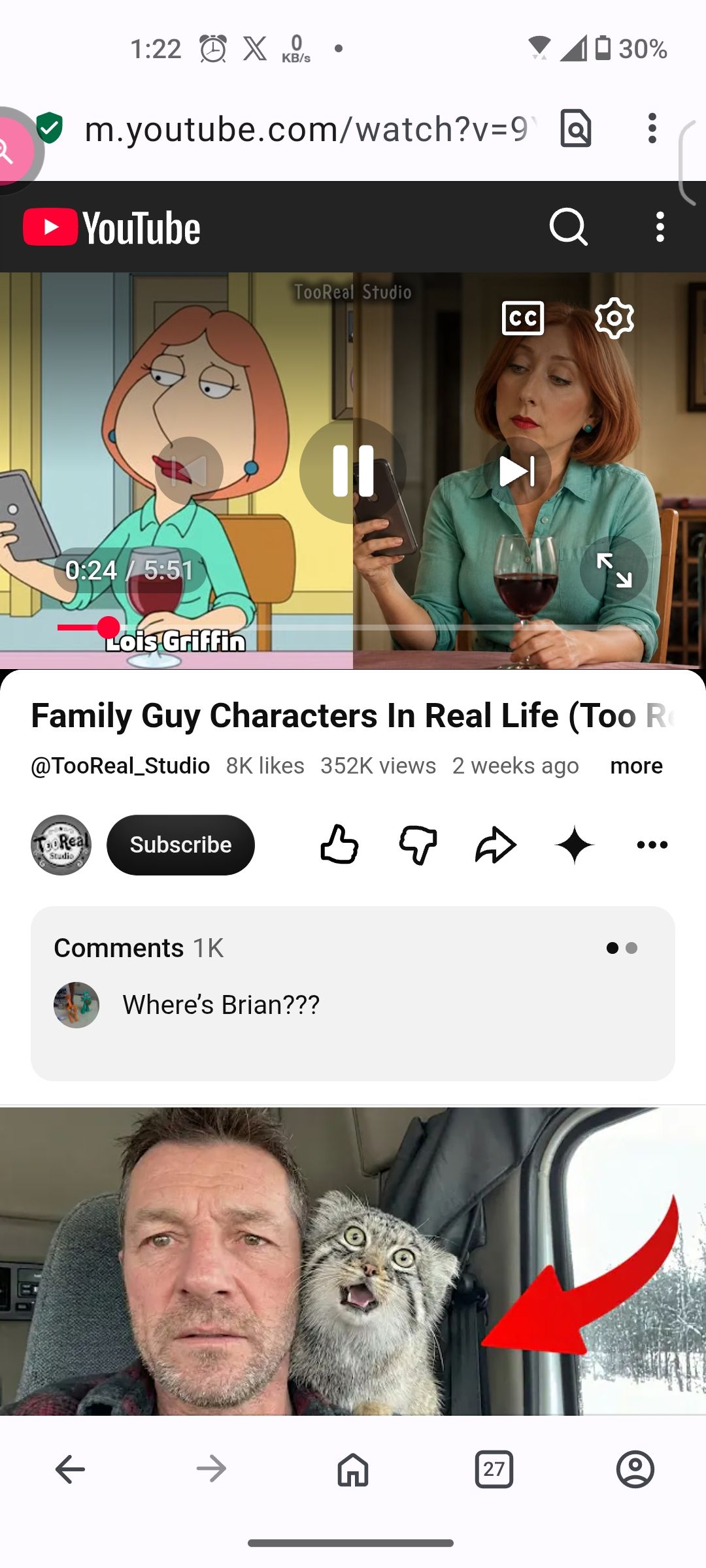
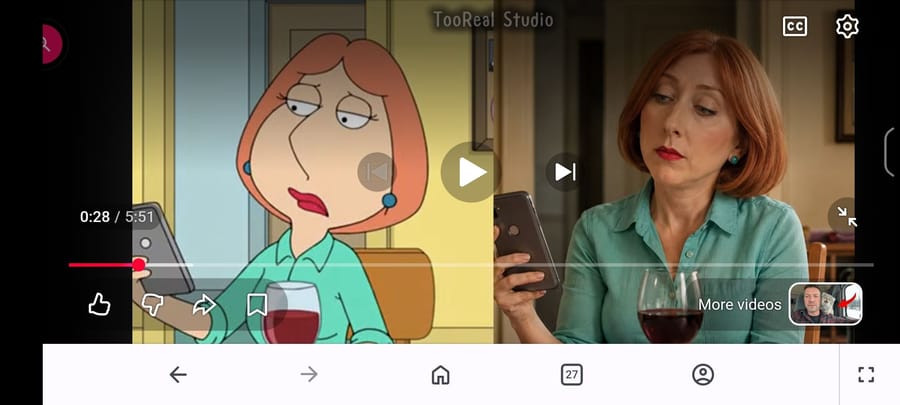
When opening any youtube or rumble video full screen, the Opera toolbar displays at the bottom, covering the bottom of the video. Tapping the "enter full screen" button on the toolbar does nothing.
Problem persists with adblocker disabled. Data savings is disabled.
I tried killing process and deleting cache.
This problem started after updating to the latest version.
Side issue: Also in a recent update, the settings gear in full screen mode became unresponsive. The autoplay toggle and CC buttons work. Settings gear icon works fine after exiting full screen mode.
Regular page:
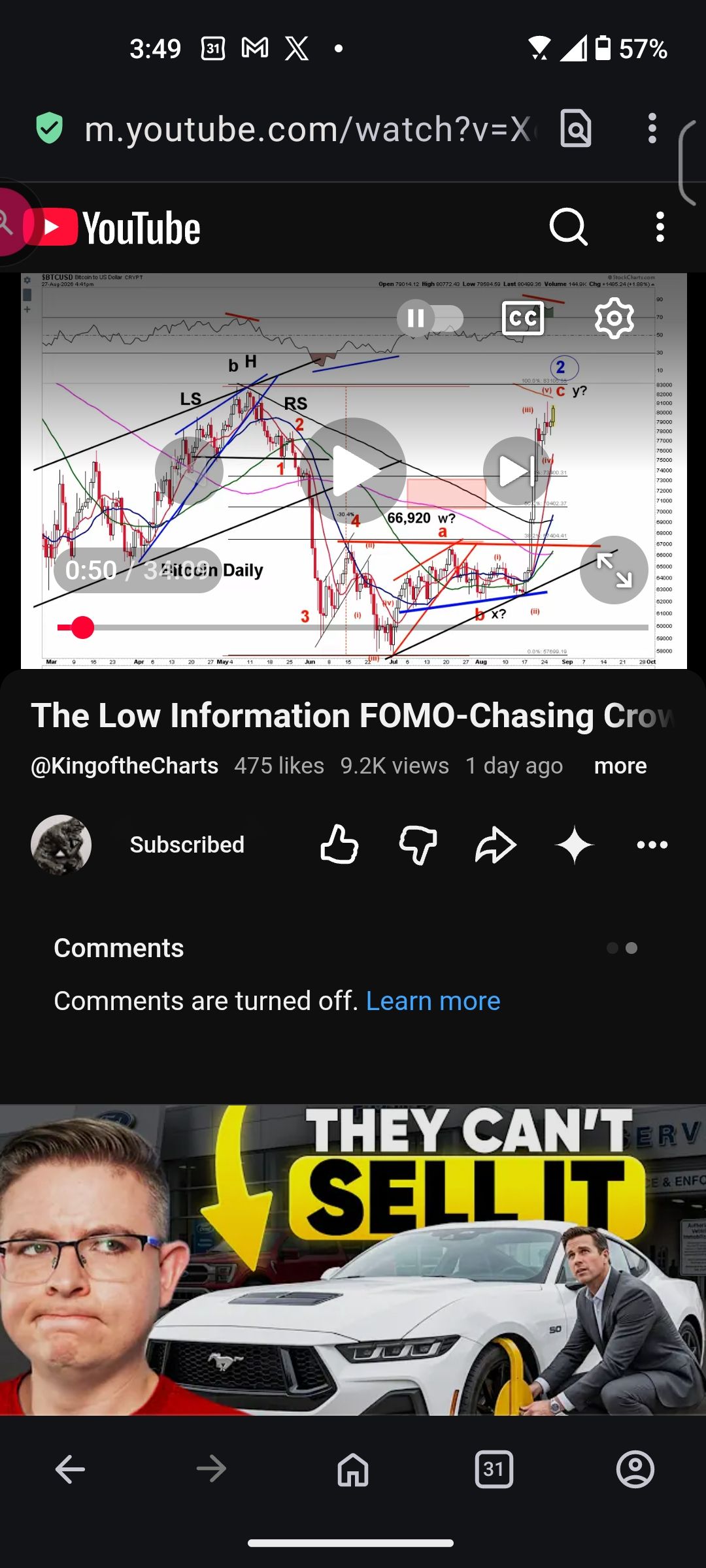
Full screen mode:
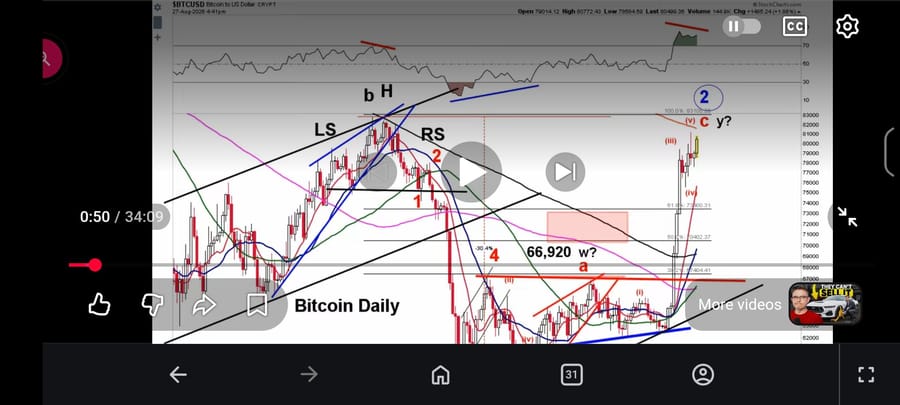
-

-
ARDEETHREE last edited by ARDEETHREE
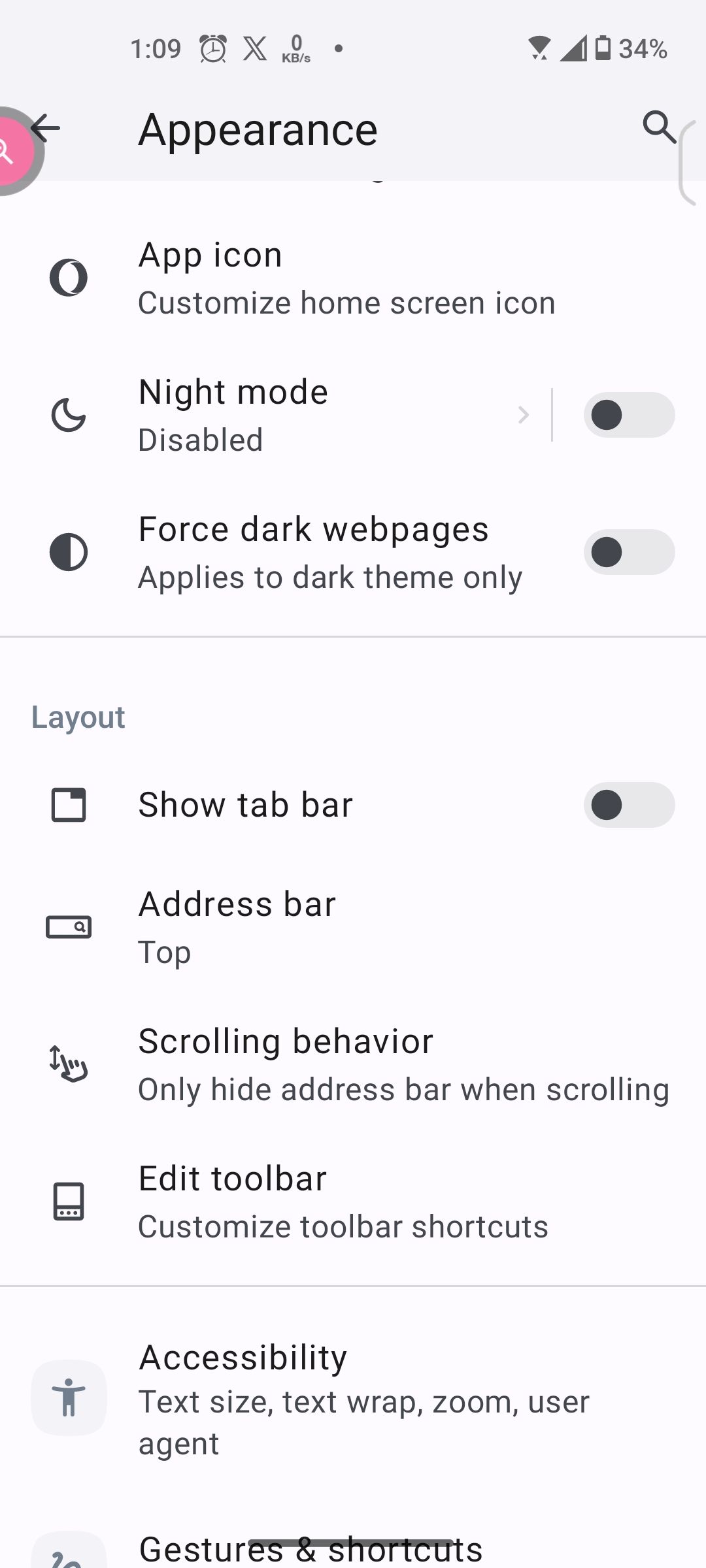
The behavior changes depending on the if "show tab bar" is enabled or disabled in Settings>Appearance>Layout.
With "Show tab bar" enabled, the video displays correctly, without the toolbar in full screen mode.
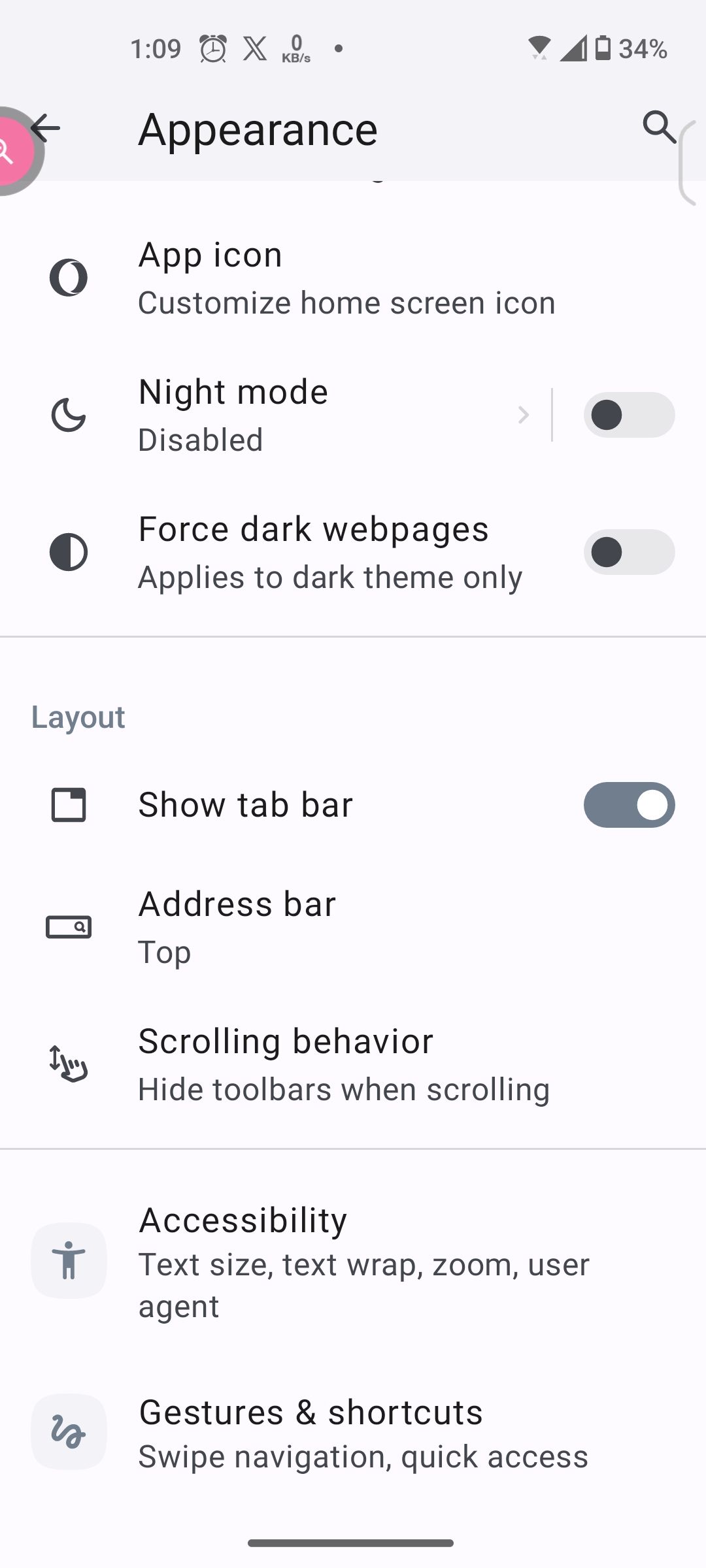
XXXXXXXXXXXXXXXXXXXXXXXXXXXXXXXXXXXXXXXXXXXXXXXXXXXX
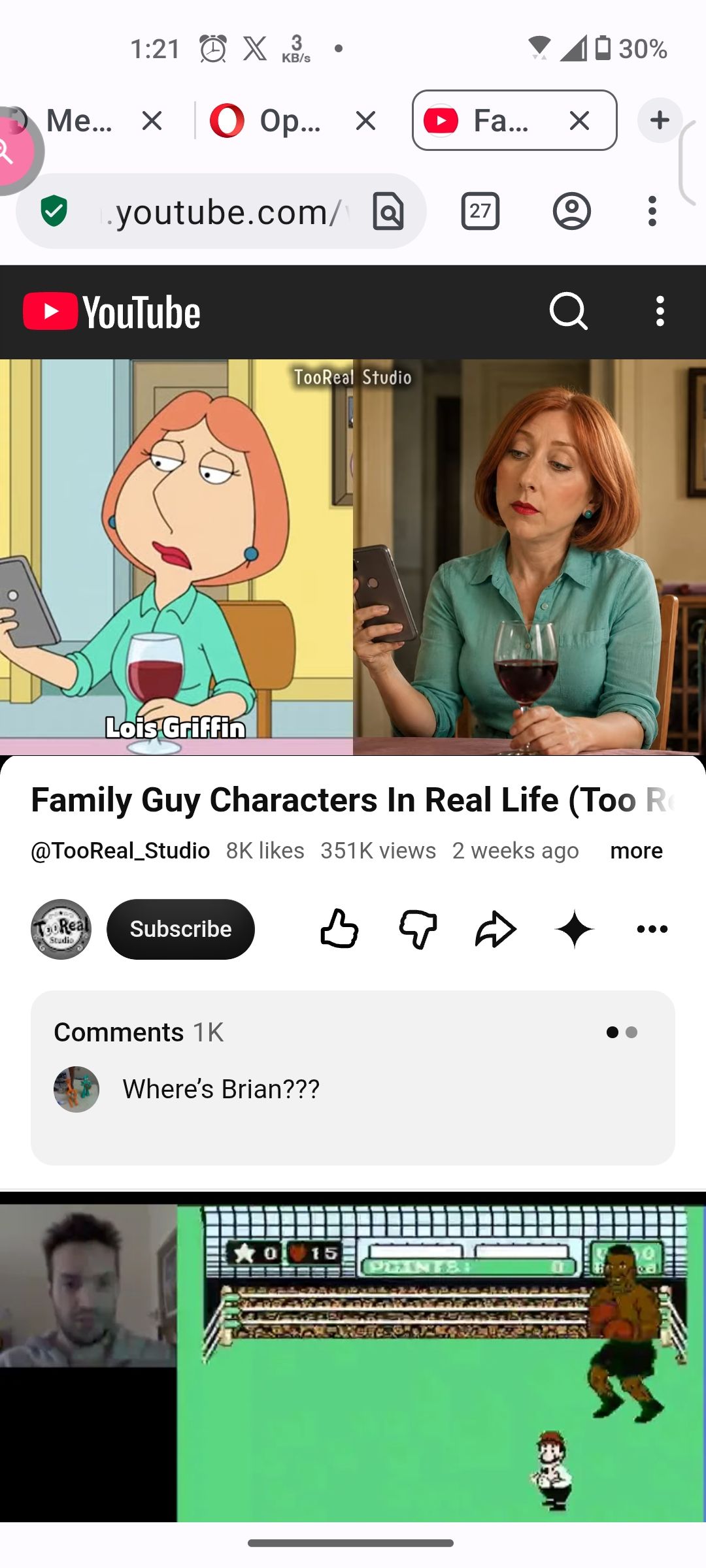
XXXXXXXXXXXXXXXXXXXXXXXXXXXXXXXXXXXXXXXXXXXXXXXXXXXX
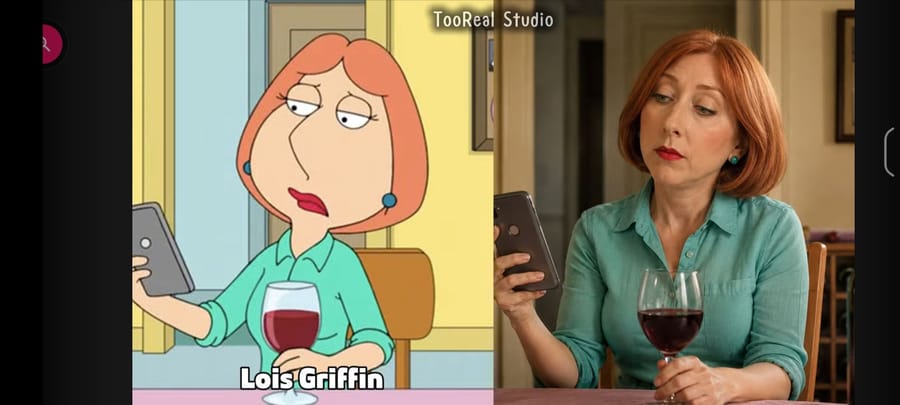
XXXXXXXXXXXXXXXXXXXXXXXXXXXXXXXXXXXXXXXXXXXXXXXXXXXXWith "Show tab bar" disabled, the video displays incorrectly, with the toolbar obscurig the video in full screen mode.
XXXXXXXXXXXXXXXXXXXXXXXXXXXXXXXXXXXXXXXXXXXXXXXXXXXX
XXXXXXXXXXXXXXXXXXXXXXXXXXXXXXXXXXXXXXXXXXXXXXXXXXXX
XXXXXXXXXXXXXXXXXXXXXXXXXXXXXXXXXXXXXXXXXXXXXXXXXXXX -
leocg Moderator Volunteer last edited by
@ARDEETHREE I've checked with show tab bar disabled and the toolbar appeared for a second and, then, went away.
-
Throwawy97 last edited by
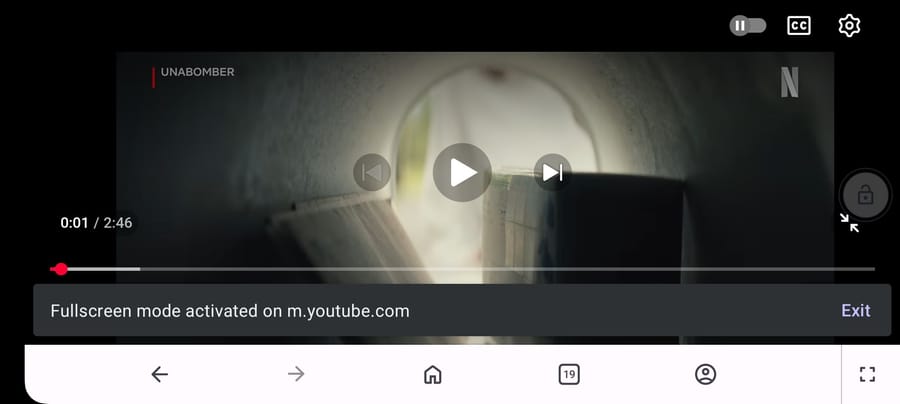
@leocg you sound really uninterested on solving this, I made an account just for this, anyways here, is happening to me too:
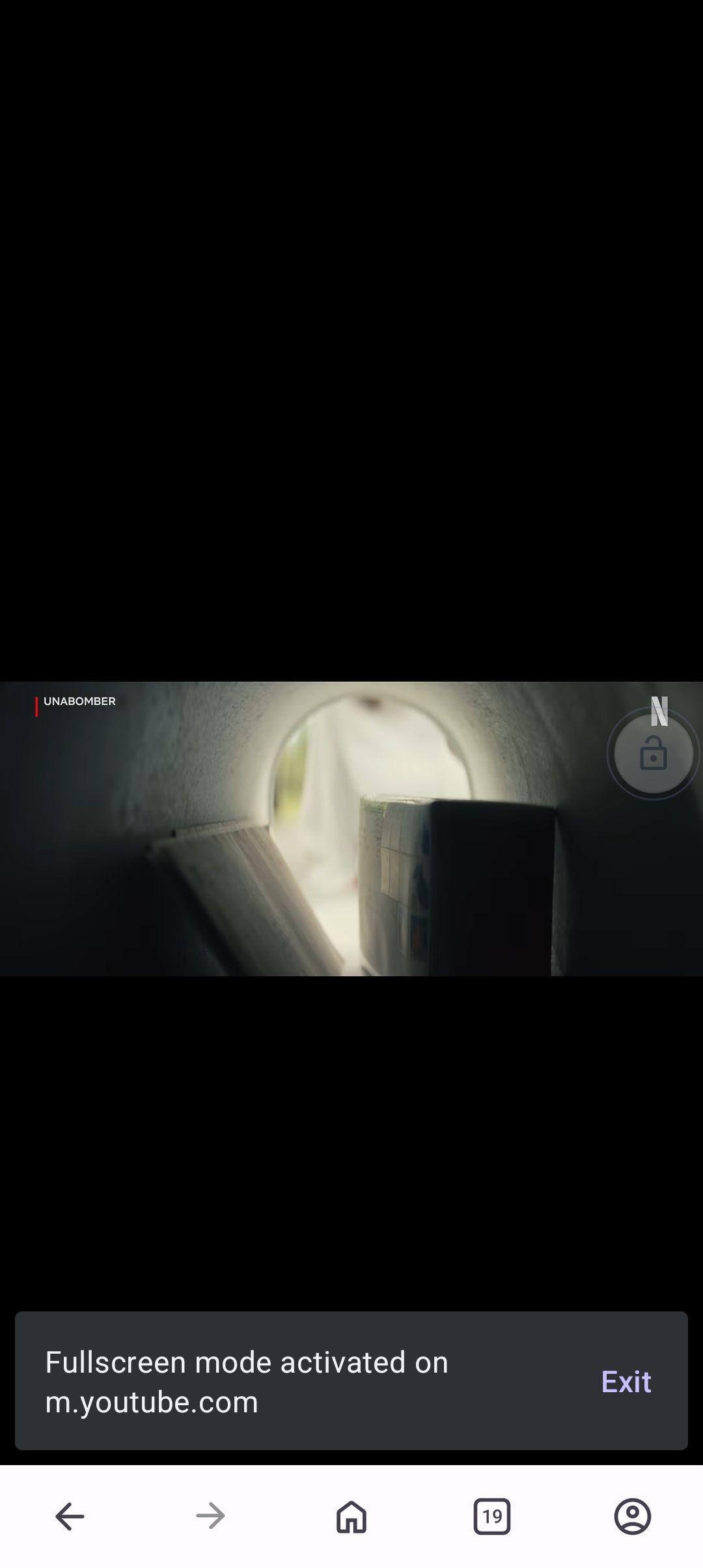
-
leocg Moderator Volunteer last edited by
@Throwawy97 If you didn't realize yet, I'm just an user. So all I can do is to check if the problem also happens on my side.
So far, I couldn't reproduce it yet.
-
banerr last edited by
Got the same issue - zenfone 9, after last Opera update fullscreen mode doesn't work properly - toolbar apears on the top.
Please fix it. -
ARDEETHREE last edited by
@Throwawy97 Hopefully someone at Opera sees this and submits a bug report.
-
ARDEETHREE last edited by
@ARDEETHREE Actually, i just submitted a bug report. Lol
https://opera.atlassian.net/servicedesk/customer/portal/33/OFABUGS-26932
Let's see what happens
-
ARDEETHREE last edited by
Opera techs already responded! I suppose they knew of this issue as they already have a bug fix which will be released in the next update....
"Mobile Customer Support
Today 3:18 PM
Thank you for the detailed report and the screenshots — they make the issue very clear.A fix has already been identified for the toolbar overlay issue in fullscreen video playback. It is being rolled out gradually, and the update should reach your device within the coming days. Once it is available, please update Opera to the latest version and let us know whether the toolbar overlay issue is resolved.
Regarding the unresponsive settings gear in fullscreen mode: this is a separate behaviour that has been observed across other Chromium-based browsers as well, including Chrome, Brave, and Edge, which suggests it originates from YouTube's player rather than Opera itself. In the meantime, exiting fullscreen to adjust quality or playback settings remains the available workaround.
In the meantime, you noted that enabling Show tab bar under Settings > Appearance > Layout causes the fullscreen video to display correctly without the overlaid toolbar — keeping that enabled is a viable workaround until the update arrives on your device.
Please do update once the new version is available and follow up here if either issue persists."