Session restore broken
-
t-bone tone last edited by
@unterguru Yes. Opera are up to their tricks, once again. This is highly annoying. I've lost 30plus tabs and 8 workspaces. Older restore recovered tabs and sessions files are just overwritten....even using console to give them up to date timestamps.
-
burnout426 Volunteer last edited by
@t-bone-tone said in Session restore broken:
Older restore recovered tabs and sessions files are just overwritten
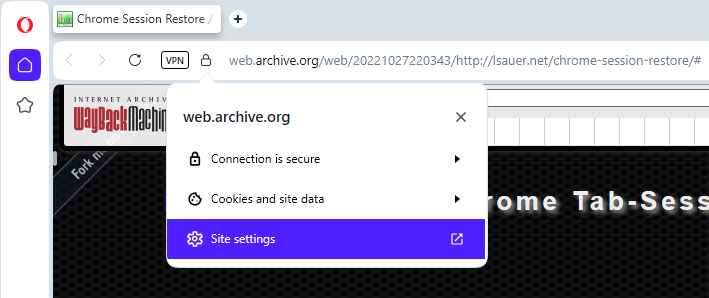
Goto https://web.archive.org/web/20221027220343/http://lsauer.net/chrome-session-restore/#. Once there, click the badge at the left of the address field, goto "site settings" and set "popups" to "allow".
Then, right-click on the max tabs field and choose "inspect". Then, right-click on the max="50" attribute, choose "Edit attribute", hit backspace to delete it and hit ctrl + enter to apply. Then, set the max tabs to 1000 for example. You can do that via the field on the page or edit the attribute and ctrl + enter. Whichever way you want.
Then, at the bottom of the page, click "choose files" and pick one old "Session_xxx" or "Tabs_xxx" file.
Then, click the "Recently-closed" drop-down on the page and at the top, click the top "Open all" entry. That will open all the tabs the page found in the session file.
Then, repeat for other session files. Don't choose multiple session files at once even though it allows you to.
Hopefully your old session files you have laying around contain what you need.
Keep in mind that if you have a 500 open tabs from the file for example and you choose to open them all at once, Opera might crash if it can't handle it. Otherwise, things should work fine.
Also note that the page just parses the file and makes the links available to the webpage for you. It doesn't not analyze those links and send them anywhere, so there's no privacy concern.
-

-
leocg Moderator Volunteer last edited by
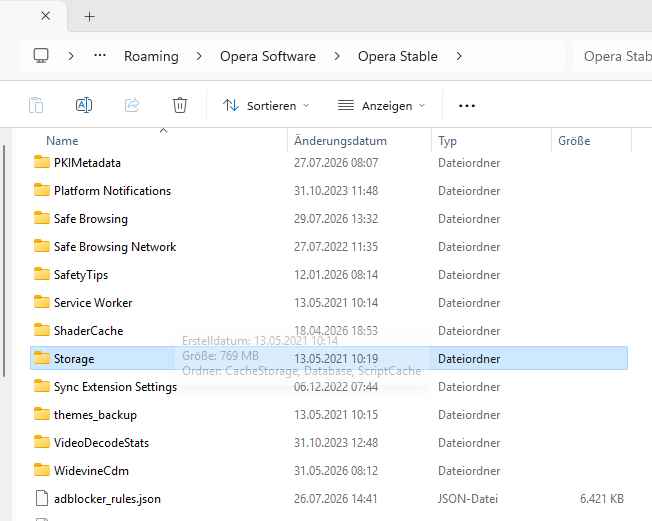
@unterguru A regular upgrade, through Windows Update?
I don't remember have seen a Windows upgrade removing the Session folder in Opera's profile directory.
-
leocg Moderator Volunteer last edited by
@unterguru Check under Default, since it's usually the profile directory.
-
t-bone tone last edited by
@unterguru Yes. Opera Mickey Mouse intern devs clearly been releasing an update while the team was at the pub.
Ive lost 30 plus tabs and 8 workspaces.
-
t-bone tone last edited by
@burnout426 said in Session restore broken:
Goto https://web.archive.org/web/20221027220343/http://lsauer.net/chrome-session-restore/#. Once there, click the badge at the left of the address field, goto "site settings" and set "popups" to "allow".
Couldn't even find 'site settings' after clicking the site banner left of the address bar, which is what I presume when you say 'badge'.
There's 'tools' but that simply lists options for Wayback Machine Avaialability API, Chrome, Firefox, Safari, MS Edge, etc, none of which bring up settings.
-
burnout426 Volunteer last edited by
@t-bone-tone said in Session restore broken:
Couldn't even find 'site settings' after clicking the site banner left of the address bar, which is what I presume when you say 'badge'.
The badge is usually a lock icon when the site is secure. Here's a pic: