• Login
    • Search
    • Categories
    • Recent
    • Tags
    • Users
    • Groups
    • Rules
    • Help

    Do more on the web, with a fast and secure browser!

    Download Opera browser with:

    • built-in ad blocker
    • battery saver
    • free VPN
    Download Opera

    New island tab button is not dissapearing

    Tab Islands, Tabs and Workspaces
    3
    19
    4746
    Loading More Posts
    • Oldest to Newest
    • Newest to Oldest
    • Most Votes
    Reply
    • Reply as topic
    Log in to reply
    This topic has been deleted. Only users with topic management privileges can see it.
    • F
      flaviu2 last edited by

      I am using version 127.0.5778.14 on Win11. This bug is still present and can be seen even if you get out a tab which is inside of an island. See the movie: https://1drv.ms/v/c/dedcb6ef190b8fd4/IQBy_u6AHQ37TaYC-QoJebAYAc_Kf6S3K1x6fq015wNNx00?e=zTSQMp

      Reply Quote 0
        1 Reply Last reply
      • F
        flaviu2 last edited by flaviu2

        I installed version 128.0.5807.25 (on Win11 x64), and this bug is still visible.

        Reply Quote 0
          leocg 1 Reply Last reply
        • leocg
          leocg Moderator Volunteer @flaviu2 last edited by

          @flaviu2 Doesn't sem to be happening here

          Reply Quote 0
            F 1 Reply Last reply
          • F
            flaviu2 @leocg last edited by

            @leocg I'll make a new video with this bug on the latest version.

            Reply Quote 0
              F 1 Reply Last reply
            • F
              flaviu2 @flaviu2 last edited by flaviu2

              @flaviu2
              As I promised, I have made a video that shows the bug: https://1drv.ms/v/c/dedcb6ef190b8fd4/IQAk_w7fipsPTru3C57cuB6zAVuUn2gZngJ5q60flCrctOQ?e=C5SKSC

              Pay attention to the new tab button from the island (the bullet white button).

              P.S. For better definition, download the video (I uploaded in my OneDrive).

              Reply Quote 0
                1 Reply Last reply
              • Referenced by  F flaviu2 
              • Referenced by  F flaviu2 
              • Referenced by  F flaviu2 
              • Referenced by  Mlipka Mlipka 
              • Referenced by  F flaviu2 
              • Mlipka
                Mlipka last edited by

                Hey,

                We managed to reproduce this bug and it has a ticket number: RNA-2766.

                Reply Quote 1
                  F 1 Reply Last reply
                • F
                  flaviu2 @Mlipka last edited by

                  @Mlipka Thank you a lot!

                  Reply Quote 0
                    1 Reply Last reply
                  • F
                    flaviu2 last edited by

                    Version 130.0.5847.12 resolved this issue! Thank you!

                    Reply Quote 0
                      F 1 Reply Last reply
                    • F
                      flaviu2 @flaviu2 last edited by flaviu2

                      @flaviu2
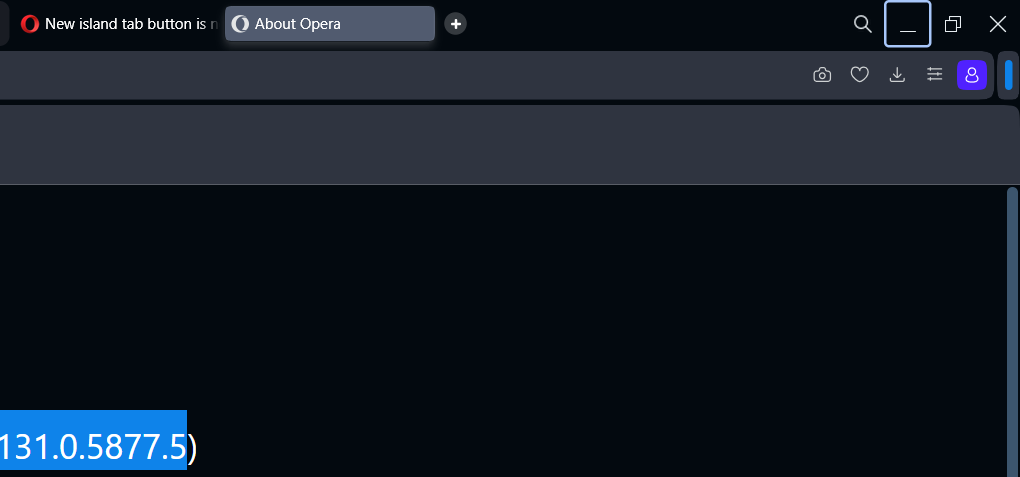
                      I have now the version 131.0.5877.5, and the issue is now present again 😞

                      And this version seems to have other small issues: when I change the tabs, the focus is automatically put on (system) minimized button ?!

                      adb6e610-e41f-4fc9-ab6d-2e89a360fcf8-image.png

                      The version 130 worked well ...

                      Reply Quote 0
                        1 Reply Last reply
                      • F
                        flaviu2 last edited by This post is deleted!
                        Reply Quote 0
                          1 Reply Last reply
                        • F
                          flaviu2 last edited by

                          Maybe you did not merge the right branch 🙂

                          Reply Quote 0
                            1 Reply Last reply
                          • F
                            flaviu2 last edited by

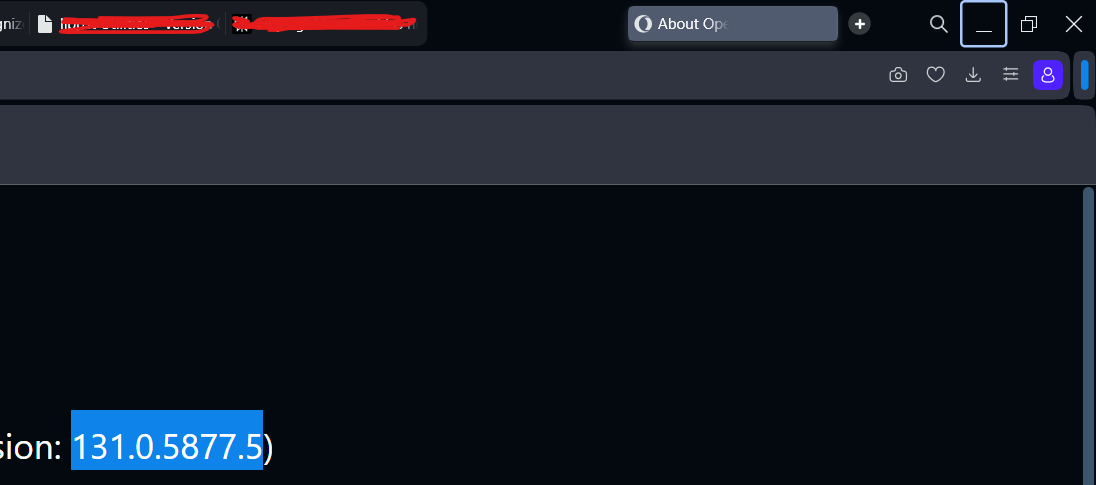
                            Very unstable this version: 131.0.5877.5

                            See the gost tab:

                            12f2b7c7-0203-4f9f-bbf9-f4083b9abcba-image.png

                            Is there any way to revert back to version 130? That one seems to solve all the tab issues ....

                            Reply Quote 0
                              F 1 Reply Last reply
                            • F
                              flaviu2 @flaviu2 last edited by

                              @flaviu2 The prove:

                              9a62daf7-d06b-4772-a08d-1add4ce9464c-image.png

                              Reply Quote 0
                                1 Reply Last reply
                              • F
                                flaviu2 last edited by

                                I updated to 131.0.5877.24 and this version has all the bugs solved again. I hope to be stable this one.

                                Reply Quote 0
                                  1 Reply Last reply
                                • First post
                                  Last post

                                Computer browsers

                                • Opera for Windows
                                • Opera for Mac
                                • Opera for Linux
                                • Opera beta version
                                • Opera USB

                                Mobile browsers

                                • Opera for Android
                                • Opera Mini
                                • Opera Touch
                                • Opera for basic phones

                                • Add-ons
                                • Opera account
                                • Wallpapers
                                • Opera Ads

                                • Help & support
                                • Opera blogs
                                • Opera forums
                                • Dev.Opera

                                • Security
                                • Privacy
                                • Cookies Policy
                                • EULA
                                • Terms of Service

                                • About Opera
                                • Press info
                                • Jobs
                                • Investors
                                • Become a partner
                                • Contact us

                                Follow Opera

                                • Opera - Facebook
                                • Opera - Twitter
                                • Opera - YouTube
                                • Opera - LinkedIn
                                • Opera - Instagram

                                © Opera Software 1995-