How to fix page scrolling when hovering over dropdown menus in Jira?
-
maninspace last edited by
Hello, everyone!
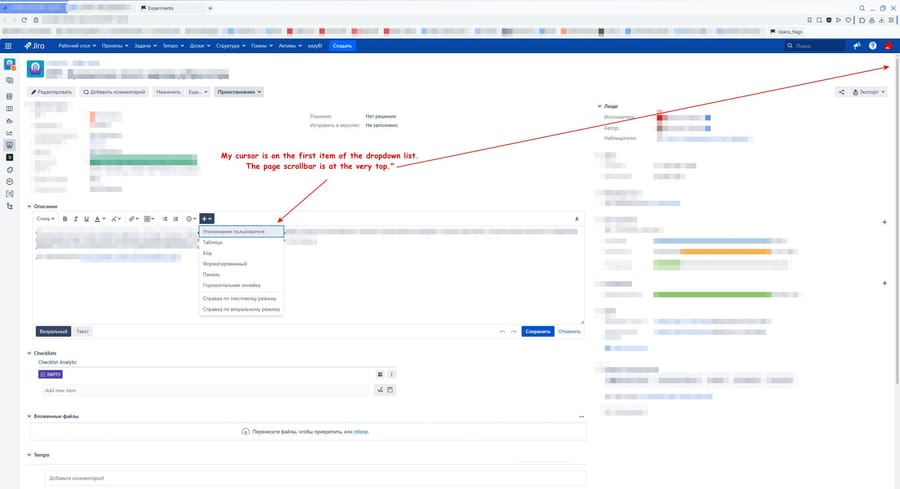
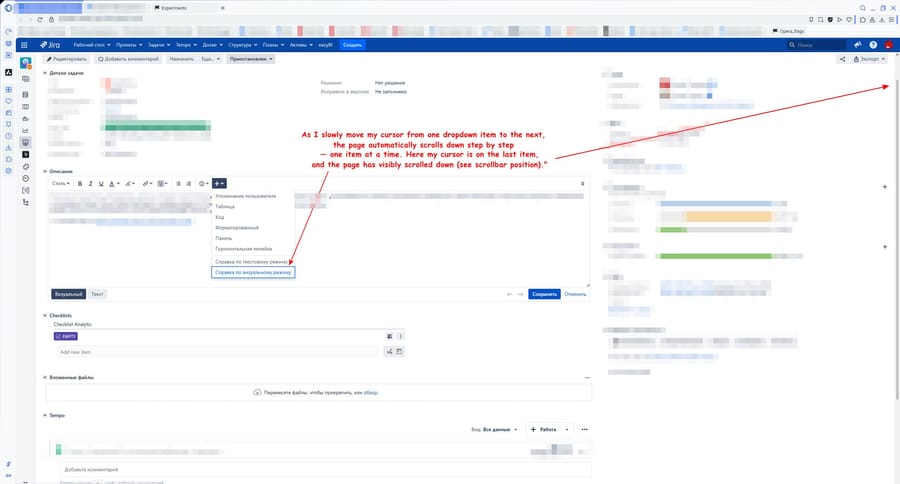
A few days ago I noticed strange behavior in Opera while i using Jira. When I work with a Jira task with "description " field thera is situated formatting toolbar with buttom to edit text like "style", "bold", "italic" and etc. There are many buttons with dropdown option like "text color", "attachments". When I hover over such dropdown lists and start moving cursor the page scroll too (see video). I didn't use mouse wheel and it scrolls exactly by the height of one dropdown item. It's very annoying and it's impossible to use this buttons in panel, Because when the page scrolls, my cursor moves too. So if I try to move the mouse slightly down to select an option, the page scrolls down by one item, and my cursor ends up on the next option instead of the one I wanted. Has anoyne already had this problem? How to fix it?
[Attached pic1 and pic2 so you can see this behaviour]
-

-
maninspace last edited by
@leocg Thank you for your quick response!
I use Opera GX (Core: 129.0.5823.70) and Opera One (version: 129.0.5823.28). In both browsers, the same behavior. -
-
maninspace last edited by
@leocg Yes, I checked it in Google Chrome (version: 147.0.7727.56), and when I tried to solve the issue earlier, I disabled 'Smooth Scrolling' in Opera, but it didn't help.
-
maninspace last edited by
@leocg Maybe "Hello! Maybe you have any suggestions on how to diagnose this problem more accurate or collect new information?"
-
burnout426 Volunteer last edited by
What version of Jira?
Are you able to make an HTML testcase that reproduces it? I can't reproduce it in Jira in Opera GX 129.0.5823.70.
-
-
marcuspie last edited by
I am experiencing this same issue but using Chrome. Have been for a few months and it's driving me crazy. I've also tried it in Safari, as well as both Windows and Mac. Interested if anyone else is experiencing this with Jira, as I can't seem to see much online about it.
Jira version: v10.4.0.
