how do i get my passwords from my sync stuff and how do i sync my things to opera sync?
-
 leocg Moderator Volunteer last edited by
@techguy1224 The same way you did it before, menu - synchronisation. Or click on the icon on the top right or go to the sync section in settings page.
-
techguy1224 last edited by
@leocg so I would do that even though I deleted the app with my passwords saved there. I can just do that and get my passwords back? Even though it’s encrypted?
-
leocg Moderator Volunteer last edited by
@techguy1224 Let's see if we are on the same page.
You are talking about getting your data from sync.opera.com?
-
-
fitzydj last edited by
@leocg Just out of interest does the Op have to use an Opera Browser to access the data at sync.opera.com please?
-
techguy1224 last edited by
@leocg i tried doing it but for some reason it says reauthentication required
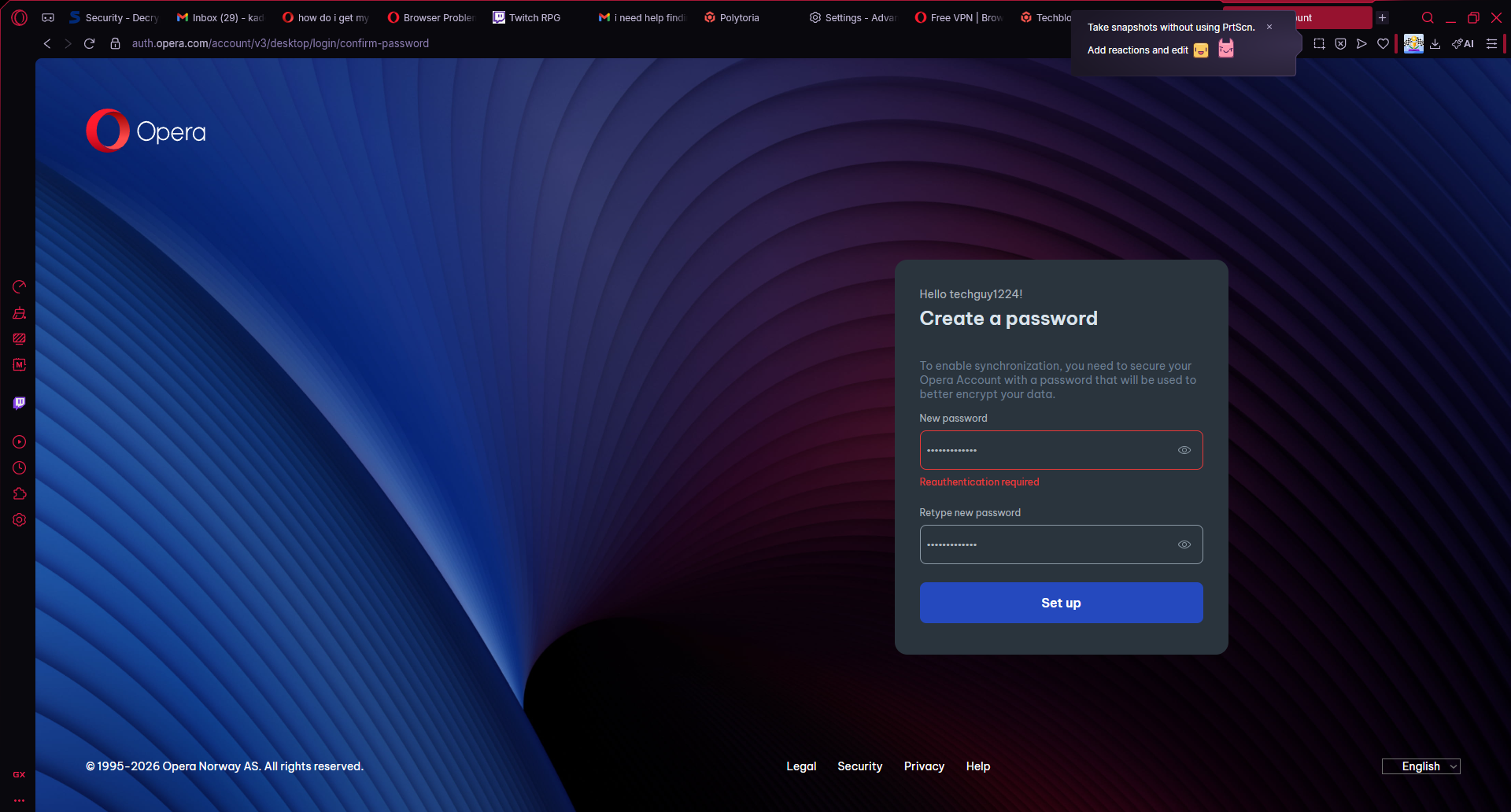 see anything i can do to fix it?
 -
leocg Moderator Volunteer last edited by
@techguy1224 You are using the same account you were using before?
-
leocg Moderator Volunteer last edited by
@techguy1224 It may be a/the problem. For passwords synchronisation to work and for Opera to be able to decrypt the information, your Opera account needs to have a password.
-
leocg Moderator Volunteer last edited by
@techguy1224 Go to https://auth.opera.com/account/edit-profile/security and set a password.
-
techguy1224 last edited by
@leocg so if I set this password up and get it working it will save everything? All my passwords before I deleted opera gx?
-
leocg Moderator Volunteer last edited by
@techguy1224 It will save your passwords from now on. Don't know about the current ones.