• Login
    • Search
    • Categories
    • Recent
    • Tags
    • Users
    • Groups
    • Rules
    • Help

    Do more on the web, with a fast and secure browser!

    Download Opera browser with:

    • built-in ad blocker
    • battery saver
    • free VPN
    Download Opera

    Remove new search selection bar

    Opera for Android
    7
    47
    4582
    Loading More Posts
    • Oldest to Newest
    • Newest to Oldest
    • Most Votes
    Reply
    • Reply as topic
    Log in to reply
    This topic has been deleted. Only users with topic management privileges can see it.
    • leocg
      leocg Moderator Volunteer @cska133 last edited by

      @cska133 When I click on address bar, it shows me a bar where I can choose the search engine and the Ask AI button.

      Reply Quote 0
        cska133 1 Reply Last reply
      • cska133
        cska133 @leocg last edited by cska133

        @leocg in the beta (which version?) or in the stabile version?

        Reply Quote 0
          leocg 1 Reply Last reply
        • leocg
          leocg Moderator Volunteer @cska133 last edited by

          @cska133 Don't use the stable one

          Reply Quote 0
            cska133 2 Replies Last reply
          • cska133
            cska133 @leocg last edited by cska133

            @leocg i got more confused.
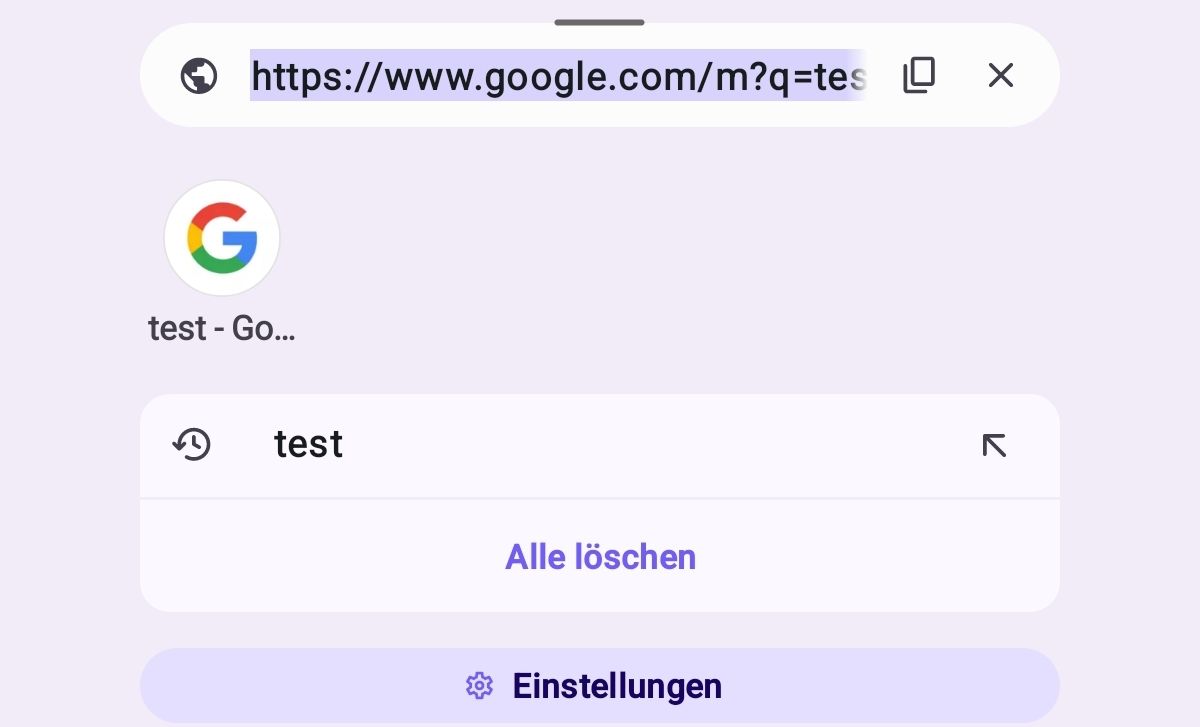
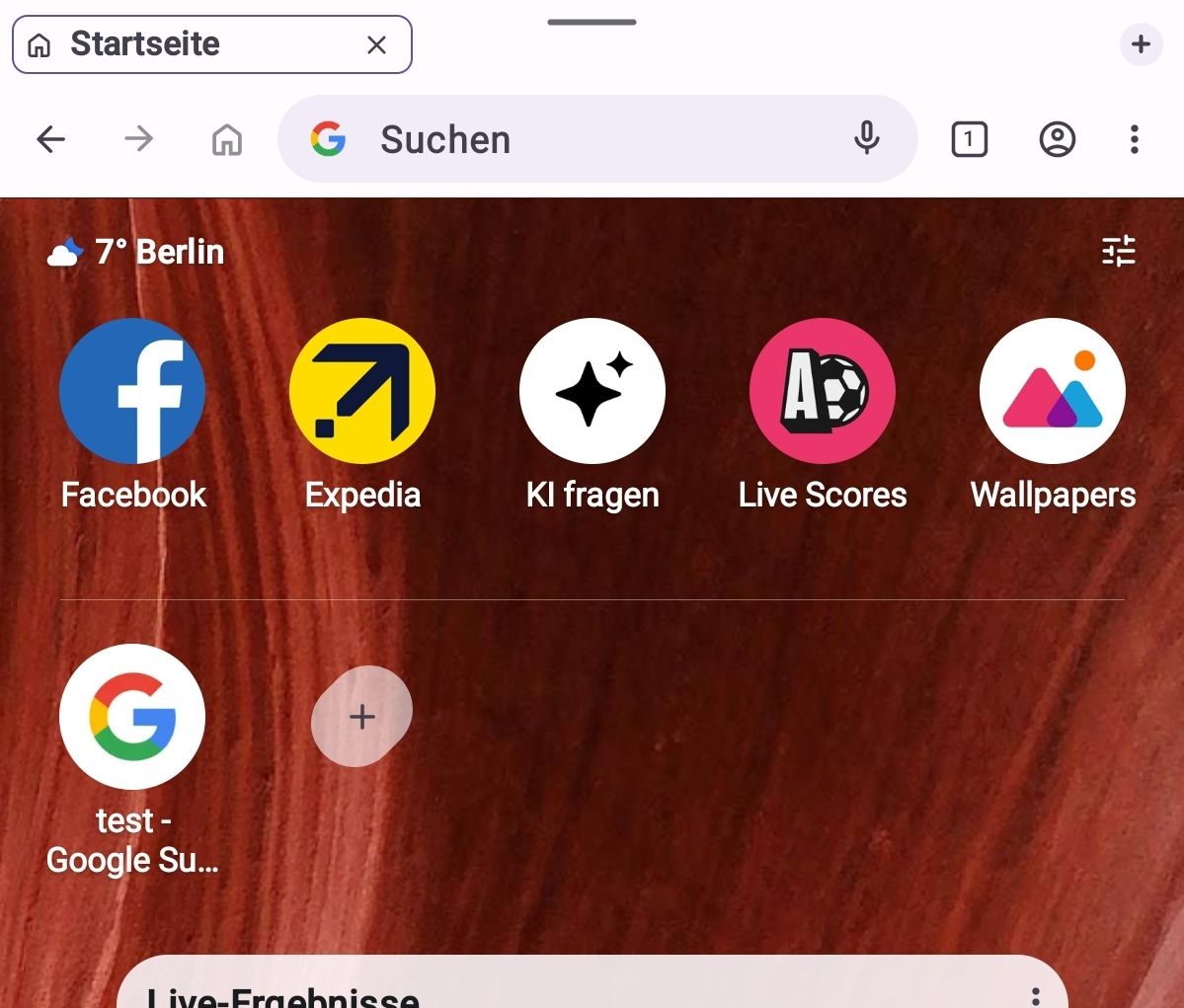
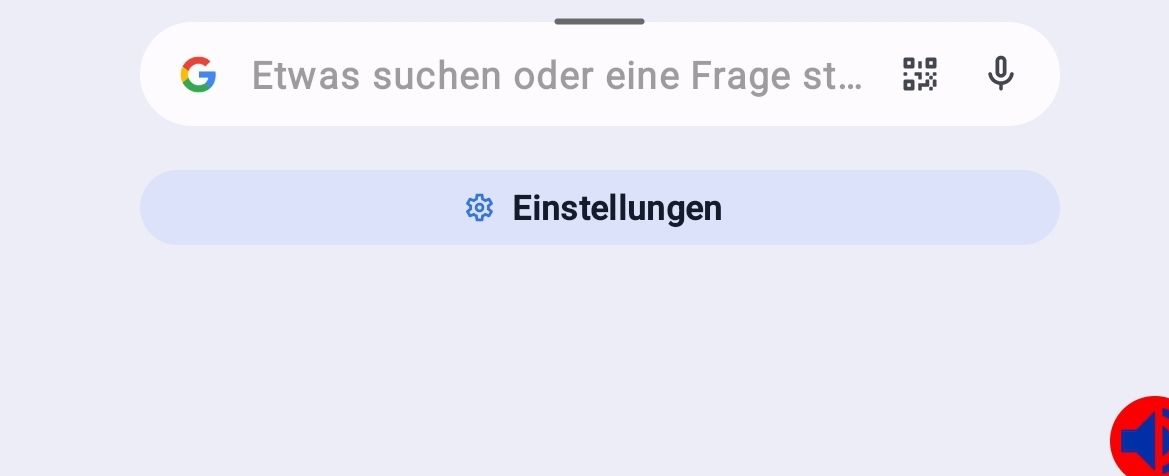
            I upgraded to the current Beta version 96.0.5010. But still i dont see any new item on the search bar. It still looks exactely how it looks on my older Opera stable version 91 - no new search selection, no new search button, no AI button, absolutely nothing...See screenshots
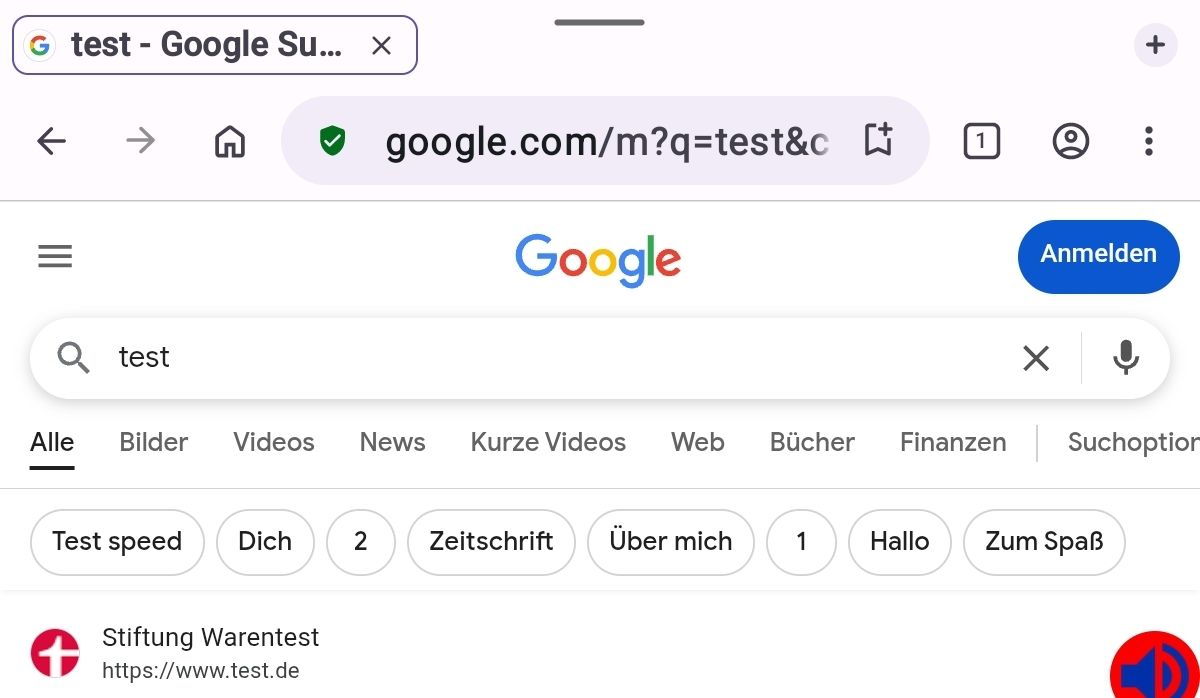
            Screenshot_20260224-212150_Opera beta.jpg

            While searching...
            Screenshot_20260224-212319_Opera beta.jpg

            Screenshot_20260224-214638_Opera beta.jpg

            Only new is Opera logo and weather widget on the Opera start page (where the speed dials, news etc are) BUT these can be disabled in the settings, there is a toggle there. Next to the speed dials there was/is also a speed dial button "ask AI", but 1. this speed dial can be removed from the start page and 2. "Ask AI" leeds to the settings, where Ask KI option can be turned off.

            So, dont know why you all here have such items in the search bar.
            @leocfg sorry to bother you again , could you please check Opera for you and clarify (btw, i still can not understand are you using the beta or stable version, or have you installed/tested the beta version?)
            Thank you

            Reply Quote 0
              leocg 1 Reply Last reply
            • leocg
              leocg Moderator Volunteer @cska133 last edited by

              @cska133 Maybe it depends on the device.

              Reply Quote 0
                cska133 1 Reply Last reply
              • cska133
                cska133 @leocg last edited by

                @leocg ok, but you can for sure confirm that you have these new items in the search bar?

                Reply Quote 0
                  leocg 1 Reply Last reply
                • leocg
                  leocg Moderator Volunteer @cska133 last edited by

                  @cska133 Yes, like I mentioned here:

                  https://forums.opera.com/post/398665

                  Reply Quote 0
                    1 Reply Last reply
                  • cska133
                    cska133 @leocg last edited by cska133

                    @leocg said in Remove new search selection bar:

                    @cska133 Don't use the stable one

                    And you use beta or the stable version. Can not understand what you mean above, you dont use the stable one or i should not use it?

                    Reply Quote 0
                      leocg 1 Reply Last reply
                    • leocg
                      leocg Moderator Volunteer @cska133 last edited by

                      @cska133 I mean that I don't use the stable version of Opera for Android

                      Reply Quote 0
                        cska133 1 Reply Last reply
                      • cska133
                        cska133 @leocg last edited by

                        @leocg ah you use the Beta ok. And the beta you have has new search items in the search bar, what is different for me - i dont have any new items in the search selection.
                        This is strange. Maybe because i use it on tablet , and you?

                        Reply Quote 0
                          leocg 1 Reply Last reply
                        • leocg
                          leocg Moderator Volunteer @cska133 last edited by

                          @cska133 Like I said, it may depend on device. I use OfA on phone only.

                          Reply Quote 0
                            1 Reply Last reply
                          • First post
                            Last post

                          Computer browsers

                          • Opera for Windows
                          • Opera for Mac
                          • Opera for Linux
                          • Opera beta version
                          • Opera USB

                          Mobile browsers

                          • Opera for Android
                          • Opera Mini
                          • Opera Touch
                          • Opera for basic phones

                          • Add-ons
                          • Opera account
                          • Wallpapers
                          • Opera Ads

                          • Help & support
                          • Opera blogs
                          • Opera forums
                          • Dev.Opera

                          • Security
                          • Privacy
                          • Cookies Policy
                          • EULA
                          • Terms of Service

                          • About Opera
                          • Press info
                          • Jobs
                          • Investors
                          • Become a partner
                          • Contact us

                          Follow Opera

                          • Opera - Facebook
                          • Opera - Twitter
                          • Opera - YouTube
                          • Opera - LinkedIn
                          • Opera - Instagram

                          © Opera Software 1995-