How can i change the way Speed Dial looks?
-
davidgould last edited by leocg
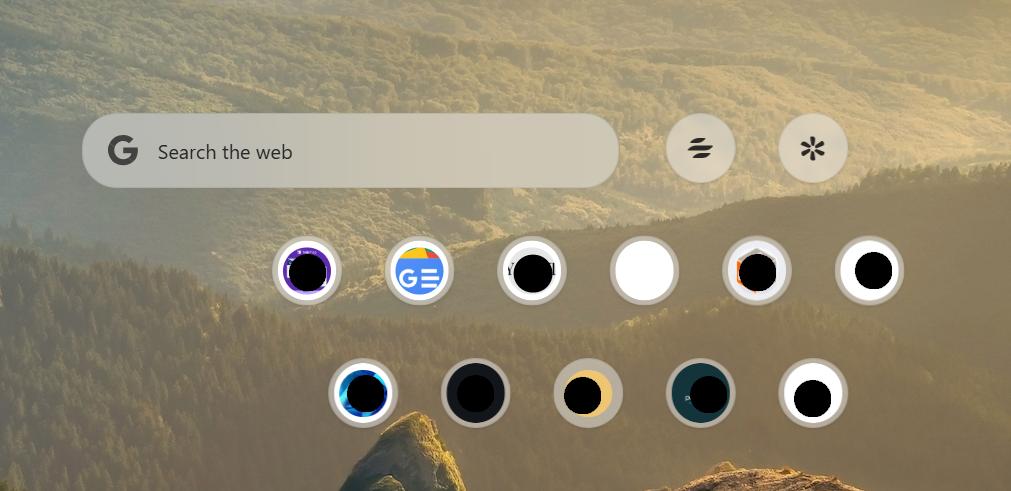
(most blacked out for privacy).I switched to the latest Opera Air and the problem probably came from trying to import my old profile. The 'bookmarks' are suggested, can't be edited through the Bookmarks page and can't be updated.
-
Moved from Opera for Windows by
 leocg
leocg
-
leocg Moderator Volunteer last edited by
@davidgould What is the problem? What do you want to change?
-
davidgould last edited by
@leocg Sorry it wasn't clear.
This seems to be a special Speeddials that overrides normal Speeddials and not a good one It's an incomplete implementation in addition to looking a bit stupid.
It needs to have an obvious way to turn it off. I've not even been able to find an obscure way to turn it off.
I want the normal Speeddials, which are already set up in my Bookmarks.
To reiterate, the current state of my Speedials is mostly non-functional. I cannot add bookmarks, I cannot see my desired bookmarks, it's improperly scaled (at 1080p it takes up a quarter of the page though remembers how you left it) and the circular icons are too small even if people liked them.
-
-
leocg Moderator Volunteer last edited by
@davidgould You can add pages to Speed Dial, the same way you do in other Opera (One and GX).
-
davidgould last edited by davidgould
No, I can't. That's the problem. I've used Opera since v3.60.
What I have now is completely non-standard and completely uneditable. This Speeddials are not saved in Bookmarks.
I've never seen icons like this before.It's either super-bugged (and ugly). Or it's a special mode that was introduced some time that is completely separate from the normal Speeddials code that we've had for 18 years.
-
-
Referenced by D davidgould
-
 Mlipka last edited by
Hi @davidgould
AIR's Speed Dials are different to support minimalistic esthetics and less clutter on the start page.
Therefor, there is a limit of max. 11 SDs and no folders, and icons are much smaller.
The core remains the same, you can see your SDs in Bookmarks section.
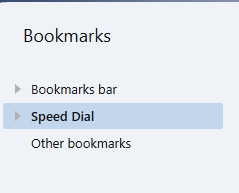
It supposed to be different from other Opera's as the mission of this browser is also different. It doesn't mean we won't change it somehow in near future but it's not a part of current roadmap.
-
davidgould last edited by
@Mlipka Please never ever put aesthetics ahead of core functionality -- and speeddials have become core.
Even if it wasn't bugged, this and Air's poor UI handling of ~75 tabs or more made me drop it.@Mlipka said in How can i change the way Speed Dial looks?:
Therefor, there is a limit of max. 11 SDs and no folders, and icons are much smaller.
So what happens when a user has more than 11? Is this why I got pseudorandom speeddials?
Also, it is disappointing that you still don't have a good way to transfer a profile from one Opera Browser to another. I get how Opera changes its file structures occasionally, but when you support several browsers, it's a must.
-
Mlipka last edited by Mlipka
@davidgould Thanks for feedback!
speeddials have become core.True only for a small group of users. Majority of AIR users doesn't request it.
So what happens when a user has more than 11?Right now you can see first 11. It will skip the folders. However, you you'll visit the bookmarks section, everything should remain the same as in other Opera's.
Is this why I got pseudorandom speeddials?We would need more deatils to see if it's not a bug. There is no randomization,
however lack of folders might create such impression.Also, it is disappointing that you still don't have a good way to transfer a profile from one Opera Browser to another.Feel free to share more details as maybe there is a room for improvement.
-
davidgould last edited by davidgould
@Mlipka said in How can i change the way Speed Dial looks?:
speeddials have become core.
True only for a small group of users. Majority of AIR users doesn't request it.It's a principle but of course there was this thread: https://forums.opera.com/topic/83664/speed-dial-folders-opera-air/
At least build in a way to go back to the normal speed dials.
Is this why I got pseudorandom speeddials?We would need more deatils to see if it's not a bug. There is no randomization,
however lack of folders might create such impression.That would be obvious. No, it looks more like Opera picked the commonalities out of my multiple synced profiles but I'm far from sure it was that.
Also, it is disappointing that you still don't have a good way to transfer a profile from one Opera Browser to another.Feel free to share more details as maybe there is a room for improvement.
Tabs are always the main issue. but ideally, an option in setup would start a programme that would:
- Comb /user and /Windows/Program Files for opera.exe
- Detect which version it was and
- Do a seamless transfer, from Opera Sync if necessary.
The initial version could ignore the differences and just give a warning. Later versions could remove old profiles.
-