Alt-Enter in address bar no longer opens a new tab
-
cpking last edited by leocg
It used to be when entering a search in the address bar and pressing Alt-Enter, Opera opened a new tab with the results. This is how Google Chrome works by default. This no longer works in Opera. Did something change? Can I get it back? This is a deal breaker for me.
-

-
-
Moved from Opera for Windows by leocg
-
eduararley last edited by
@cpking this is now also happening to me, starting from Opera version 122.0.5643.92. Right now, using version 121.0.5600.50, and it works as expected, with Alt+Enter opening a new tab and browsing to the requested URL. I've blocked the updates until this is solved.
Opera Browser 122.0.5643.92 x64
Windows 11 24H2
Standalone Install (USB)
No extensions loaded -
-
Referenced by D davisk
-
Tharkon last edited by
@eduararley Partially it seems yes.
If I type something and hit Alt+Enter it works, but if I type part of something then use the arrows to autocomplete and hit Alt+Enter it does nothing.
This used to work in Opera and still does work in Chrome.
-
eduararley last edited by
@Tharkon you're right, I didn't test that case, but just tried and it doesn't work if tried from one of the drop-down items
-
cattyattie last edited by
@Tharkon I figured it out! This was driving me crazy for a while ever since it stopped working. One of the more recent updates turned off "Enable keyboard shortcuts" and removed the assigned binding for the "Duplicate tab" keyboard shortcut.
To fix, open your Opera GX Settings and follow below:
1.) Click on the search bar and type "shortcuts"
2.) Toggle on the "Enable keyboard shortcuts"
3.) Click on "Configure shortcuts"
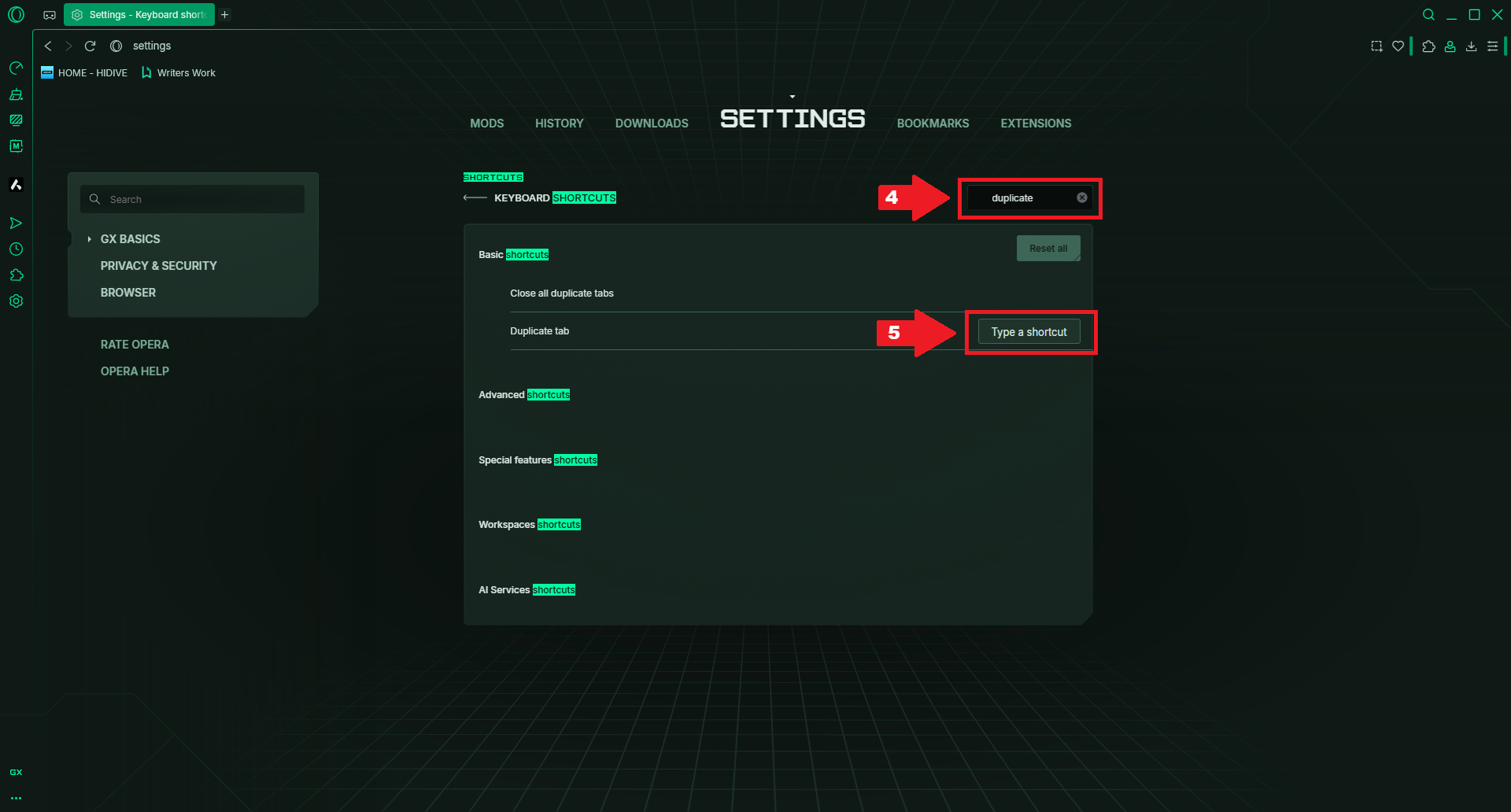
4.) Type "Duplicate" in the "Search shortcuts" field
5.) Hover over the row for "Duplicate tab", click "Type a shortcut" and then "Alt+Enter" (or whatever you want it to be.)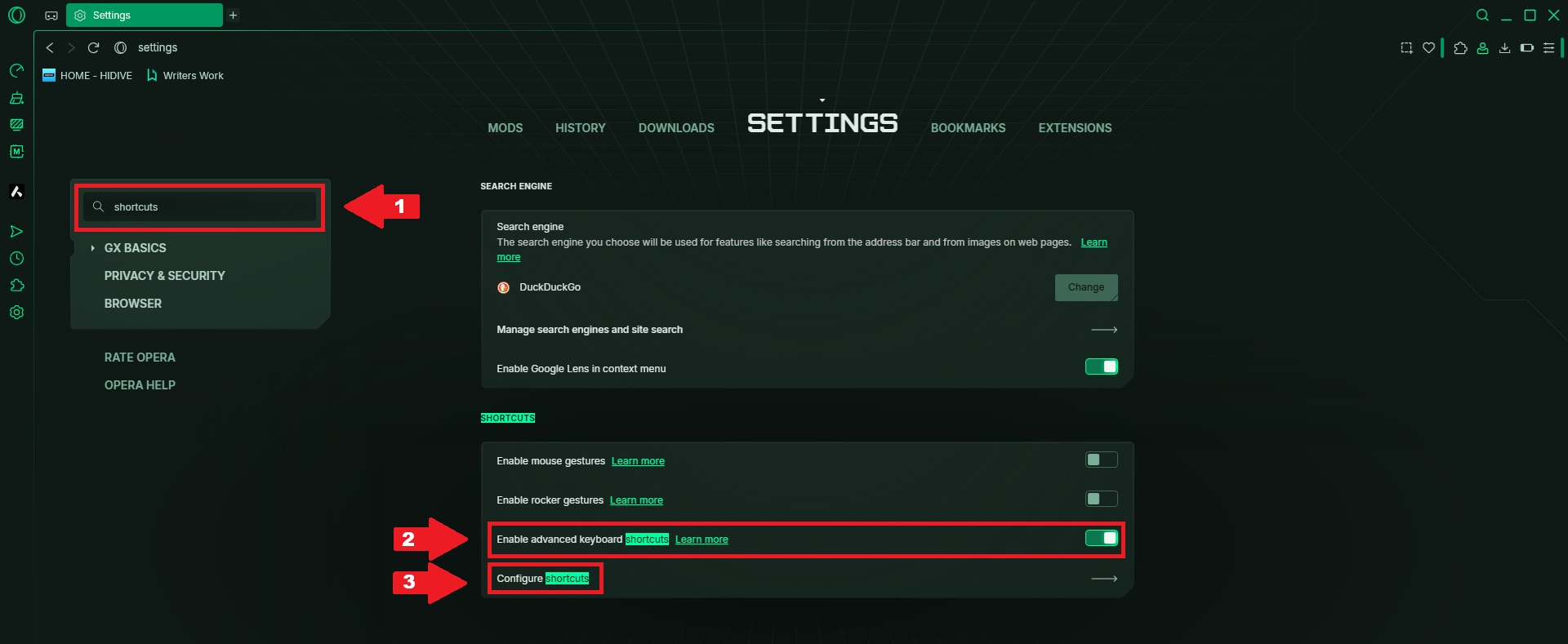
-
Tharkon last edited by
@cattyattie While still a useful function that is not what I was refering to.
This would work if you wanted to open the currently visited page in a new tab, which is one of the things you could do with Alt+Enter before and no longer can now, so this at least solves that issue.
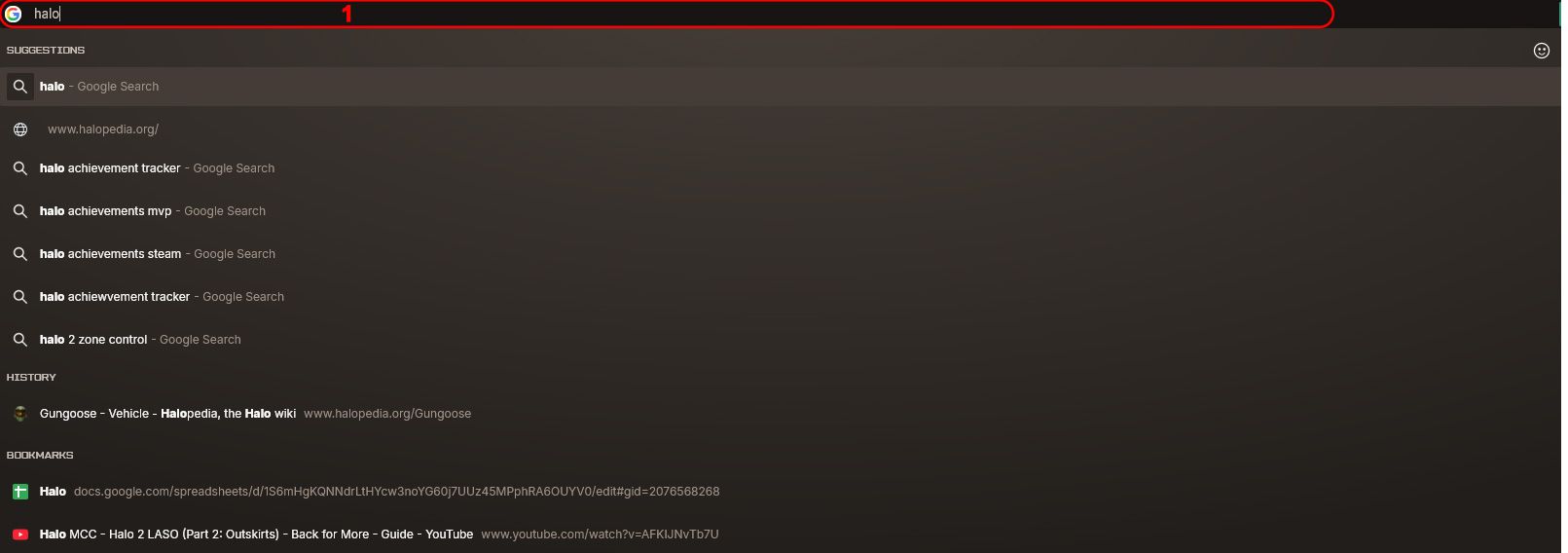
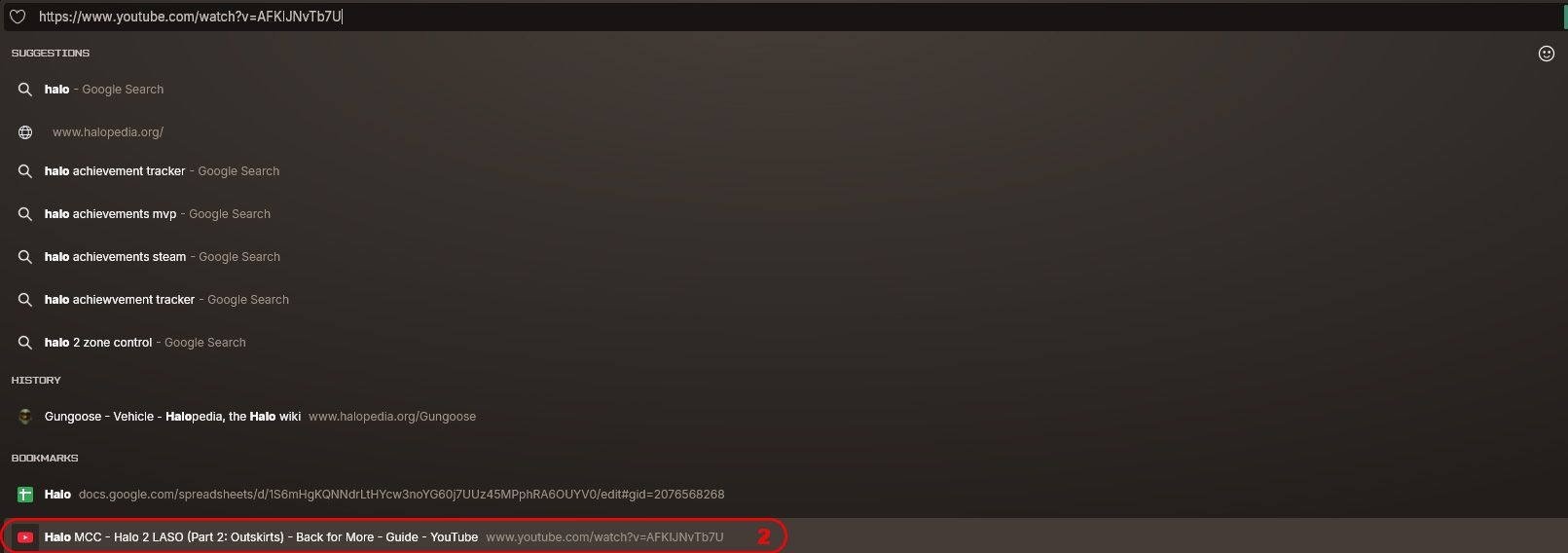
But it would still not solve the issue of selecting something from the drop-down and hitting Alt+Enter to open that in a new tab. Like when I type in "Halo" and then hit the up-arrow the youtube video in the screenshots below.
Middle mouse button works fine but Alt+Enter does not.