@Tharkon I figured it out! This was driving me crazy for a while ever since it stopped working. One of the more recent updates turned off "Enable keyboard shortcuts" and removed the assigned binding for the "Duplicate tab" keyboard shortcut.
To fix, open your Opera GX Settings and follow below:
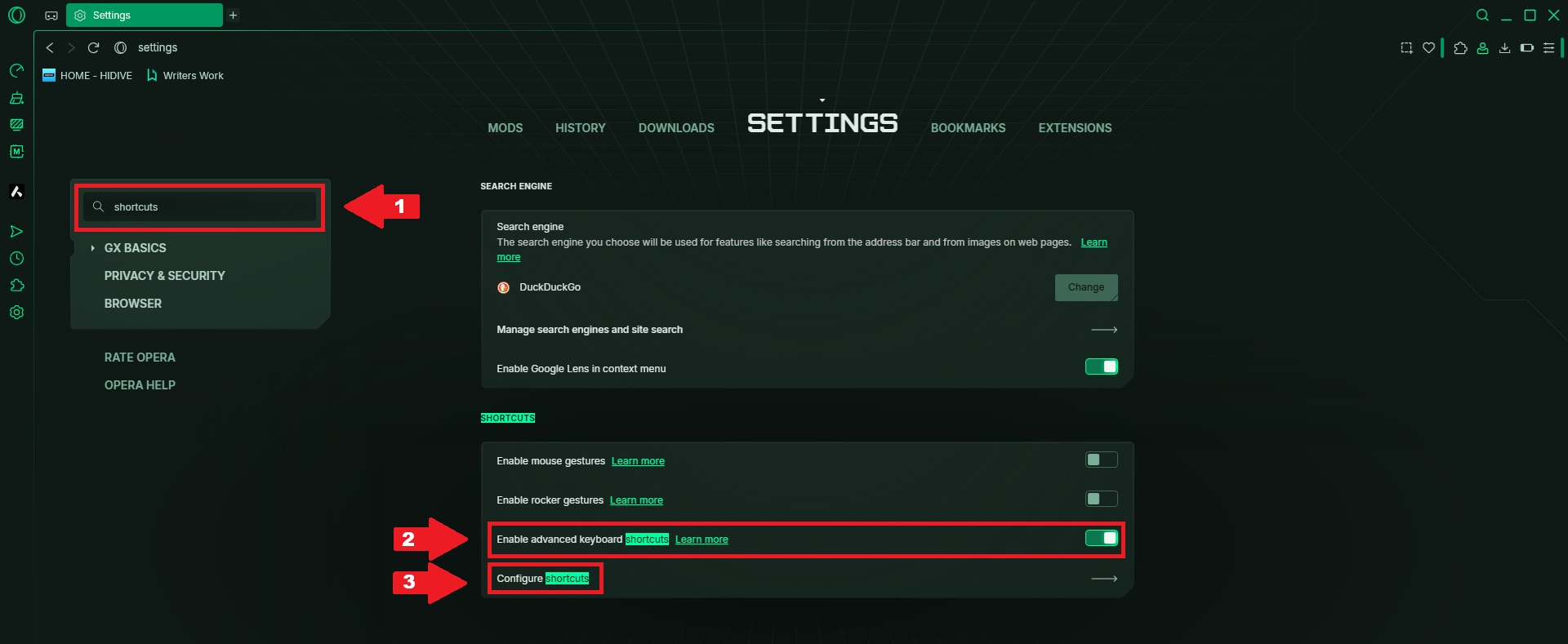
1.) Click on the search bar and type "shortcuts"
2.) Toggle on the "Enable keyboard shortcuts"
3.) Click on "Configure shortcuts"
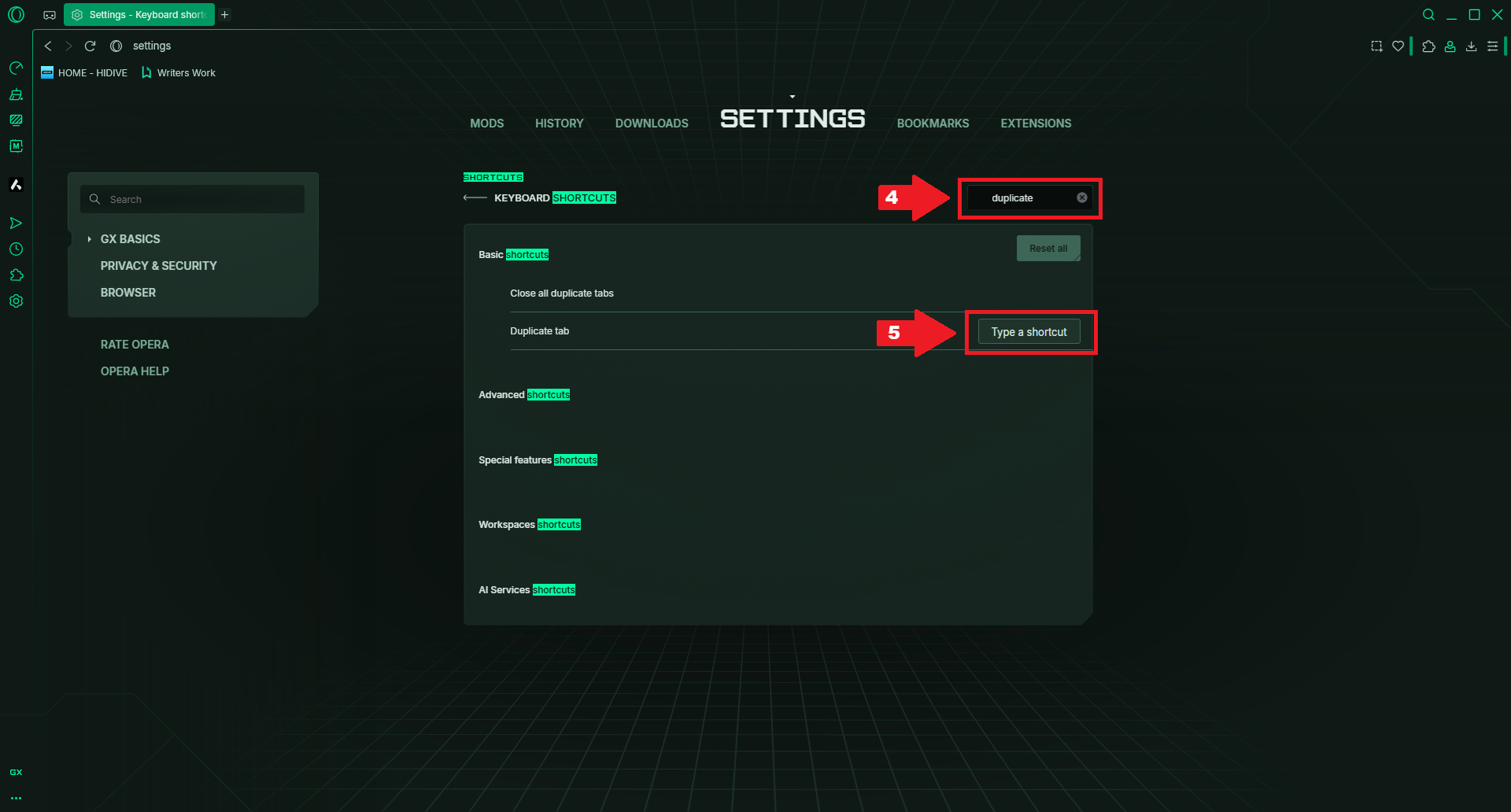
4.) Type "Duplicate" in the "Search shortcuts" field
5.) Hover over the row for "Duplicate tab", click "Type a shortcut" and then "Alt+Enter" (or whatever you want it to be.)