The German Website "https://www.elster.de/eportal/login/softpse" is crashing as soon as you load a "Zertifikatsdatei" in with the search button. You can't even type the passwort beneath, because Opera crashes. Some Crash Reports have already been sent. Had to revert to Version 102.0.4880.56 for now. Waiting for another update or Major New Version 103.
S
Best posts made by steeveboy
-
RE: Opera 102.0.4880.70 Stable updateBlogs
- Blogs
-
RE: Opera 131 StableBlogs
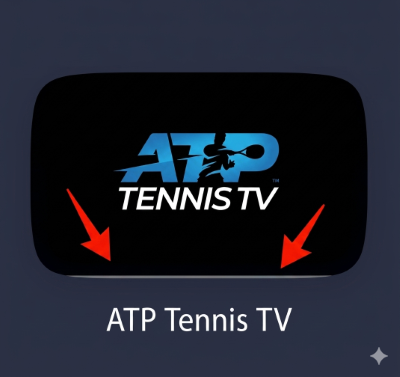
Thumbnails now get a small pix wide stripe at the bottom which is grey. Why? Looks off and annoying. Reverting to Opera stable 130.0.5847.92. Hope that gets fixed...
-
RE: Opera 131.0.5877.55 Stable updateBlogs
@opera-qa-team: Subject: Re: Private window loses address bar focus on launch (Update: Clean profile tested)
Hi everyone,
Quick update: I just did a thorough test using a completely fresh, isolated profile via the --user-data-dir command line switch, and I also completely disabled PowerToys and all other third-party UI/window management tools.
Unfortunately, the issue still persists even in a 100% clean Opera environment. When launching a private window in this virgin state, the address bar still refuses to take focus automatically. This rules out any corrupted local profile settings, extensions, or background customization tools.
Since it happens on a clean profile but only started with the v131 update, there must be a specific interaction between the new build's window initialization code and certain Windows 11 system/hardware configurations (e.g., display scaling, GPU acceleration, or multi-monitor environments) that causes the DWM (Desktop Window Manager) or Opera itself to drop the focus hook right after rendering the private landing page.
Is there any specific debug log I can provide to help you track down what happens to the focus in that split second during launch?
For context regarding my system setup: I am using a high-fidelity display configuration and have forced the sRGB color profile via opera://flags to manage color accuracy. Since private windows initialize with a completely different theme/color scheme compared to regular windows, I highly suspect that the v131 update introduced a slight timing or rendering conflict between Opera's private UI initialization, forced color profiles, and the Windows Desktop Window Manager (DWM), which ultimately causes the address bar to lose focus in that split second.
-
RE: Opera 131.0.5877.55 Stable updateBlogs
@opera-qa-team: Another quick update: I just did a downgrade test and installed an older build (v130.0.5847.92), which used to work perfectly fine for me in the past. Surprisingly, the issue persists even on the older Opera version with a clean profile.
This completely rules out a regression in the Opera v131 code itself. Instead, it points to a recent change in my Windows 11 environment (likely a recent Windows Update, a GPU driver update, or a persistent system hook from customization tools) that altered how the Windows Desktop Window Manager (DWM) handles window initialization and focus allocation for private Chromium windows.
Since it's not an Opera bug, you can close this investigation! I will have to dig deeper into my OS settings and background services to find out what is blocking the focus hook on system level.
Thanks again for your time and help!
-
RE: Opera 131.0.5877.74 Stable updateBlogs
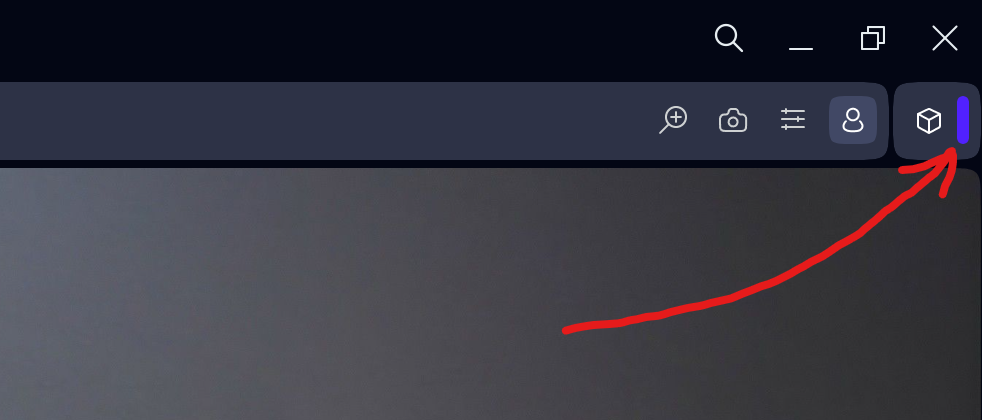
Found a very strange bug... Opera crashes if you click this purple line here right after the extensions symbol...