after many updates this issue still presists!
https://forums.opera.com/topic/87321/opera-linux-ubuntu-snap-124-0-5705-70-413-dev-tools
i wonder if @Opera-QA-Team checks some obvious issues!? or does test something that is so obvious!?
Do more on the web, with a fast and secure browser!
Download Opera browser with:
after many updates this issue still presists!
https://forums.opera.com/topic/87321/opera-linux-ubuntu-snap-124-0-5705-70-413-dev-tools
i wonder if @Opera-QA-Team checks some obvious issues!? or does test something that is so obvious!?
this bug still presists after many updates: @Opera-QA-Team
https://forums.opera.com/topic/87321/opera-linux-ubuntu-snap-124-0-5705-70-413-dev-tools
Still having the problem with dev tools in full screen, it cant be resized,
name:      opera
summary:   Fast, secure, easy-to-use browser
publisher: Opera (opera-software✓)
store-url: https://snapcraft.io/opera
license:   unset
description: |
  Try the Opera browser - now with a built-in ad blocker, battery saver and
  free VPN.
commands:
  - opera
snap-id:      AljMvoQbHtnnrka00lIoxHJ6Qhfn0X8m
tracking:     latest/stable
refresh-date: yesterday at 15:10 +0330
channels:
  latest/stable:    125.0.5729.49 2025-12-18 (418) 188MB -
  latest/candidate: ↑
  latest/beta:      ↑
  latest/edge:      125.0.5729.49 2025-12-18 (418) 188MB -
installed:          125.0.5729.49            (418) 188MB -
2 problems:
DevTools in separate window isnt being resized, it gets full screen.
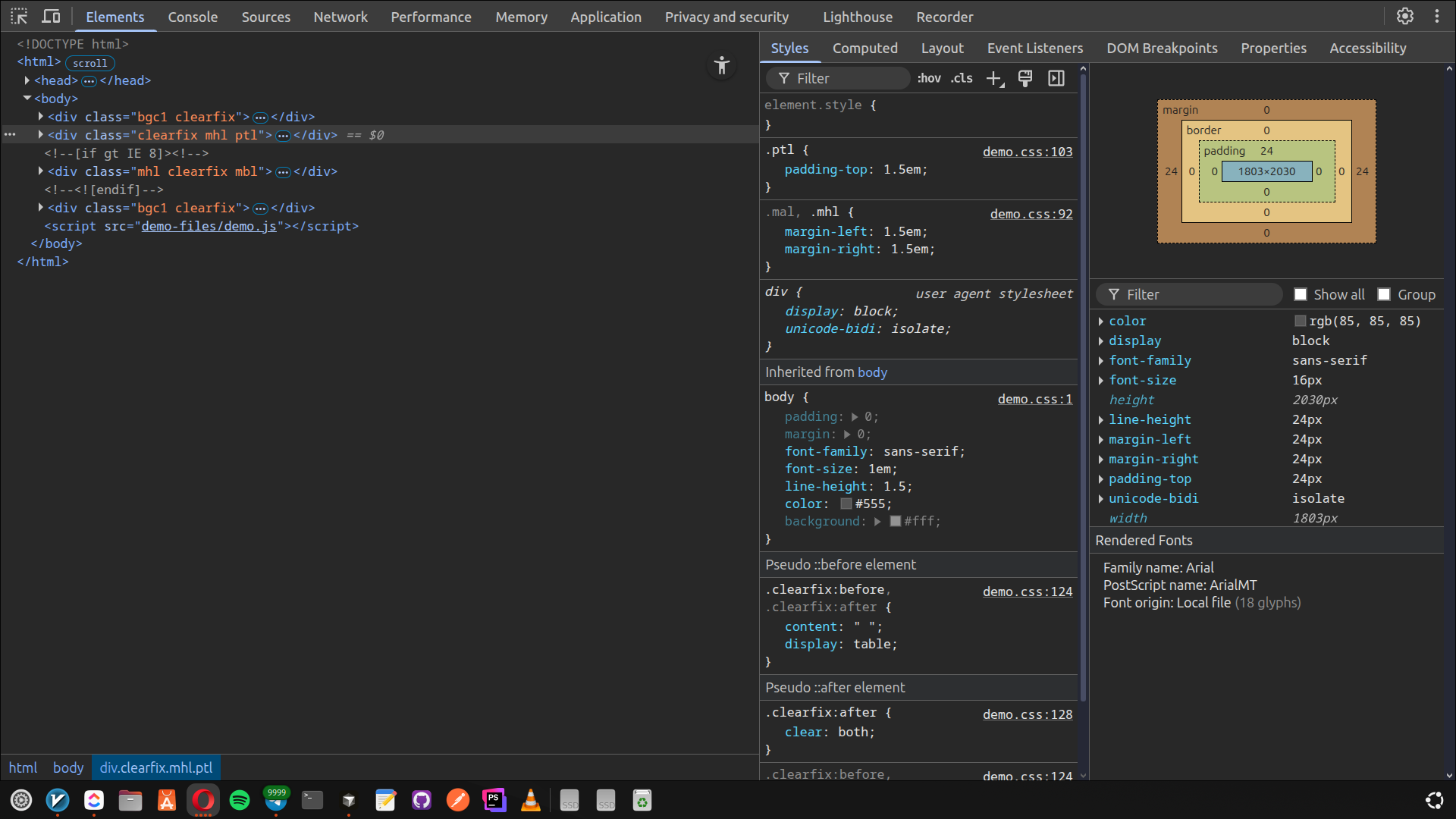
youTube PiP mode (small window in separated window) its not being resized too.
OS: Ubuntu 24.04 - Gnome:
OS: Ubuntu 24.04.3 LTS x86_64
Host: Vivobook_ASUSLaptop K3605VC_K3
Kernel: 6.14.0-36-generic
Uptime: 34 mins
Packages: 2757 (dpkg), 37 (snap)
Shell: bash 5.2.21
Resolution: 1920x1080
DE: GNOME 46.0
WM: Mutter
WM Theme: Adwaita
Theme: Yaru-dark [GTK2/3]
Icons: Yaru [GTK2/3]
Terminal: gnome-terminal
CPU: 13th Gen Intel i7-13700H (20) @
GPU: Intel Raptor Lake-P [Iris Xe Gr
GPU: NVIDIA GeForce RTX 3050 4GB Lap
Memory: 10651MiB / 15655MiB
Opera Info: (Snap)
metana@metana:~$ snap info opera
name:      opera
summary:   Fast, secure, easy-to-use browser
publisher: Opera (opera-software✓)
store-url: https://snapcraft.io/opera
license:   unset
description: |
  Try the Opera browser - now with a built-in ad blocker, battery saver and
  free VPN.
commands:
  - opera
snap-id:      AljMvoQbHtnnrka00lIoxHJ6Qhfn0X8m
tracking:     latest/stable
refresh-date: yesterday at 20:32 +0330
channels:
  latest/stable:    125.0.5729.21 2025-12-11 (416) 187MB -
  latest/candidate: ↑
  latest/beta:      ↑
  latest/edge:      125.0.5729.21 2025-12-10 (416) 187MB -
installed:          125.0.5729.21            (416) 187MB -
im having issue with devTools in 125.
metana@metana:~$ snap info opera
name:      opera
summary:   Fast, secure, easy-to-use browser
publisher: Opera (opera-software✓)
store-url: https://snapcraft.io/opera
license:   unset
description: |
  Try the Opera browser - now with a built-in ad blocker, battery saver and
  free VPN.
commands:
  - opera
snap-id:      AljMvoQbHtnnrka00lIoxHJ6Qhfn0X8m
tracking:     latest/stable
refresh-date: 3 days ago, at 18:38 +0330
channels:
  latest/stable:    125.0.5729.15 2025-12-05 (415) 187MB -
  latest/candidate: ↑
  latest/beta:      ↑
  latest/edge:      125.0.5729.15 2025-12-05 (415) 187MB -
installed:          125.0.5729.15            (415) 187MB -
metana@metana:~$
the issue:
https://forums.opera.com/topic/87321/opera-linux-ubuntu-snap-124-0-5705-70-413-dev-tools
@mslindqu
i wonder isnt there any of dev team here to see or check the issues on these topics?
@red
im having the same problem:
https://forums.opera.com/topic/87321/opera-linux-ubuntu-snap-124-0-5705-70-413-dev-tools
after the fix update for opera not opening in wayland, the latest version:
metana@metana:~$ snap info opera
name:      opera
summary:   Fast, secure, easy-to-use browser
publisher: Opera (opera-software✓)
store-url: https://snapcraft.io/opera
license:   unset
description: |
  Try the Opera browser - now with a built-in ad blocker, battery saver and
  free VPN.
commands:
  - opera
snap-id:      AljMvoQbHtnnrka00lIoxHJ6Qhfn0X8m
tracking:     latest/stable
refresh-date: 2 days ago, at 18:49 +0330
hold:         forever
channels:
  latest/stable:    124.0.5705.70 2025-11-27 (413) 188MB -
  latest/candidate: ↑
  latest/beta:      ↑
  latest/edge:      124.0.5705.70 2025-11-27 (413) 188MB -
installed:          124.0.5705.70            (413) 188MB held
the devTools in separate window isnt a window! you guys on team, dont test even these simple things before the deploy?
the devtols cant be moved, or resized, its full screen!

in latest update, anyone having issue on dev-tools in seperated window mode?
Seems they fixed on latest update:
metana@metana:~$ snap info opera
name:      opera
summary:   Fast, secure, easy-to-use browser
publisher: Opera (opera-software✓)
store-url: https://snapcraft.io/opera
license:   unset
description: |
  Try the Opera browser - now with a built-in ad blocker, battery saver and
  free VPN.
commands:
  - opera
snap-id:      AljMvoQbHtnnrka00lIoxHJ6Qhfn0X8m
tracking:     latest/edge
refresh-date: today at 18:49 +0330
hold:         forever
channels:
  latest/stable:    124.0.5705.70 2025-11-27 (413) 188MB -
  latest/candidate: ↑
  latest/beta:      ↑
  latest/edge:      124.0.5705.70 2025-11-27 (413) 188MB -
installed:          124.0.5705.70            (413) 188MB held
i'm so tired of the opera team, gonna migrate to vivaldi i think,
any alternatives guys?
@kiwikings
snap revert doesnt recognize any older versions, any alt fixes?
idk what the hell are Opera team doing...
metana@metana:~$ sudo snap info opera
name:      opera
summary:   Fast, secure, easy-to-use browser
publisher: Opera (opera-software✓)
store-url: https://snapcraft.io/opera
license:   unset
description: |
  Try the Opera browser - now with a built-in ad blocker, battery saver and free VPN.
commands:
  - opera
snap-id:      AljMvoQbHtnnrka00lIoxHJ6Qhfn0X8m
tracking:     latest/edge
refresh-date: today at 10:37 +0330
channels:
  latest/stable:    124.0.5705.42 2025-11-25 (411) 188MB -
  latest/candidate: ↑
  latest/beta:      ↑
  latest/edge:      124.0.5705.65 2025-11-26 (412) 188MB -
installed:          124.0.5705.42            (411) 188MB -
why not Vivaldi?
i dont care if they're not open source.
for real its driving me crazy, gonna move to another browser, dunno if Mozilla or Vivaldi,
Fixed on stable Channel finally!
Opera One(version: 114.0.5282.115)
Opera is up to date
Update stream:Stable
System:Ubuntu Core 22 (x86_64; ubuntu:GNOME)
Chromium version:128.0.6613.186
thx dev team.
@leocg said in Dark mode settings are not working for websites and dev tools:
@duviii The fix should be on stable channel probably next week, unless it's something too complex
hi there!
no fix yet? getting tired really.
+1
Same here!
Opera One (version: 114.0.5282.21)
Update stream: Stable
System: Ubuntu Core 22 (x86_64; Ubuntu: GNOME)
Chromium version: 128.0.6613.162