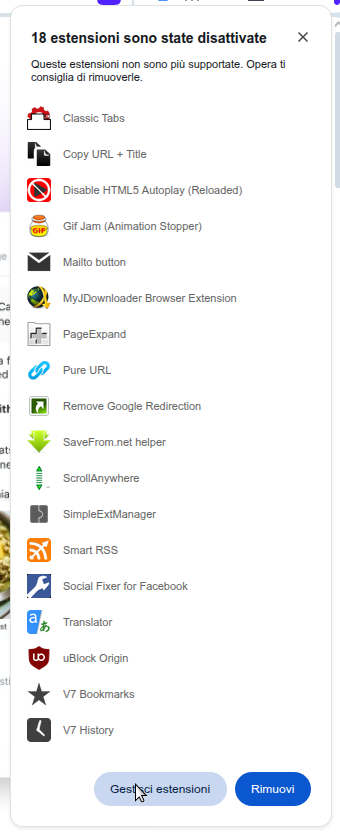
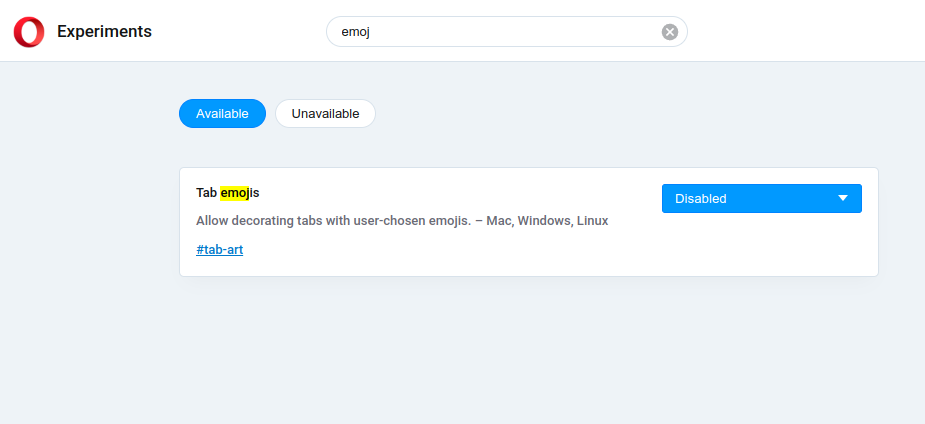
In Opera 111.0.5168.18 you can disable it in opera://flags. (I hope it lasts)
Do more on the web, with a fast and secure browser!
Download Opera browser with:
In Opera 111.0.5168.18 you can disable it in opera://flags. (I hope it lasts)
@jinliann said in How to disable Tab Emojis?:
I seriously can't believe there isn't a way to disable this.
Luckily there is, at least for now, a flag to disable it in opera://flags/.
Oh, wow... The version on the chrome store is so much more advanced.
https://chrome.google.com/webstore/detail/scrollanywhere/jehmdpemhgfgjblpkilmeoafmkhbckhi
@panyann: You have to give this extension access to search results using the opera extensions manager.
I really don't like the reborn 3 dropdown. Especially the fact that it greys out the full page when you start typing.
Can it be made a permanent config option instead of just a flag?
The whole browser crashes with extensions that use the left bar. Both if you already have them and if you try to install one on a clean prefix.
I'm using Fedora Mate 35.
I use Google Translate for its page translation and disable all the rest, for which I use "Translator" instead, which fits my workflow better.
Having said that, the page translation in this extension is awesome. I love its flexibility.
I love that it can disable all the typical artifacts added by google-translate, even the translation-bar itself, and produce very usable, clean translated pages... Lovely!
@jactym said in Opera 80 Stable:
@brucehankins: https://github.com/nicolas-meilan/fix-opera-linux-ffmpeg
That doesn't work anymore. It pulls from a repository that's stuck on an older version.
The following small snippet pulls the latest version from an up to date repository.
(To see the code you'll have to go trough the forums )
# Written by Davide Repetto (ReD), distributed under the GPLv2.
# Set 'target' to suit your distribution and run as root.
# The default 'target' is intended for opera-stable in fedora.
# If you prefer to run unprivileged, just set 'target' to somewhere you can write and run as your normal user.
target='/usr/lib64/opera/lib_extra'
[ ! -e "${target}" ] && mkdir -p "${target}"
wget -O - https://repo.herecura.eu/herecura/x86_64/$( \
      wget -O - -nv -q https://repo.herecura.eu/herecura/x86_64/ \
      | grep 'opera-beta-ffmpeg-codecs.*\.pkg\.tar\.zst">' \
      | sed 's/<a href="\(.*zst\).*".*/\1/') \
      | tar -xp -v --zstd --strip-components=4 --overwrite -C "${target}"
unset target
Fixed By opera-stable 85.0.4341.47.
Thanks for the fast fix, Opera Devs!
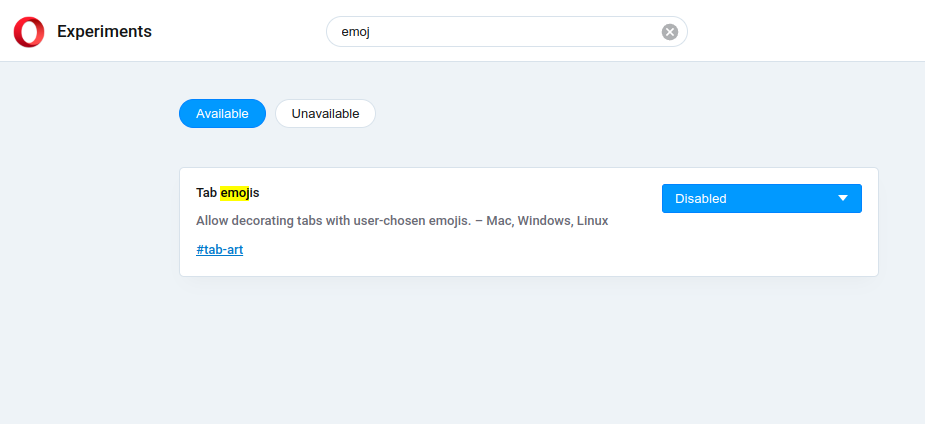
Deprecating V2 extensions already???
I commented about it here: https://forums.opera.com/topic/87364/deprecating-v2-extensions-already
@burnout426
It's Opera rpm on Fedora Linux 43 MATE edition (X11)
Currently updated to 125.0.5729.12
How do I stop this new version of Opera from auto-starting on login, in Fedora Linux Mate 44?
@red Oh, I forgot to talk about a third problem that's been there for a few releases. Opera has recently become extremely laggy to respond to window resizing, taking from a few seconds, to the extent of not responding at all to maximize (even if using the maximize button-that-shouldn't-even-be-there... the window maxes, but the content is not updated).
I have to resort to hitting F11 twice to force a redraw.
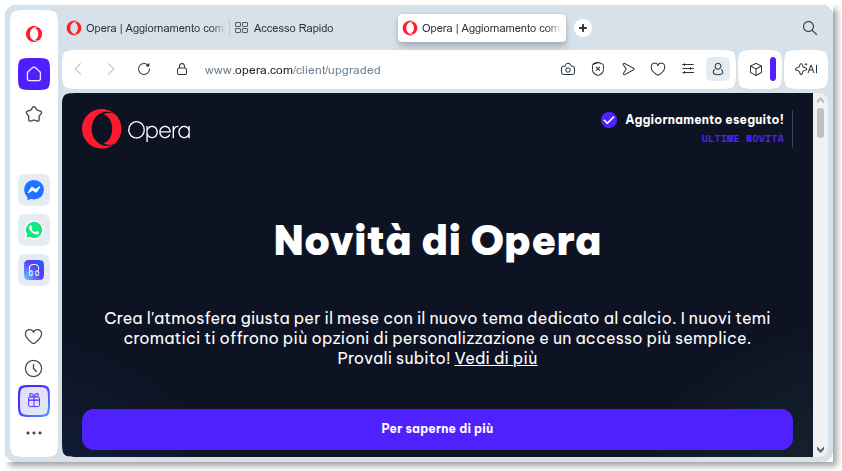
I have two problems now with this version in Fedora 44/Mate.
One is that the Opera window now has standard decorations as in the following image,
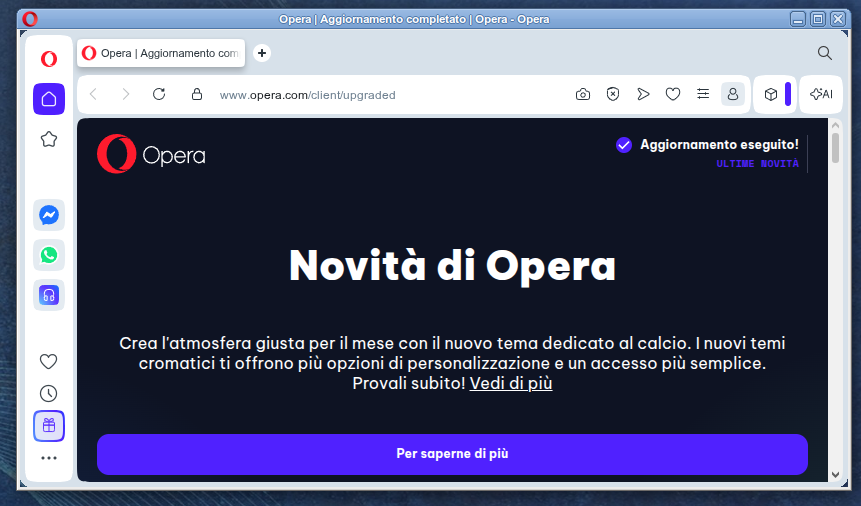
instead of being borderless, as it should:
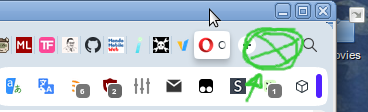
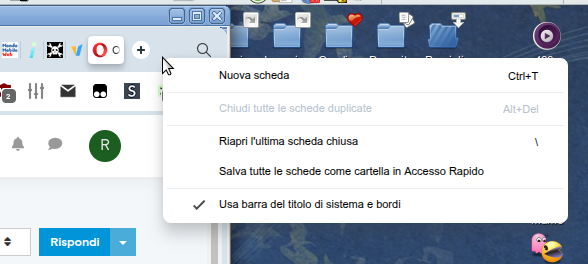
The second problem is that the Right Mouse Button is disabled in the area marked in green below:
while instead it should provide this menu:
P.S. To the Opera Team, thanks for the great browser, and please, be steadfast on the V2 manifest support.
Keep those zombies alive!!! 

In Fedora Linux Mate 43, I have a problem with video on opera-stable-0:127.0.5778.14-0.x86_64.
Videos work intermittently, in the sense that sometimes a video fully works, and maybe just a few seconds later, the very same video only shows as a black screen (with intact audio). Anybody has the same problem?
Deprecating V2 extensions already???
I commented about it here: https://forums.opera.com/topic/87364/deprecating-v2-extensions-already
Please, keep supporting V2 extensions indefinitely.
WOW... 
 — Opera V125.0.5729.12

 —
—
Deprecating V2 extensions is not a nice Christmas gift.
C'mon Opera!  You can do better!
@burnout426
It's Opera rpm on Fedora Linux 43 MATE edition (X11)
Currently updated to 125.0.5729.12
I like to launch my opera as:
opera --window-size=1496,1029 --window-position=54,26 --disable-font-subpixel-positioning %U
Recently I noticed that it doesn't honour window-size and window-position anymore and for me it's a real nuisance.
I don't know if it's a bug or just another of the google "features" of late, that we're been fed by our malevolent master, but I for one, would really like for it to be treated as a bug by Opera.
In the meantime, does anyone know a workaround, or a fix, other than resizing/moving the window manually every time?
Thank you all!
Note: Currently on Opera 124.0.5705.65
It would be great for all the chromium derivatives to join forces to spread the load and support MV2 indefinitely.
MV3 is really-really too limiting.