Force dark page isn't working as should
-
gangstamo13 last edited by
OS: Windows 10 Pro
Opera GX version: LVL 7 (core: 125.0.5729.47)After updating Opera GX, the “Force dark pages” feature no longer works as intended. Images are being affected even though the setting is configured to exclude them.
Steps to reproduce
-
Navigate to:
opera://flags/#enable-force-dark -
Set Auto Dark Mode for Web Contents to:
“Enabled with selective inversion of non-image elements.”
Actual Behavior vs. Expected
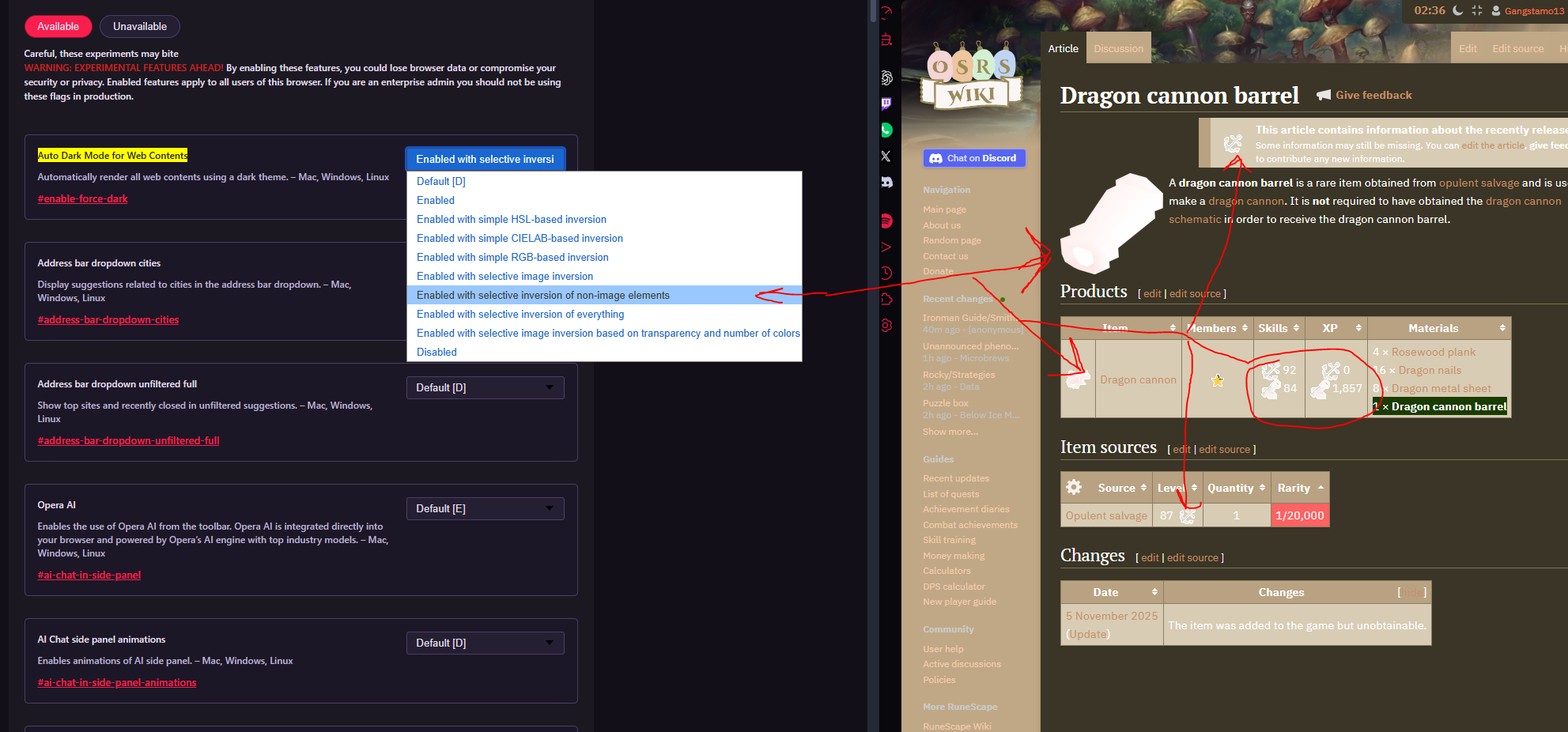
On the current version, images are incorrectly inverted or altered. This issue appears on almost any page containing images.
For example, I tested the following page:
https://oldschool.runescape.wiki/w/Dragon_cannon_barrelThe image below shows the incorrect behavior on this page:
Comparison with previous version
I reverted Opera GX to the last version I used where this feature worked correctly:
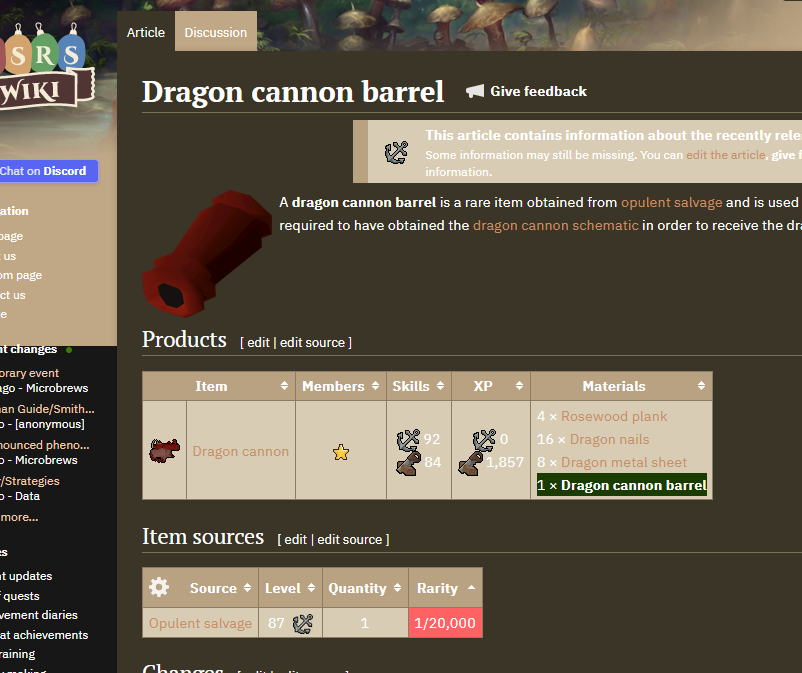
LVL 7 (core: 124.0.5705.61) and disabled auto-updates.Opening the same page on this older version shows the expected behavior, with images unaffected:
-
-
leocg Moderator Volunteer last edited by
@gangstamo13 How things behave when you turn on that flag on other Chromium browsers?
-
gangstamo13 last edited by
@leocg I tested this on the latest stable versions of Microsoft Edge, Brave, Google Chrome, and Opera GX, and the issue reproduces consistently across all of them.
I have not tested older versions of those browsers, but an older Opera GX version (the one I'm using now, prior to its recent Chromium update) does not exhibit this issue and has worked correctly for me for several years using the same dark-mode configuration.
This appears to point to a Chromium-level regression.

