OS: Windows 10 Pro
Opera GX version: LVL 7 (core: 125.0.5729.47)
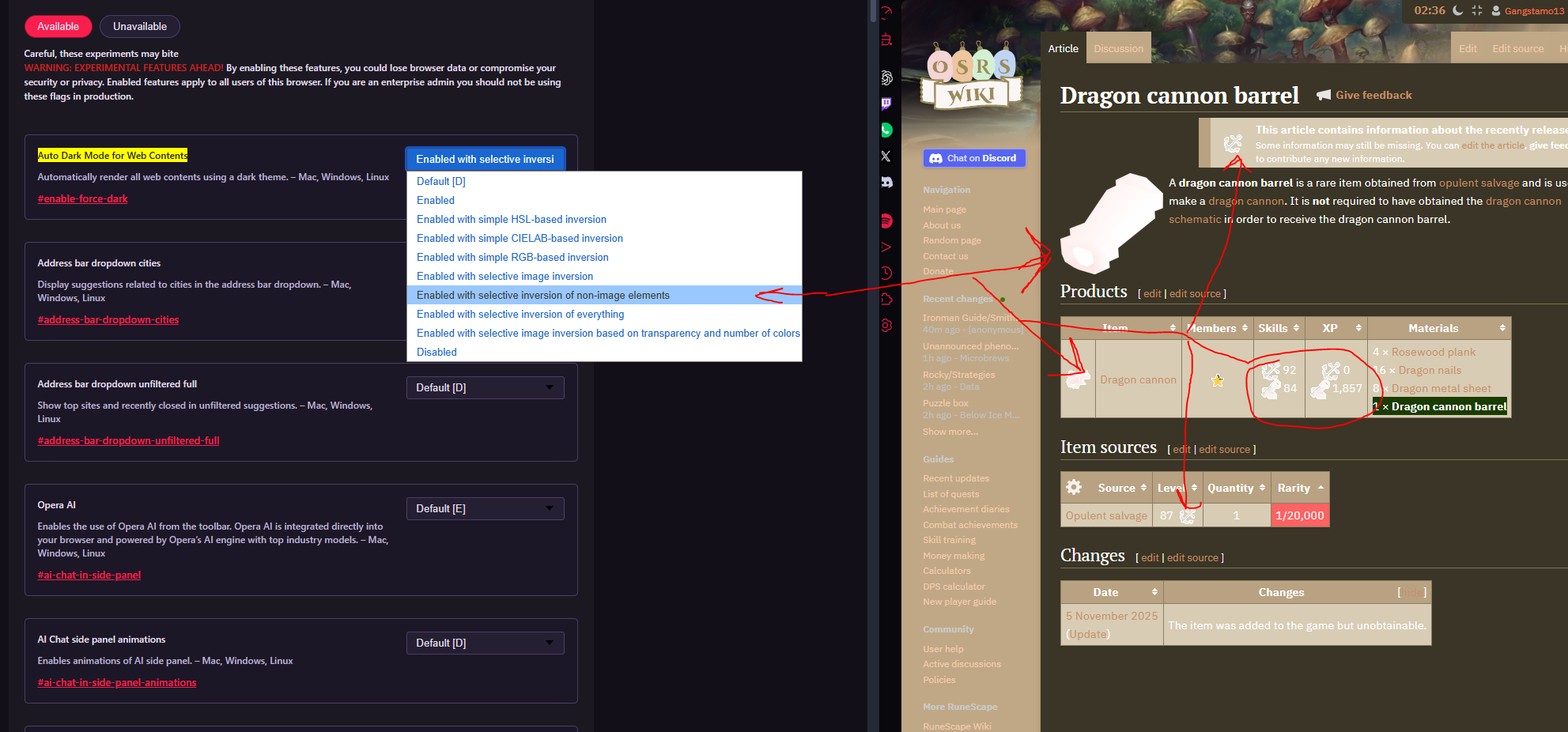
After updating Opera GX, the “Force dark pages” feature no longer works as intended. Images are being affected even though the setting is configured to exclude them.
Steps to reproduce
-
Navigate to:
opera://flags/#enable-force-dark -
Set Auto Dark Mode for Web Contents to:
“Enabled with selective inversion of non-image elements.”
Actual Behavior vs. Expected
On the current version, images are incorrectly inverted or altered. This issue appears on almost any page containing images.
For example, I tested the following page:
https://oldschool.runescape.wiki/w/Dragon_cannon_barrel
The image below shows the incorrect behavior on this page:

Comparison with previous version
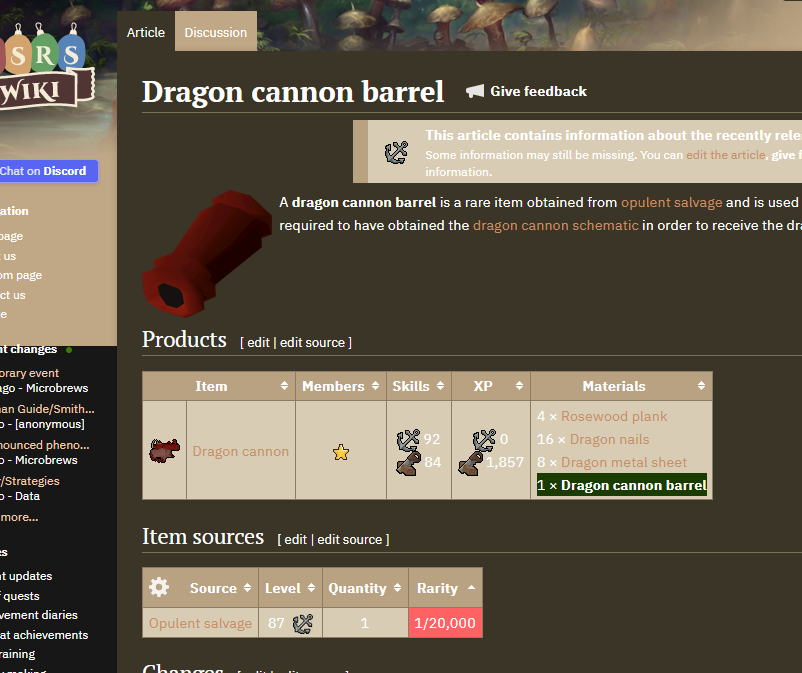
I reverted Opera GX to the last version I used where this feature worked correctly:
LVL 7 (core: 124.0.5705.61) and disabled auto-updates.
Opening the same page on this older version shows the expected behavior, with images unaffected: