• Login
    • Search
    • Categories
    • Recent
    • Tags
    • Users
    • Groups
    • Rules
    • Help

    Do more on the web, with a fast and secure browser!

    Download Opera browser with:

    • built-in ad blocker
    • battery saver
    • free VPN
    Download Opera

    Opera Sync Deleting Old Devices and Settings

    Synchronization
    2
    2
    101
    Loading More Posts
    • Oldest to Newest
    • Newest to Oldest
    • Most Votes
    Reply
    • Reply as topic
    Log in to reply
    This topic has been deleted. Only users with topic management privileges can see it.
    • fitzydj
      fitzydj last edited by fitzydj

      Opera Sync Settings and Remove Old Devices
      I am using Opera One in WIndows 11, Opera Mobile on a Pixel Phone and Tablet.
      I signed out of Opera on the Phone and Tablet.
      I then logged into https://www.sync.opera.com reset my Passphrase and all my old Computers and Tablets are now gone.
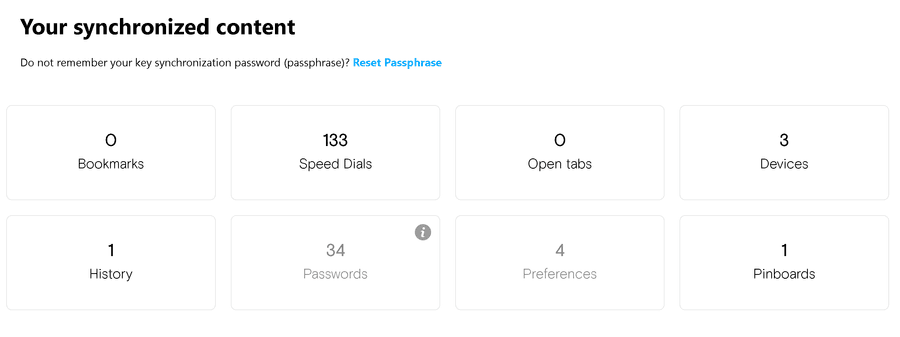
      Opera Sync.png

      I then logged back into Opera One on the PC and checked all my Sync Settings.
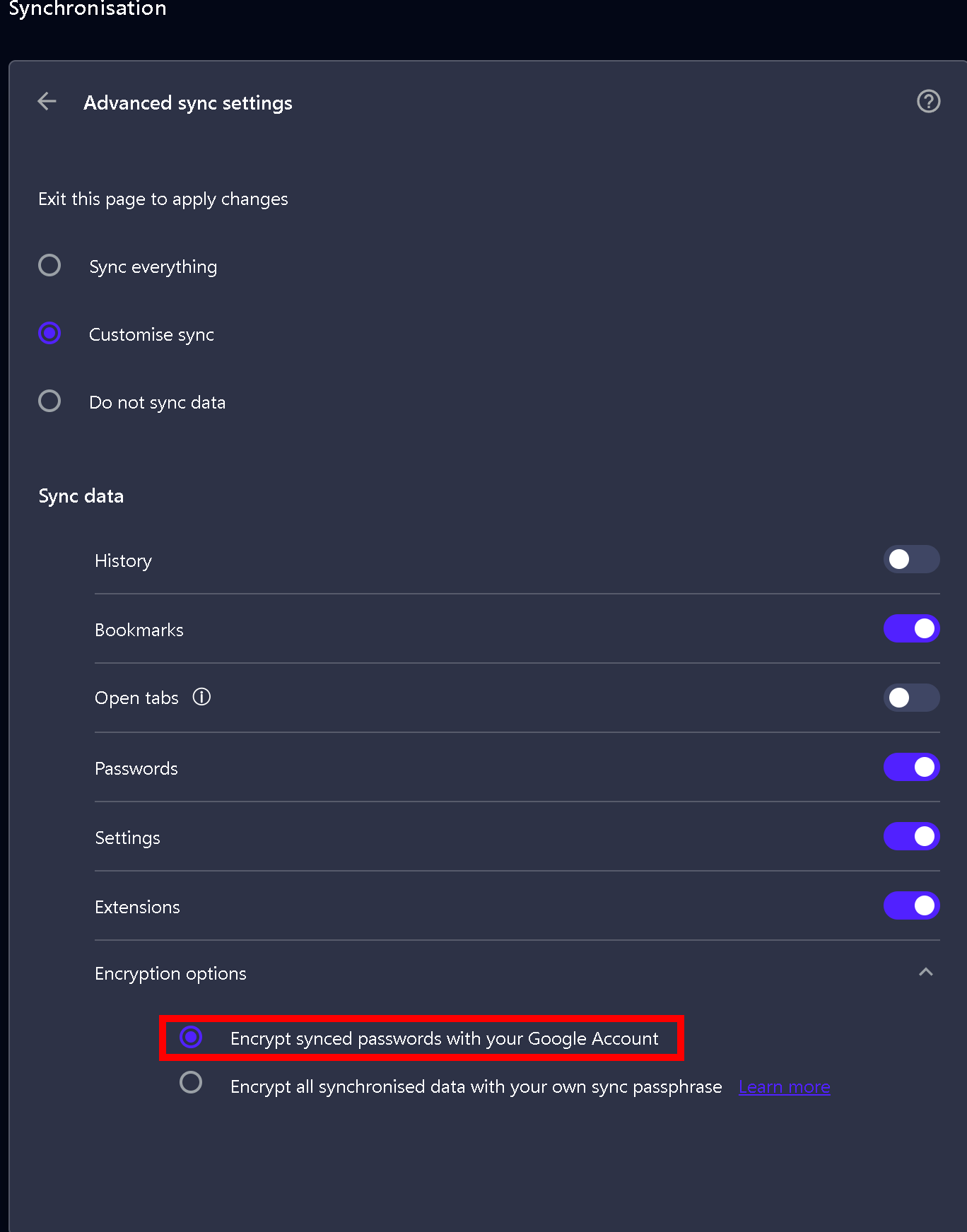
      Sync Settings.png

      Please note you don't have to set a Seperate Passphrase if you don't wish for Opera Sync, refer to the image above the area in the Red Frame you can just use the email address and password for your Opera Account.

      I then signed into Opera on the Mobile and Tablet and everything is synced working on the 3 Devices.

      Reply Quote 0
        leocg 1 Reply Last reply
      • leocg
        leocg Moderator Volunteer @fitzydj last edited by

        @fitzydj Yes, resetting passphrase implies in have the synced content removed from the server.

        Reply Quote 1
          1 Reply Last reply
        • First post
          Last post

        Computer browsers

        • Opera for Windows
        • Opera for Mac
        • Opera for Linux
        • Opera beta version
        • Opera USB

        Mobile browsers

        • Opera for Android
        • Opera Mini
        • Opera Touch
        • Opera for basic phones

        • Add-ons
        • Opera account
        • Wallpapers
        • Opera Ads

        • Help & support
        • Opera blogs
        • Opera forums
        • Dev.Opera

        • Security
        • Privacy
        • Cookies Policy
        • EULA
        • Terms of Service

        • About Opera
        • Press info
        • Jobs
        • Investors
        • Become a partner
        • Contact us

        Follow Opera

        • Opera - Facebook
        • Opera - Twitter
        • Opera - YouTube
        • Opera - LinkedIn
        • Opera - Instagram

        © Opera Software 1995-
