• Login
    • Search
    • Categories
    • Recent
    • Tags
    • Users
    • Groups
    • Rules
    • Help

    Do more on the web, with a fast and secure browser!

    Download Opera browser with:

    • built-in ad blocker
    • battery saver
    • free VPN
    Download Opera

    Remove VPN icon from address bar

    General
    5
    9
    3358
    Loading More Posts
    • Oldest to Newest
    • Newest to Oldest
    • Most Votes
    Reply
    • Reply as topic
    Log in to reply
    This topic has been deleted. Only users with topic management privileges can see it.
    • F
      flaviu2 last edited by

      I am using version 132.0.5905.19, and I tried VPN for a short time and I have disabled it, but the VPN icon is still present in the address bar, how can I get rid of this icon?

      Reply Quote 0
        leocg 1 Reply Last reply
      • leocg
        leocg Moderator Volunteer @flaviu2 last edited by

        @flaviu2 You can't, as far as I know

        Reply Quote 0
          F 1 Reply Last reply
        • F
          flaviu2 @leocg last edited by

          @leocg
          I see ... can be added such an option? I mean, this icon is not needed to be there, and it is not when you install a fresh Opera ...

          Reply Quote 0
            1 Reply Last reply
          • gcg1000
            gcg1000 last edited by

            Being unable to remove the VPN icon, when VPN is no being used, is a nuisance. This feature should be treated as an extension, so when it's disable the icon vanishes. Hope Opera comes up with a solution to this issue.

            Reply Quote 1
              SWK058 1 Reply Last reply
            • F
              flaviu2 last edited by

              I do understand why they chose this behaviour: once you enable VPN once, you want to have the VPN address bar icon as long you can enable/disable it from there.

              But another approach would be: if this feature (VPN) is not used for, let say, 10 days, to put as dissapeared. This would give the feeling as smart behaviour.

              Reply Quote 0
                1 Reply Last reply
              • SWK058
                SWK058 @gcg1000 last edited by

                @gcg1000 Most ppl only use Opera cause the free half (fake) VPN. (Like me)
                There are a lot smaller and faster browsers.

                Reply Quote 0
                  F 2 Replies Last reply
                • F
                  flaviu2 @SWK058 last edited by

                  @SWK058 said in Remove VPN icon from address bar:

                  smaller and faster browsers

                  post here some examples ... I am curious

                  Reply Quote 0
                    1 Reply Last reply
                  • F
                    flaviu2 @SWK058 last edited by

                    @SWK058
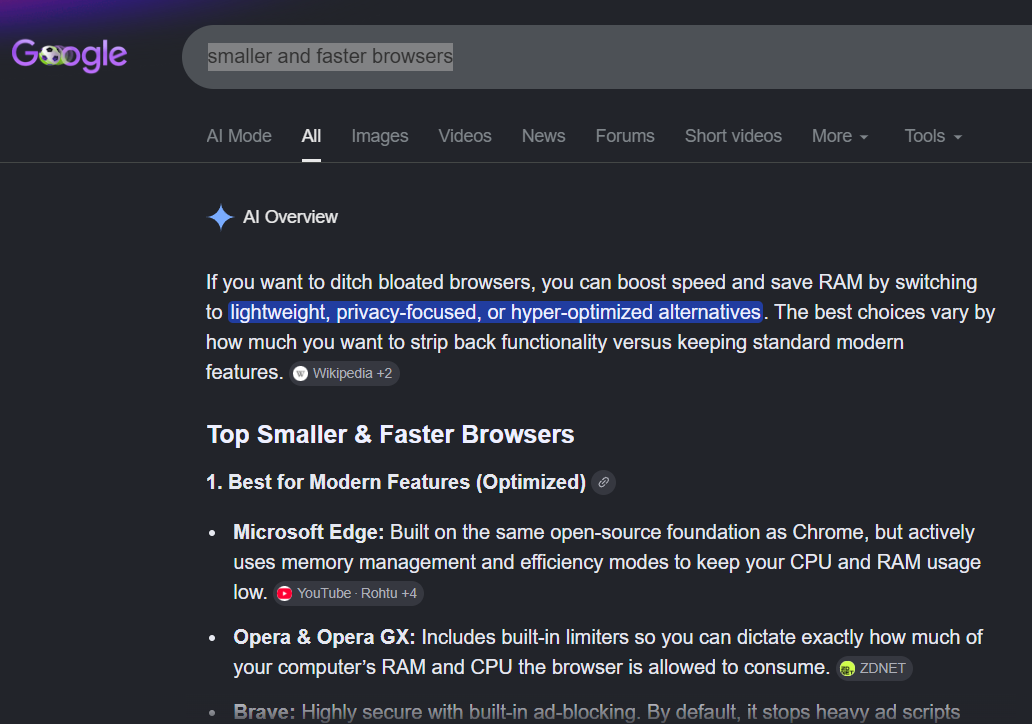
                    If I am seeking "smaller and faster browsers" in Google, I got:
                    a76b59ec-9af6-4b2a-a0ef-e870fd8afcdb-image.png

                    Reply Quote 0
                      T 1 Reply Last reply
                    • T
                      TheElderWyrm @flaviu2 last edited by

                      @flaviu2 @gcg1000 I had the same problem with my VPN showing up. Turns out you can do this through editing the preferences file directly, just not through the UI. You need to find the preferences file and set "freedom.proxy_switcher.ui_visible" to "false"
                      Reply Quote 0
                        1 Reply Last reply
                      • First post
                        Last post

                      Computer browsers

                      • Opera for Windows
                      • Opera for Mac
                      • Opera for Linux
                      • Opera beta version
                      • Opera USB

                      Mobile browsers

                      • Opera for Android
                      • Opera Mini
                      • Opera Touch
                      • Opera for basic phones

                      • Add-ons
                      • Opera account
                      • Wallpapers
                      • Opera Ads

                      • Help & support
                      • Opera blogs
                      • Opera forums
                      • Dev.Opera

                      • Security
                      • Privacy
                      • Cookies Policy
                      • EULA
                      • Terms of Service

                      • About Opera
                      • Press info
                      • Jobs
                      • Investors
                      • Become a partner
                      • Contact us

                      Follow Opera

                      • Opera - Facebook
                      • Opera - Twitter
                      • Opera - YouTube
                      • Opera - LinkedIn
                      • Opera - Instagram

                      © Opera Software 1995-