Option to Disable the Expanded Tab Hover Menu or Force Offset Position
-

-
leocg Moderator Volunteer last edited by
@mangojambo What would be that Tab Hover Menu? The one that shows the name of the tab and list the other tabs from the same domain?
-
mangojambo last edited by
Hey Leocg. Thank you for the quick answer.
What would be that Tab Hover Menu? The one that shows the name of the tab and list the other tabs from the same domain?Yes, that is it. Here is the image:
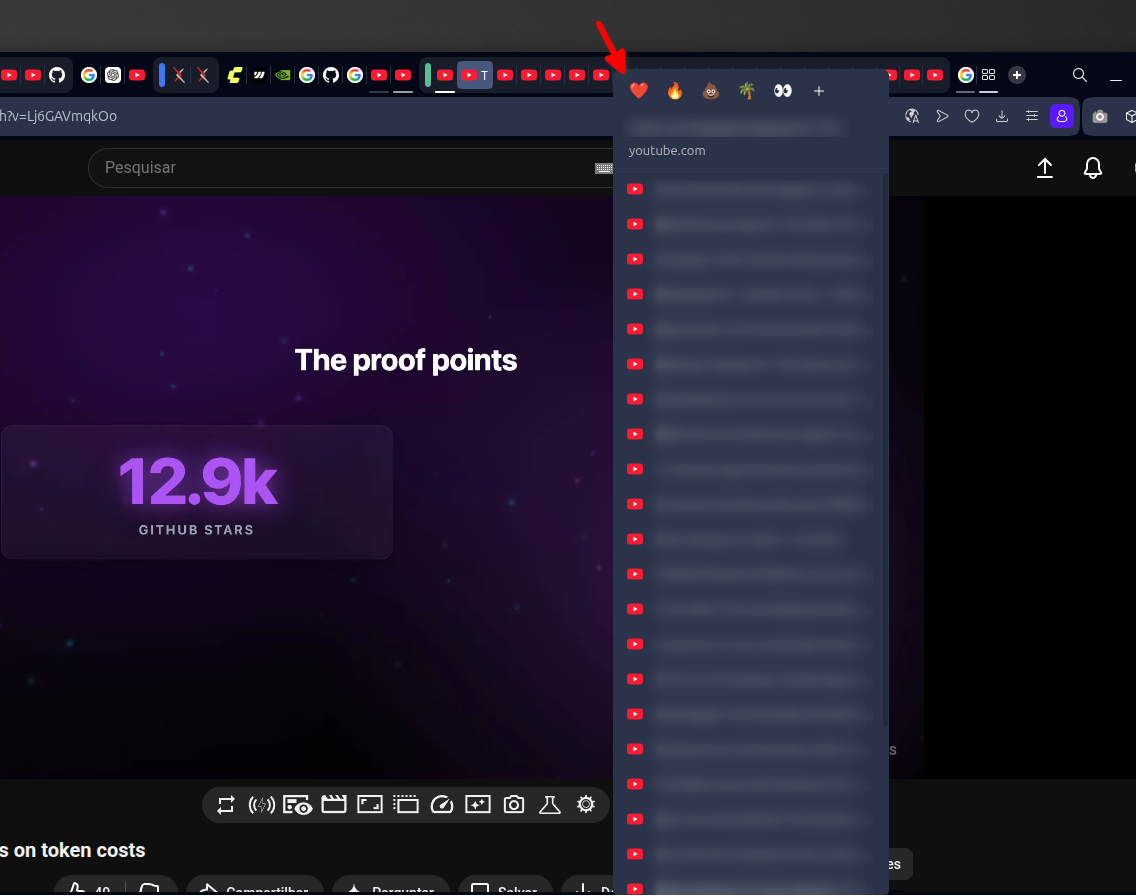
It covers all the tabs. It would be better if it respected the height limit and didn't cover them.
-
leocg Moderator Volunteer last edited by
@mangojambo Here it doesn't cover the tabs, but I don't usually accumulate tabs, so I don't have that amount.
-
mangojambo last edited by
Yeah, that’s the problem: when you have a huge number of opened tabs, the behavior isn’t handled correctly. I know it could be considered an edge case, but still an annoying behavior: the menu size gets taller than the proper vertical limit.
-
leocg Moderator Volunteer last edited by
@mangojambo With how many tabs opened the problem starts to happen?
-
mangojambo last edited by
@leocg It depends on two things: the number of items in the list and the vertical size of the window. The menu list height is also small have to surpass the window height.
But their is a interesting behavior:- many tabs opened from the same domain;
- mouse over one of the tabs and the menu will cover it;
- but if you move the cursor to other tab from the same domain, the menu adjust it self for the right height, not covering the tabs bar anymore.
-
mangojambo last edited by
I tested today and still not working properly:
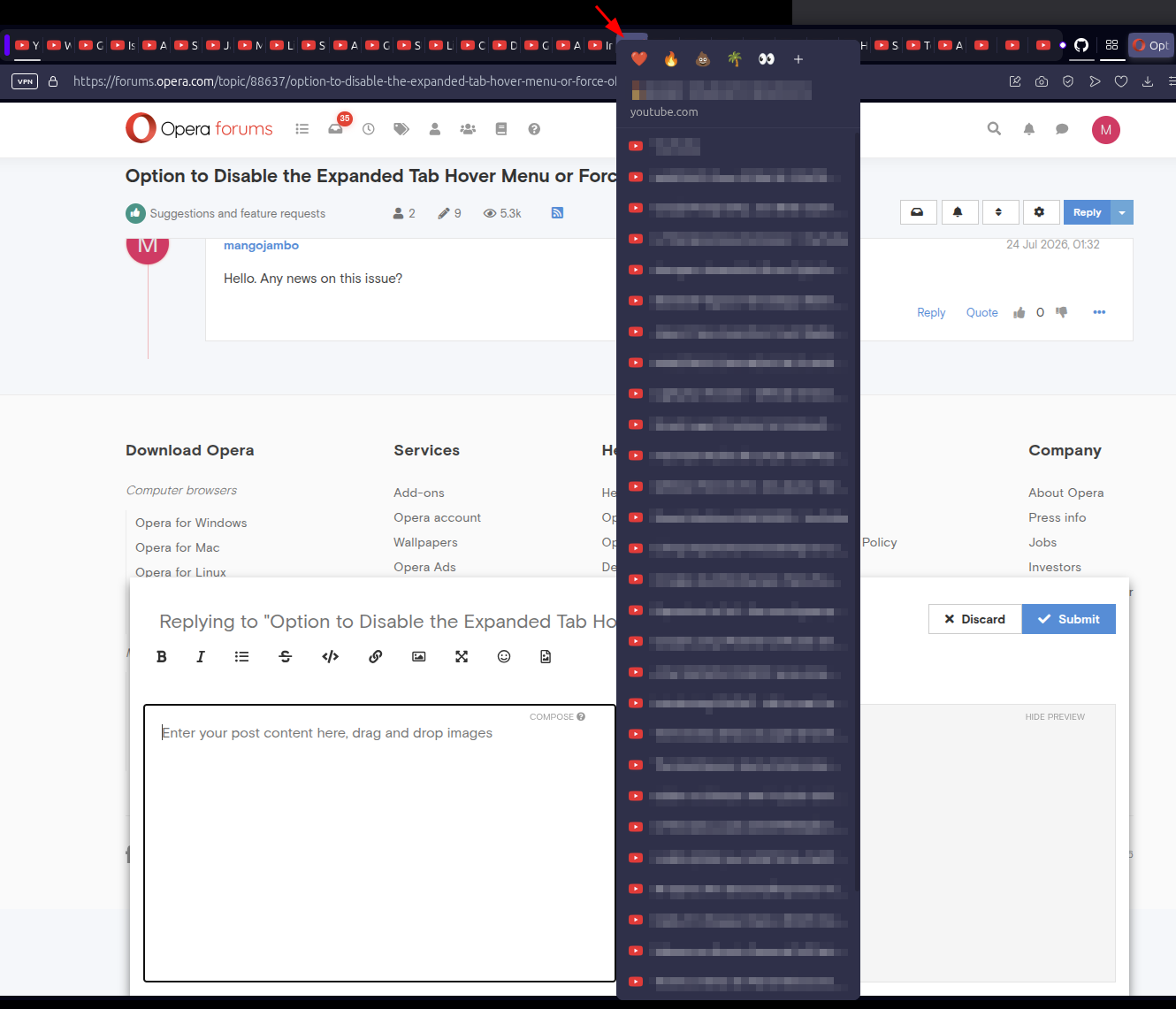
Sometimes it works, not covering the tabs:
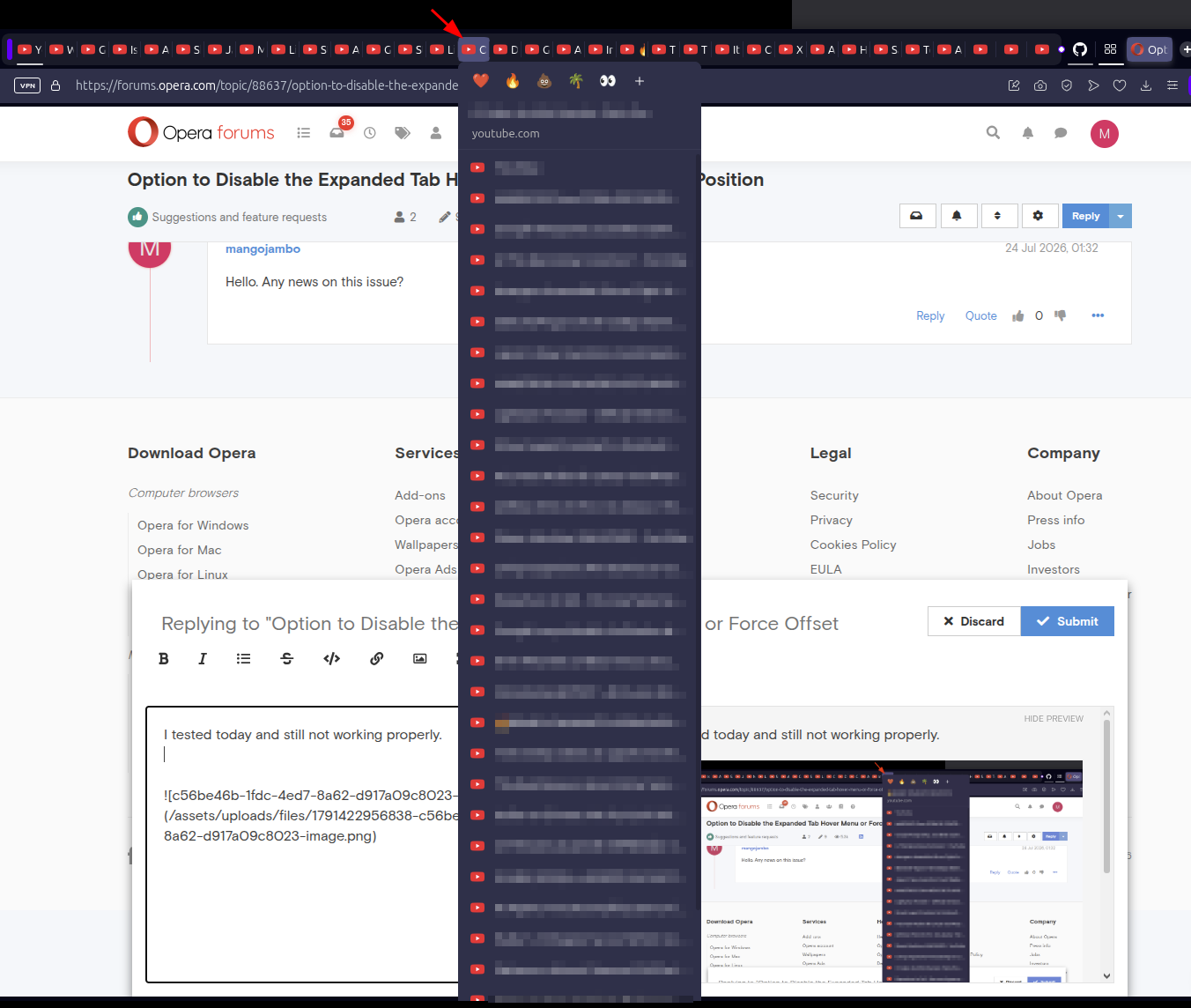
Sorry for insisting on it, but this is quite annoying.
Best regards.
-
mangojambo last edited by
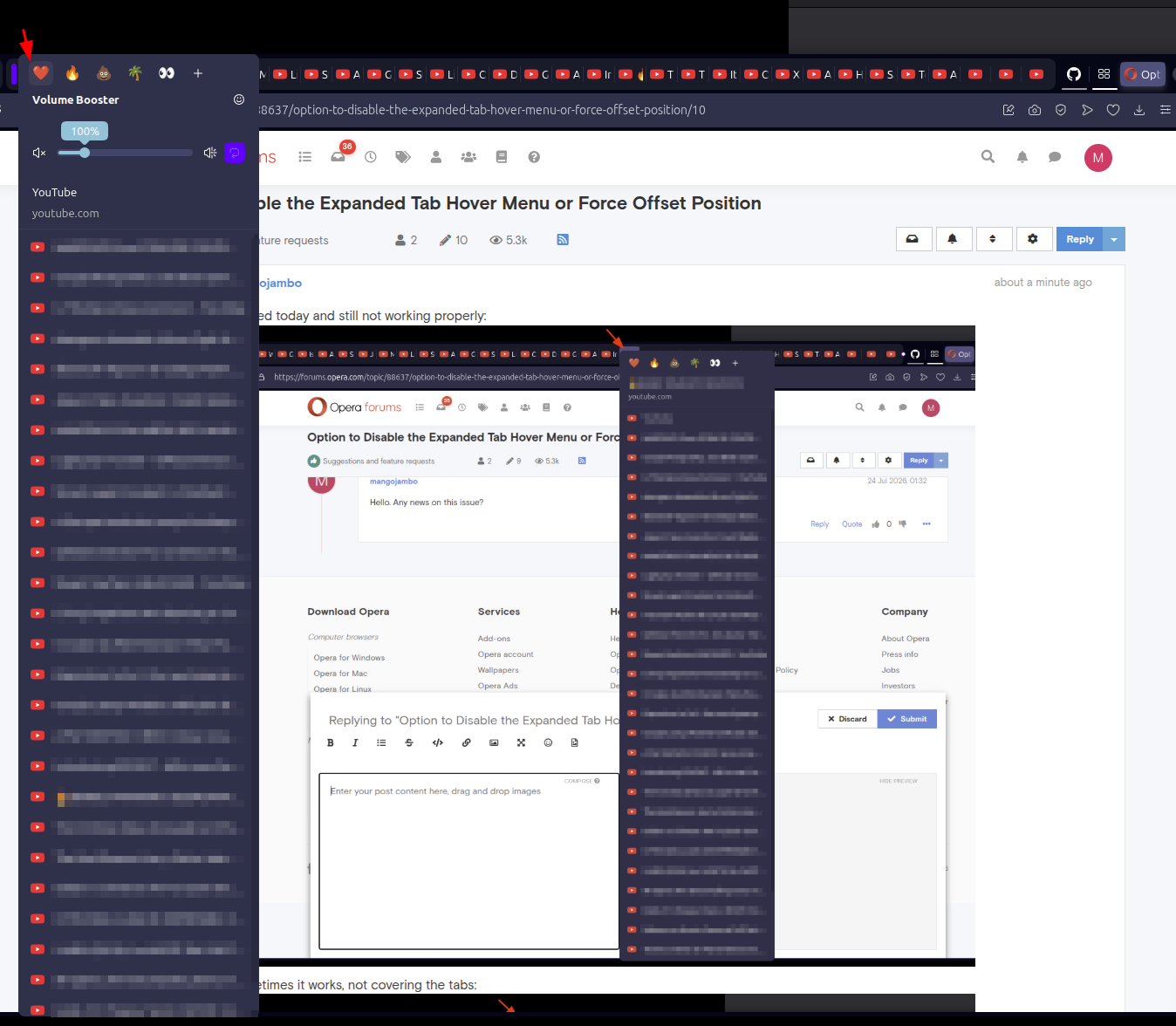
This one was worst one showing the volume slider, covering the tabs and I still can't clock on them: