Malwarebytes says that brimoq4.fun os trying to load
-

-
DavidKnight last edited by
I just went to open this chat page and the message came up again. I have tried searching for brimoq4 on the PC drive but can't find it. Deleted sessions, caches etc. but it is still there.
-
leocg Moderator Volunteer last edited by
@DavidKnight Maybe it's just a link on a page you are opening? Or on a bookmark?
-
leocg Moderator Volunteer last edited by
@DavidKnight If you use any extensions, try disabling/uninstalling them.
-
DavidKnight last edited by DavidKnight
@leocg
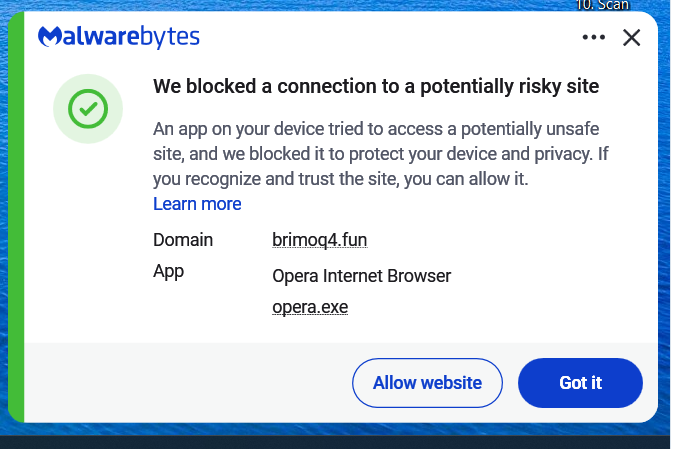
This is the message I get, it shows Opera is th app trying to access an unsafe site. Some times the message comes up when just opening Opera, even before I open any pages. -
leocg Moderator Volunteer last edited by
@DavidKnight What is the reason for Malwarebytes to consider the page as unsafe?
-
leocg Moderator Volunteer last edited by
@DavidKnight Go to settings page and enable the option to alert you when a third party app tries to open a link. It's in the On Startup section.
That way you can check if it isn't an app outside Opera trying to open the link.
-
leocg Moderator Volunteer last edited by
@DavidKnight So it says that the web page may be malicious? Did you try to search about that address to see if there is more information about it?
-
DavidKnight last edited by DavidKnight
@leocg Yes I have, https://www.scam-detector.com/validator/brimoq4-fun-review/
It seems to have been attached to an extension Privacy Protector that I didn't install. This extension is mentioned in the link above. I have removed it now.